VMT Editor: Difference between revisions
GamerDude27 (talk | contribs) m (Updated username) |
Adidores1054 (talk | contribs) No edit summary |
||
| Line 1: | Line 1: | ||
{{LanguageBar}} | {{LanguageBar}} | ||
{{Distinguish|Source VMT Editor}} | {{Distinguish|Source VMT Editor}} | ||
{{SoftwareBox | |||
<!-- Basic info --> | |||
| title = {{vmteditor|4}} | |||
<!-- Details --> | |||
| developer = [[User:Dima-369|Dmytro "Dima-369" Butemann]]<br>[[User:Yanzl|Jan "Yanzl" Gortnar]] | |||
| initial_release = May 9, 2016 | |||
| stable_release = Aug 11, 2021<br><small>(1.3.12)</small> | |||
| written_in = c++ | |||
| type = Texture Tool | |||
| distribution = Free and Open-source | |||
| website = [[https://dima-369.github.io/VMT-Editor/ Official Website] | |||
| download = [https://github.com/Dima-369/VMT-Editor/releases Github] | |||
| version = 1.3.12 | |||
<!-- Operating system(s)--> | |||
| windows = 1 | |||
<!-- Target engine(s)--> | |||
| source = 1 | |||
}} | |||
{{vmteditor|4.1}} is a free open source editor for [[VMT]] files written by [[User:Dima-369|Dmytro "Dima-369" Butemann]] and [[User:Yanzl|Jan "Yanzl" Gortnar]]. | {{vmteditor|4.1}} is a free open source editor for [[VMT]] files written by [[User:Dima-369|Dmytro "Dima-369" Butemann]] and [[User:Yanzl|Jan "Yanzl" Gortnar]]. | ||
Revision as of 01:25, 8 November 2025


{{SoftwareBox
| title =  VMT Editor
| developer = Dmytro "Dima-369" Butemann
VMT Editor
| developer = Dmytro "Dima-369" Butemann
Jan "Yanzl" Gortnar
| initial_release = May 9, 2016
| stable_release = Aug 11, 2021
(1.3.12)
| written_in = c++
| type = Texture Tool
| distribution = Free and Open-source
| website = [Official Website
| download = Github
| version = 1.3.12
| windows = 1
| source = 1
}}
VMT Editor is a free open source editor for VMT files written by Dmytro "Dima-369" Butemann and Jan "Yanzl" Gortnar.
Features

Material parameters are arranged in groups that you can add to your material, like Reflection or Specular. Commonly used groups and shaders are just a click away.
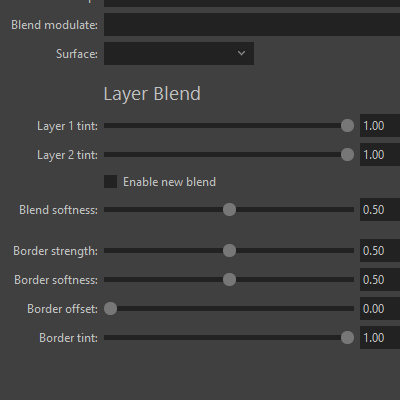
SUPPORT FOR THE LATEST PARAMETERS
Support for latest CS:GO parameters, such as layer blend and brush specular.
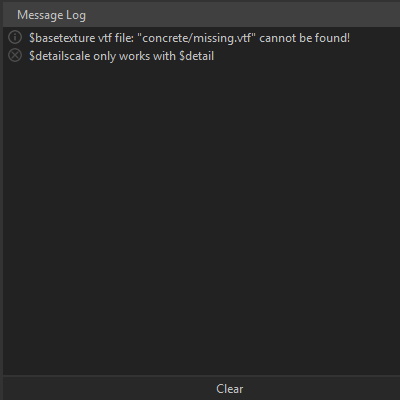
VMT VALIDATION
Every imported material is validated for missing textures, mismatching parameters, or missing brackets.
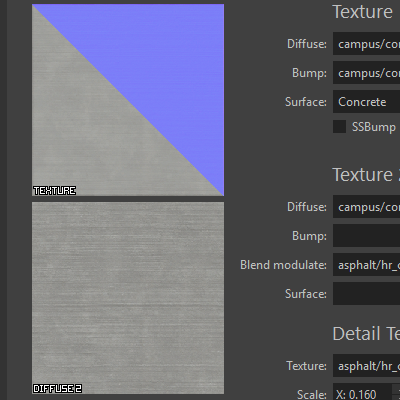
TEXTURE PREVIEW
Every imported material is validated for missing textures, mismatching parameters, or missing brackets.


Drag and drop your texture files into the VMT Editor window to have them automatically converted to VTF and copied to the appropriate folder.
FAST RECONVERT
VMT Editor remembers imported texture paths so you can reconvert textures to VTF with a click of a button.
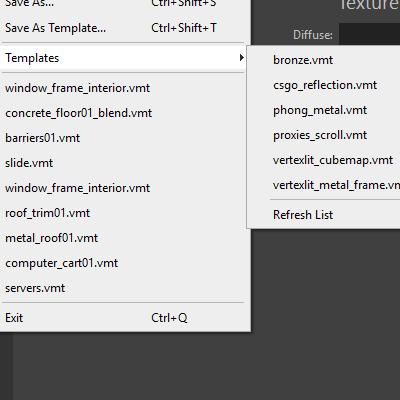
TEMPLATES
Save your VMT files as templates that contain multiple commonly used parameters.
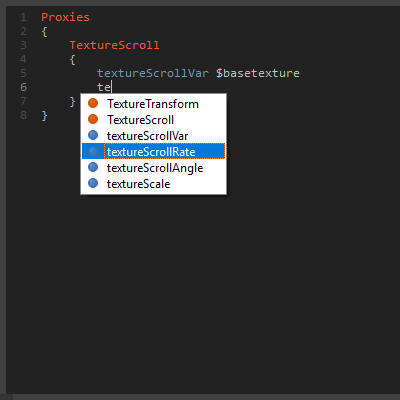
PROXIES
Edit proxies with syntax validation and autocompletion.

BATCH VTF CONVERSION
Convert multiple textures at the same time. Choose a custom output folder.
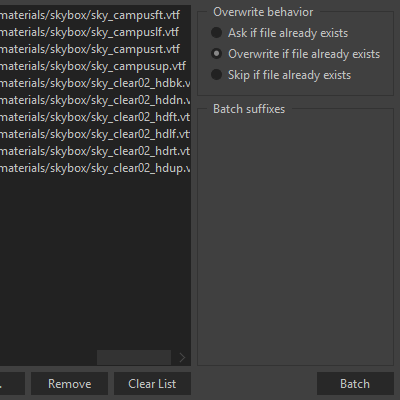
BATCH VMT CREATION
Auto-create multiple VMT files based on your open material.
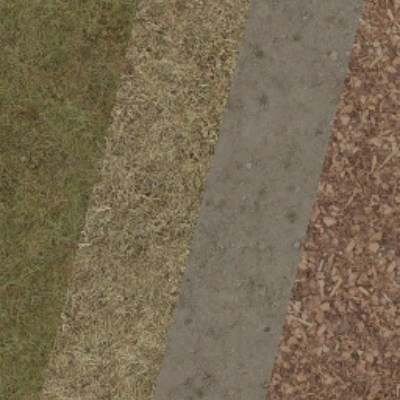
BLEND TOOL TEXTURE
Generate a blend tool texture for your blend material. Works on both WorldVertexTransition and Lightmapped_4WayBlend.


sRGB color correction, water texture creation, editing the VMT Preview, adding custom alpha channels...
Quick Start
Download the .zip file from the GitHub page and extract it anywhere on your computer.


Screenshots


See also
External links
- VMT Editor - The official website
- GitHub page - VMT Editor's source code
- Download @ GitHub
| |||||||||||||||||||||||||||||||||||||||||||||||||||||||||||


