
Point camera: Difference between revisions
Jump to navigation
Jump to search


 Note:This entity is missing from


 FGDs. uses point_viewcontrol_survivor for each survivor, or point_viewcontrol_multiplayer for all survivors at once instead.
 Bug:
Bug: In Portal 2, having a
mNo edit summary |
|||
| (41 intermediate revisions by 23 users not shown) | |||
| Line 1: | Line 1: | ||
{{ | {{LanguageBar}} | ||
{{CD|CPointCamera|file1=point_camera.cpp}} | |||
{{this is a|point entity|name=point_camera}} | |||
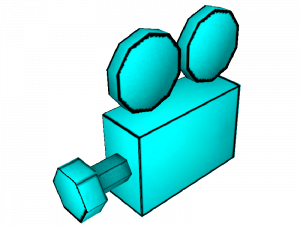
[[File: point_viewcontrol.png | right | 300px]] It is a camera which outputs its view to the <code>_rt_camera</code> texture, which can be displayed using materials such as <code>dev/dev_tvmonitor1a</code>. The camera image will only update if a {{ent|func_monitor}} or the entity specified in an {{ent|info_camera_link}} is on-screen. Since there is normally only one camera render texture, only one camera can be active at a time unless a mod increases the limit. | |||
{{note|This entity is missing from {{csgo}}{{insurgency}}{{l4d2}}{{css}} FGDs. {{l4d2}} uses [[point_viewcontrol_survivor]] for each survivor, or [[point_viewcontrol_multiplayer]] for all survivors at once instead.}} | |||
{{bug|{{portal2}} In Portal 2, having a <code>point_camera</code> active can cause objects to become invisible through portals.}} | |||
:{{workaround|Disable <code>r_portal_fastpath</code> using a {{ent|point_clientcommand}}, this allows cameras and several other portal-related things to work correctly.}} | |||
__TOC__ | |||
{{clr}} | |||
==Keyvalues== | |||
{{KV Targetname}} | |||
{{KV Angles}} | |||
{{KV|FOV|intn=FOV|float|Field of view in degrees. 90 is a good starting point for a decent view. Lower value is narrower and a larger value is a wider view.}} | |||
{{KV|Screen Aspect Ratio|intn=UseScreenAspectRatio|boolean|{{clarify}}}} | |||
{{KV|Use HD Camera?|only={{hl2}} 20th|intn=UseHDCamera|boolean|Render to the [[render target]] at higher resolution.}} | |||
{{minititle|Fog}} | |||
{{KV|Fog Enable|intn=fogEnable|boolean}} | |||
{{KV|Fog Color|intn=fogColor|color255|The fog color.}} | |||
{{KV|Fog Color (HDR Override)|only={{hl2}} 20th|intn=fogColor_HDR|color255|The fog color for HDR.}} | |||
{{KV|Fog Start|intn=fogStart|float|The near fog plane.}} | |||
{{KV|Fog End|intn=fogEnd|float|The far fog/clipping plane.}} | |||
{{KV|Fog Max Density [0..1]|intn=fogMaxDensity|float|The maximum fog density. 0=no fog, 1=full fog.}} | |||
{{KV|Use Radial Fog?|only={{hl2}} 20th, {{hls}}, {{tf2branch}}, {{portal}}|intn=fogRadial|boolean|Use radial fog instead of planar-based fog. Only in {{hl2|1}} 20th Anniversary Update, {{hls|1}} (which runs on top of HL2 20th Anniversary base), {{portal|1}} (since May 2025 update), aswell as all games on {{tf2branch|1}} (since Feb 18, 2025 update).}} | |||
==Flags== | ==Flags== | ||
{{fl|1|Start Off}} | |||
== Inputs == | == Inputs == | ||
{{I|ChangeFOV|Changes camera's FOV over time<br>Format: <code><Target FOV> <Time></code>|param=string}} | |||
{{I|SetOnAndTurnOthersOff|Turn the camera on, and turn all other cameras off.}} | |||
{{I|SetOn|Turn the camera on.}} | |||
{{I|SetOff|Turn the camera off.}} | |||
[[Category:Entities]][[Category:Camera]] | [[Category:Entities]][[Category:Camera]] | ||
Latest revision as of 19:49, 29 November 2025


 Class hierarchy Class hierarchy
|
|---|
| CPointCamera |
| point_camera.cpp
|
point_camera is a point entity available in all  Source games.

It is a camera which outputs its view to the _rt_camera texture, which can be displayed using materials such as dev/dev_tvmonitor1a. The camera image will only update if a func_monitor or the entity specified in an info_camera_link is on-screen. Since there is normally only one camera render texture, only one camera can be active at a time unless a mod increases the limit.
Note:This entity is missing from FGDs. uses point_viewcontrol_survivor for each survivor, or point_viewcontrol_multiplayer for all survivors at once instead.Bug: In Portal 2, having a point_camera active can cause objects to become invisible through portals. [todo tested in ?] Workaround:Disable
 r_portal_fastpathusing a point_clientcommand, this allows cameras and several other portal-related things to work correctly.
Keyvalues
- Name (targetname) <string>
- The name that other entities refer to this entity by, via Inputs/Outputs or other keyvalues (e.g.
parentnameortarget).
Also displayed in Hammer's 2D views and Entity Report. - See also: Generic Keyvalues, Inputs and Outputs available to all entities
- Pitch Yaw Roll (Y Z X) (angles) <QAngle>
- This entity's orientation in the world. Pitch is rotation around the Y axis, yaw is the rotation around the Z axis, roll is the rotation around the X axis.
- FOV (FOV) <float>
- Field of view in degrees. 90 is a good starting point for a decent view. Lower value is narrower and a larger value is a wider view.
- Screen Aspect Ratio (UseScreenAspectRatio) <boolean>
- [Clarify]
- Use HD Camera? (UseHDCamera) <boolean> (only in
 20th)
20th) - Render to the render target at higher resolution.
Fog:
- Fog Enable (fogEnable) <boolean>
- Fog Color (fogColor) <color255>
- The fog color.
- Fog Color (HDR Override) (fogColor_HDR) <color255> (only in 20th)
- The fog color for HDR.
- Fog Start (fogStart) <float>
- The near fog plane.
- Fog End (fogEnd) <float>
- The far fog/clipping plane.
- Fog Max Density [0..1] (fogMaxDensity) <float>
- Use Radial Fog? (fogRadial) <boolean> (only in 20th,
 ,
,  ,
,  )
) - Use radial fog instead of planar-based fog. Only in Half-Life 2 20th Anniversary Update, Half-Life: Source (which runs on top of HL2 20th Anniversary base), Portal (since May 2025 update), aswell as all games on Team Fortress 2 branch (since Feb 18, 2025 update).
Flags
- Start Off : [1]
Inputs
- ChangeFOV <string>
- Changes camera's FOV over time
Format:<Target FOV> <Time>
- SetOnAndTurnOthersOff
- Turn the camera on, and turn all other cameras off.
- SetOn
- Turn the camera on.
- SetOff
- Turn the camera off.