newLight_Point

newLight_Point is an e0 available in  Black Mesa. It is one of the many new lighting entities available. Black Mesa incorporates a new lighting system which utilizes
  Deferred lighting to create dynamic lighting system with dynamic shadows, which allows to complement and quite enliven some scenes, it is also nice effect for moving objects, such as trains. It is also include fine tuning Godrays and lightcookies.
Keyvalues
- Name (targetname) <string>
- The name that other entities refer to this entity by.
- Parent (parentname) <targetname>
- The name of this entity's parent in the movement hierarchy. Entities with parents move with their parent.
- Pitch Yaw Roll (Y Z X) (angles) <angle> !FGD
- This entity's orientation in the world. Pitch is rotation around the Y axis, yaw is the rotation around the Z axis, roll is the rotation around the X axis.
 Important:Have huge differences if you use texture for your newLight_Point.
- Enabled (Enabled) <choices>
- Enable/Disable this Entity.
Determines if the light is off at level start.
- 0: Enabled
- 1: Disabled
- Appearance (FlareStyle) <choices>
- Template:Light appearances
- Light Color (LightColor) <color255>
- This is the color of the sunlight.
Determines color of light.
- Light Ambient Color (LightColorAmbient) <color255>
- This is the ambient color of the sunlight.
Determines color of shadows that light source creates.
|
|


- Light Intensity (Intensity) <float>
- RGB * Intensity.
Brightness of the light.
 Note:With 0 will not draw, process and specular shader be disabled.
- SpecularMultiplier (SpecMultiplier) <float>
- 0 to 1 RGB * Intensity * SpecularMultiplier.
Brightness of the specular shader from this light source.
|
|
- Range (Range) <float>
- Range.
How far the light source illuminates. Measured in Hammer Units.
Important:It greatly affects optimization, less is better.|
|
- Light Type (LightType) <choices>
- Determines the light type.
- 0: Static - shadows are cast only by static objects (prop_static, geometry, etc.). Lighting does not update if it has parent (use if part scene has no large moving parts, or shadow accuracy is not important).
- 1: Stationary - shadows are cast by static and dynamic objects, lighting does not update if it has a parent. Important:Shadows for dynamic props update, but not dynamic geometry!
- 2: Dynamic - shadows are cast by static and dynamic objects, lighting updates if it does have a parent. This light is quite expensive, and should only be used for moving light sources, and if your scene have moving geometry.
|
|
- HasShadow (HasShadow) <choices>
- Do you want this light to have shadows?
Determines whether the light source will cast shadows. Remember that default choices is No.
- 0: No
- 1: Yes
|
|
Note: Shadows are cast and update even with closed areaportals.|
|

- ShadowMapLOD (ShadowLod) <choices>
- Resolution of ShadowMap used by this light.
Determines quality of shadows. 1024 is very expensive, use it only in places where it's really needed, in most cases 512 is good alternative. 256 produces the blurriest shadows, but it is also the cheapest.
- 0: 256
- 1: 512
- 2: 1024
|
|
Important:In one level you can have only 8 light spot/points with shadows which use one and same shadow lod, even if you don't use all them simultaneously. If this limit is not respected - 9-th and next lights will not cast shadows. However - you can rise up this limit with point_template, just kill past lights with kill input and spawn new when you need it. Also use different shadow lods.- ShadowFaceX (ShadowFaceX) <choices>
- Shadow Enabled for this Face ?
Determines whether the given side lighting will display shadows.
- 0: Enabled
- 1: Disabled
- ShadowFaceX_Minus (ShadowFaceX_Minus) <choices>
- Shadow Enabled for this Face ?
Determines whether the given side lighting will display shadows.
- 0: Enabled
- 1: Disabled
- ShadowFaceY (ShadowFaceY) <choices>
- Shadow Enabled for this Face ?
Determines whether the given side lighting will display shadows.
- 0: Enabled
- 1: Disabled
- ShadowFaceY_Minus (ShadowFaceY_Minus) <choices>
- Shadow Enabled for this Face ?
Determines whether the given side lighting will display shadows.
- 0: Enabled
- 1: Disabled
- ShadowFaceZ (ShadowFaceZ) <choices>
- Shadow Enabled for this Face ?
Determines whether the given side lighting will display shadows.
- 0: Enabled
- 1: Disabled
- ShadowFaceZ_Minus (ShadowFaceZ_Minus) <choices>
- Shadow Enabled for this Face ?
Determines whether the given side lighting will display shadows.
- 0: Enabled
- 1: Disabled
- NearZ (NearZ) <float>
- NearZ used by shadowmap camera for this light.
Determines distance at which light source will cast shadows.
- DepthBias (DepthBias) <float>
- DepthBias - Offset added to depth values in shadowmaps.
- SlopeDepthBias (SlopeDepthBias) <float>
- Slope Depth Bias - For surfaces having aliasing due to steep angles with light.
- NormalBias (NormalBias) <float>
- While rendering objects into shadow maps, each vertex will be moved along -ve Normal direction, giving it an appearance of shrinking while rendering to shadow maps. This property determines the amount of Units to be moved. Helps with shadow aliasing.
|
|
 Bug:Numbers lower than 0.8 can cause huge graphics problems. [todo tested in ?]
|
|
- ShadowRadius (ShadowRadius) <float>
- Radius of shadow edges for soft shadows. If its value is negative, code will auto assign a value depending on shadowlod. These code based values can be adjusted via convars nr_shadow_rad_High,nr_shadow_rad_Med and nr_shadow_rad_Low.
Determines shadow blur. Low numbers are expensive to render.
|
|
- Enable Texture Light (bTexLight) <choices>
- Enable Texture Ligh.
Determines whether the given light source uses .vtf texture from game files (just like env_projectedtexture). With NewLight_Point, this technically works like a cube. A great example is the batteries that use lights/lightcookie_battery.vtf.
- 0: Disabled
- 1: Enabled
|
|
 Note:One of the most expensive features, use wisely. If shadows enabled - it can work with lags even with powerful PC.
- Texture name for TexLight (texName) <string>
- Texture name for Texture shadows.
Determines which texture will use light source. It use .vtf files, not .vmt.
- .Enable Prop Only Mode (bNegLight) <choices>
- Enable Prop Only Mode.
- 0: Disabled
- 1: Enabled
- LightnGodRayMode (LightnGodRayMode) <choices>
- 0:Light 1:Godrays 2:Both Light and GodRays.
- 0: Light
- 1: Godrays
- 2: Both Light and GodRays
|
|
- EnableGodRays (EnableGodRays) <choices>
- Enable GodRays.
Determines whether godrays are enabled or not at map start.
- 0: Disabled
- 1: Enabled
 Warning:You can have only 40 point lights with godrays enabled simultaneously, otherwise game will crash with this error message.
- RaysLimit.png
If you'll try to enable forty-first light point with enabled Godrays.
Note:Godrays are draw and process even with closed areaportals.|
|

- Density (Density) <float>
- Density Controls the length of rays/volumetric shadows. 1.0 should work in 99% cases. Good values to start from: 0.5 to 1.5.
|
|
- Weight (Weight) <float>
- Weight Controls the intensity of volumetric shadow. Blocking of rays by geometry. Good values to start from: 0.1 - 10.0.
|
|
- Decay (Decay) <float>
- Decay NOT being used.
- Exposure (Exposure) <float>
- Exposure Controls the intensity of Rays during blending pass with main scene. 2.0 is a good start. Good values are 1.0 - 10.0.
|
|
- DistFactor (DistFactor) <float>
- DistFactor Controls the falloff of rays / length. 1.0f is a good starting value increase or decrease in the increments of 0.1. 0.0 will make the rays dissappear only disk will be rendererd.
|
|
- DiskRadius (DiskRadius) <float>
- Radius of Disk/circle of sun in texturespace. 1.0 will be full screen 0.5 is half screen etc.
|
|
Note:With 0 - will not render.- ColorInner (ColorInner) <color255>
- This is the color of the inner circle.
|
|
Note:Unlike lighting - brightness of inner depends on fourth number which can be written here.- ColorRays (ColorRays) <color255>
- This is the color of the rays.
|
|
Note:Unlike lighting - brightness of rays depends on fourth number which can be written here.- GodRaysType (GodRaysType) <choices>
- GodRaysType.
- 0: Normal
- 1: Fancy
|
|


- DiskInnerSizePercent (DiskInnerSizePercent) <float>
- Used only in Fancy Gaphics Mode. Disk inner circle radius = DiskRadius * DiskInnerSizePercent.
|
|
Note:With 0 - will not render.- ColorOuter (ColorOuter) <color255>
- Used only in Fancy Mode. This is the color of the outer circle.
|
|
Note:Unlike lighting - brightness of outer depends on fourth number which can be written here.- Ell_FR_ConstA (Ell_FR_ConstA) <float>
Note:For fancy Godrays only.|
|
- Ell_FR_ConstB (Ell_FR_ConstB) <float>
Note:For fancy Godrays only.|
|
- EEll_SR_ConstA (EEll_SR_ConstA) <float>
- EEll_SR_ConstB (EEll_SR_ConstB) <float>
- Ell_RRF_ConstA (Ell_RRF_ConstA) <float>
Note:For fancy Godrays only.|
|
- Ell_RRF_ConstB (Ell_RRF_ConstB) <float>
Note:For fancy Godrays only.|
|


- RotSpeed (RotSpeed) <float>
Determines rotating speed of fancy rays, 0 - don't rotate, negative number - will rotate to left.
Note:For fancy Godrays only.|
|

- RotPatternFreq (RotPatternFreq) <float>
Determines count of fancy rays in frame, with negative number will deny RotSpeed +/- effect.
Note:For fancy Godrays only.|
|
- RenderInWorldSpace (m_bEnableWorldSpace) <choices>
- Disables disks if this enabled.
- 0: Disabled
- 1: Enabled
- m_fAlphaDiskInner (m_fAlphaDiskInner) <float>
- m_fAlphaDiskOuter (m_fAlphaDiskOuter) <float>
- UseToneMapRays (m_bUseToneMapRays) <choices>
- 0: Enabled
- 1: Disabled
- UseToneMapDisk (m_bUseToneMapDisk) <choices>
- 0: Enabled
- 1: Disabled
- ShadowPass_Brush (m_bSRO_Brush) <choices>
- Do we want to Render Brushes in shadow passes for this light?
- 0: YES
- 1: NO
- ShadowPass_StaticProp (m_bSRO_StaticProp) <choices>
- Do we want to Render StaticProps in shadow passes for this light?
- 0: YES
- 1: NO
- ShadowPass_DynProp (m_bSRO_DynProp) <choices>
- Do we want to Render Dynamic Props in shadow passes for this light?
- 0: YES
- 1: NO
- ShadowPass_AlphaTest (m_bSRO__Trans) <choices>
- Do we want to Render AlphaTested Objects in shadow passes for this light?
- 0: YES
- 1: NO
Inputs
- SetColorLight
- <color255>. Change Light's Color value. Doesnt effect the godrays
- SetIntensityForLight
- <float>. Change Light's intensity value. Doesnt effect the godrays
- TurnOnGodRays
- Turn the Godrays on.
- TurnOffGodRays
- Turn the Godrays off.
- TurnOn
- Turn the light on.
- TurnOff
- Turn the light off.
- Toggle
- Toggle the light's current state.
Outputs
Issues
Deferred lighting incorrect work with $translucent
Deferred lighting all time rendering through walls with material shader parameter $translucent. This happen because of game can't tell the depth of scene because of the transparency, what you are see in the picture is just the lighting layer applied to the color of transparency texture.

No $translucent. Behind the wall placed lighting and some models with small room.
- BugDamn.png
With $translucent. Now player see everything, but only what lighted.

- GargHah1.png
Scene behide window. Looks like the gargantua has lost its texture and turned white.
- GargDamn1.png
Scene out window. This is what should see player.
This problem also applies to brushes which not have $translucent, but which parented to brushes that have this parameter. Similar will happen if brush with $translucent is part of your brush entity.
- BSFL1.png
This sticker is brush parented to the glass. Flashlight off.
- BSFL2.png
This sticker is brush parented to the glass. Flashlight on.
Same will happen if you use overlays/decals on brushes with $translucent.
- MS1.png
Metal speaker is overlay that use $alphatest, but lighting of the health charger visible anyway, because overlay pasted on the transparency window.
This issues not happen if replace LightmappedGeneric to ShatteredGlass shader. ShatteredGlass give similar to LightmappedGeneric results, so, you can use it for glass or transparency surfaces when it's needed.
- HahF2.png

In some cases use $alphatest if it'll give similar to $translucent resualts, with this your surface also will cast dynamic shadows.
- AF1.png
- AF2.png
Deferred lighting incorrect work with $alphatestreference and $allowalphatocoverage
$alphatestreference is a material shader parameter that specifies the threshold alpha channel value at which the surface should be transparent instead of opaque, default "0.5". $allowalphatocoverage creates translucent steps based on alpha values. Both have one and same problems with deferred lighting.
For examples used this texture with this alpha channel.
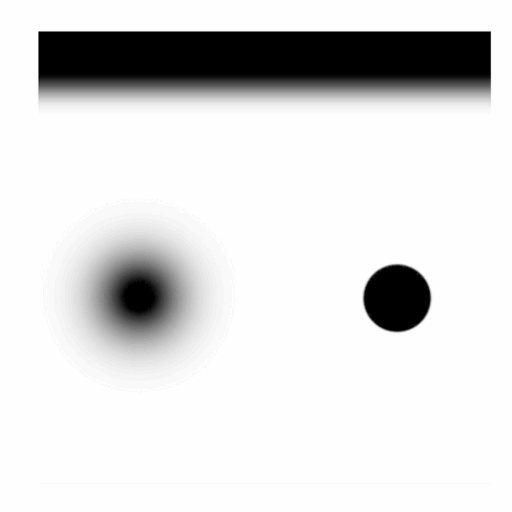
Diffuse texture.
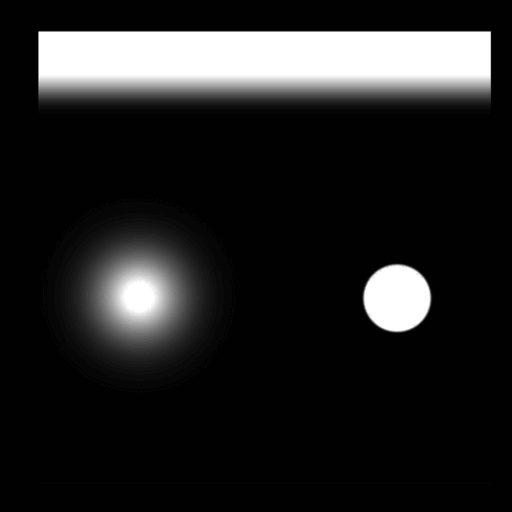
Alpha channel.


Here deferred lighting placed behind wall with the texture, lighting is red and shadows is blue. We can see the circle part of that have alpha channel part which is invisible due to $alphatest, with enabled deferred lighting we see that the invisible part doesn't show through itself deferred lighting with shadows.
- ODSL 1.png
Dynamic light disabled behind wall with the texture, using standart VRAD light.
- ODSL 2.png
Dynamic light enabled behind wall with the texture, not using standart VRAD light.
From the opposite side the invisible part illuminates everything in itself equally, without taking into account decay of light, it's also don't show shadows and other dynamic lights in itself.
- IIPSEE .png
Dynamic light disabled, using standart VRAD light.
- IIPSEE.png
Dynamic light enabled, not using standart VRAD light.
If use very low numbers you will see resualts like in the pictures.
- CCCC 11.png
Dynamic light disabled, using standart VRAD light.
- CCCC 12.png
Dynamic light enabled, not using standart VRAD light.
- CCCC 21.png
Dynamic light disabled, using standart VRAD light.
- CCCC 22.png
Dynamic light enabled, not using standart VRAD light.
You can't escape this problem, only minimize effect with $alphatestreference 0.1 or if paint alpha correct channel.
Godrays incorrect work with $alphatestreference and $allowalphatocoverage
Godrays process invisable parts, you can't escape this problem, only minimize effect with $alphatestreference 0.1 or if paint alpha correct channel.
- GIWTAAA.png
An example.
You can't escape this problem, only minimize effect with $alphatestreference 0.1 or if paint alpha correct channel.
Godrays incorrect work with $translucent
Godrays (also disk) all time fully rendering through textures with material shader parameter $translucent, because of this you will see unexpected results like in the picture. Disable Godrays when you need or use $alphatest if it'll give resualts similar to $translucent. You also can try use some other tricks to escape this problem.
- GodraysTransBug.png
Bug example in bm_c1a3c.
- GodraysTransBugSide.png
Sign from other side.
Godrays draw through water
Deferred lighting don't fully draw through water, unlike Godrays.
- C3m0c.png
Black Mesa: Blue Shift - bs_c3m0c.
Godrays may leak in some cases
Due to way Godrays works, in some cases they can be drawn through walls, appearing where they should not be visible at all. Disable rays with triggers or minimize effect.
- Bmsleak(Someone from Valve please allow to BM devs to publish the game code to make possible for us fix this bugs please).gif
An example.
Godrays can't be displayed in monitors and reflections
Godrays is post process effect that depends on player screen. That means that they can't water reflections or monitors can't show it.
- GodraysInWater.png
An example.
- GodraysInMonitor.png
An example.
Weird clipping
Often meeting strange clipping/flickering, strange phenomenon that also was in early stages of the game, this does not depend on OS or drivers, despite this there are rumors that this occurs most often among users of Linux. There is no known way to deal with this, most often happen with NewLight_Spot.
- WC1.gif
One of many examples.
- WC2.gif
One of many examples.
- WC3.gif
One of many examples.
Brush polygons may clip deferred lighting
Rare phenomenon, sometimes brush polygons clip deferred lighting, the reason that cause this is unknown. Can be easy fixed if divide invalid brush into two parts.
- BPl0.png
One of examples (mat_wireframe 0).
- BPl1.png
One of examples (mat_wireframe 1).
- BPb0.png
One of examples (mat_wireframe 0).
- BPb1.png
One of examples (mat_wireframe 1).
Shadows incorrect work with newLight_Point cube edges
Because newLight_Point arу cube technically - we get shadows incorrect behavior with edges of this cube, this can sometimes lead to their serious distortion a.k.a. clipping. You only can minimize this if set shadow quality to maximum.
- SIWENCE0.png
One of many examples.
- SIWENCE1.png
One of many examples.
- SIWENCE 2.png
One of many examples.
Deferred lighting shine through nodraw texture
Not a bug, but a pattern. Unfortunately, this cannot be controlled in any way, you should keep in mind this before paint nodraw to escape situations like in the gifs. If your dynamic light source illuminates face that player never see - use cheap textures with low resolution and which don't use material shader parameters, a good solution would be dev textures.
- SLB1.gif
Black Mesa - bm_c2a2a.
- SLB2.gif
Black Mesa: Blue Shift - bs_c0m0c.
Shadows don't appear immediately after reload
After game save and load shadows don't appear for short time, maybe it has something to do with caching. This appearance duration may vary depending on power of user PC and how much of lights with enabled shadows are turned on at level, but in any case user will get this issue even with most powerful PC. Enable in worldspawn settings Level Fade In to hide this problem, this setting also will hide some other problems with loads that avaible in Black Mesa.
- SDAIAR1.gif
With no
Level Fade In. It seems like the shadows flicker, which makes it unpleasant for eyes. - SDAIAR2.gif
With
Level Fade In. Everything looks fine.
Shadows don't appear immediately with a lot of lights with shadows
If your level use a lot of lights with shadows - shadows from enabling lights will not appear immediately, this happens if light source was disabled and if player's camera did not see this light source enabled initially. Can be fixed if enable light source at level start and keep it enabled before drawing of level allows player's camera to see this light source, disable this light source and than enable when we need this.
- SDAIWALOLWS1.gif
An example.
- SDAIWALOLWS2.gif
bm_c2a1a.
Dynamic lights with shadows may buggy
In some cases your attached lights may have buggy shadows if parent moving, work smart when use this feature. If your moving light is decoration - highly recommended to leave shadows disabled to save limits and performance.
- DLWSMB1.gif
An example.
- DLWSMB2.gif
bm_c1a1c.
Viewmodel illuminated by deferred render draw in refract shader
Refract shader and Water shader take and refract player screen space without taking into account viewmodel. However - viewmodel illuminated by deferred render draw in refract shader because of game can't tell the depth of viewmodel because of the transparency, what you are see in the pictures is just the lighting layer applied to the color of transparency texture.
- DFS1Alt.png
Clear example in test map, the hivehand illuminated by deferred render draw in the refract texture, plus it's completely discolored there..
- DFS2.png
Black Mesa - bm_c4a1a.
- DFS3.png
Black Mesa: Blue Shift - bs_c2m0a.
Viewmodel doesn't support self-shadowing with deferred ligths
Unlike cascade shadows - viewmodel doesn't support self-shadowing with deferred ligths. Not a bug, but this is not what you expect from real life, it also isn't so with env_projectedtexture.
- CSMSF.png
Here you can see how one of gluon gun switches create shadow that fall on other part of gun.
- DFSF.png
Light spot illuminates gluon gun, but lighting just ignore viewmodel and fully shine through, although only the side of the gun should be light.
Godrays and deferred lighting incorrect work with cloak
Cloak is a material shader parameter for VertexLitGeneric shader, female assassins use it to make them transparent when they need it. Godrays all time fully render through them, same for deferred lighting.
- ASSASINRAYS.png
bm_c2a3c, the sun's rays are not cut off despite the fact that she is completely untransparent right now.
- ASSASINDF.png
bm_c2a3c, she is completely untransparent, but we still can see one of lighting layers.
Godrays doesn't refract by refract shader and fully draw through
Unlike deferred lighting Godrays doesn't refract by refract shader, also fully draw through.
- AnGodexample.gif
An example.
Strange "holes" when player's camera is at a great distance
In some cases may will appear strange "holes" when player's camera is at a great distance. Strange bug that occurs quite rarely, can be fixed if increase NormalBias number.
 Confirm:Does it happen with newLight_Spot ?
- AnFuexample.gif
Example in bm_c4a1b1, the green teleporter light source starts to glitch when player move certain distance.
- BMSH 1.png
Black Mesa, map bm_c4a1b1. NormalBias - 1.
- BMSH 2.png
Black Mesa, map bm_c4a1b1. NormalBias - 5.
- BMOBSH 1.png
Black Mesa: Black Ops - Restored, bmops_map_2. NormalBias - 0.5.
- BMOBSH 2.png
Black Mesa: Black Ops - Restored, bmops_map_2. NormalBias - 1.5.
Weapons dynamic light incorrect work with damaged func_breakable_surf
For some reason weapons dynamic light can illuminate damaged func_breakable_surf even if position of it very far from position of damaged func_breakable_surf.
Confirm:Is there a way to fix this?
- AnSexample.gif
An example.
New lights don't work with 3D Skybox
Don't use new lights in your 3D skyboxes, none of them will work at all.
- NLDW3DS.png
An example. We see that deferred lighting and Godrays works fine, but 3D Skybox don't draw both.
Motion blur blurring viewmodel lighting layer
For some reason Motion blur blurring viewmodel lighting layer, you can notice this when you just rotate camera.
- VLLBASU.gif
An example.
See Also
- light_spot
- env_lensflare
- newLight_Dir
- Lighting
- Adding Light
- Intermediate Lighting
- Advanced Lighting
- Effect flags (dynamic light effects)
- Tool textures (for Block light)
- BlackMesa XenEngine: Part 4 – Lighting & Shadows (page from Black Mesa developer about new lights)