NewLight Point: Difference between revisions

From Valve Developer Community
Jump to navigation Jump to search
 
(99 intermediate revisions by 5 users not shown)
Line 1: Line 1:
{{LanguageBar}}
{{TabsBar|main=Black Mesa Deferred Lights}}
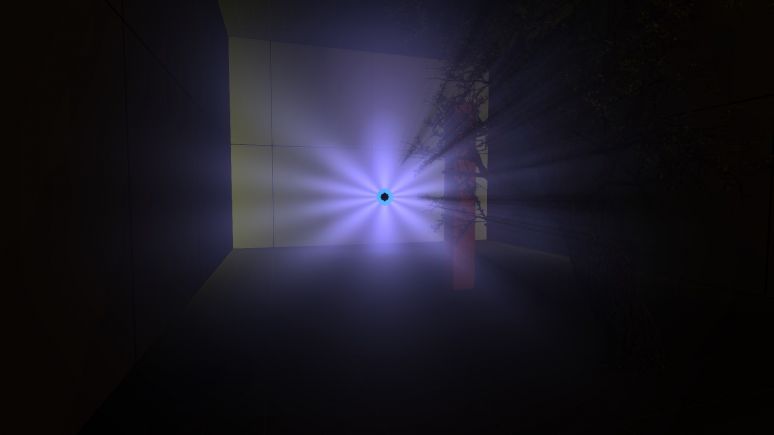
[[File:NewLight_PointMain.jpg|720px||thumb|right|NewLight_Point in {{code|End Game}} chapter (used for the portal).]]
{{this is a|point entity|name=newLight_Point|game=Black Mesa|sprite=NewLight Point.png}} It creates an invisible [[Deferred lighting|deferred light]] source that shines in all directions, includes godrays and lightcookies.
{{CDA|CNewLightPoint|CBaseEntity|}}
[[File:NewLight_PointMain.jpg|720px||thumb|right|NewLight_Point in {{code|End Game}} chapter (used for the portal).]]
{{Note|You can have only 512 point light entities placed in the map editor.}}


{{warning|New lights use expensive [https://learnopengl.com/Advanced-Lighting/Deferred-Shading gbuffer], that means that with this entity your scene rendering at least 5 times, which makes your level very expensive, considering that [[XenEngine]] uses 32-bit architecture and [[DirectX_Versions|DirectX]] 9.5 rendering. In large quantities, new lights can greatly heat up your computer and also cause large FPS drops (depending on difficulty of your map and how your area open). Use wisely.}}
{{Note|You can have only 512 point light entities placed in the map editor.}}
Represented by class <code>CNewLightPoint</code>.
{{todo|Rework this page.}}
{{back | Black Mesa Level Creation}}
==Keyvalues==
==Keyvalues==
{{KV Targetname}}
{{KV Targetname}}
Line 14: Line 10:
:{{note|There is almost no differences if you're using point light with no texture. Things changes if you're using textures.}}
}}
}}
{{KV|bUseOldFallOff|intn=bUseOldFallOff|choices|Enable old falloff similar to [[light]]/[[light_spot]].
{{KV BmNewLightOldFalloff}}
*0: No
*1: Yes
|nofgd=1|deprecated=1}}
{{KV BmNewLightBaseMain}}
{{KV BmNewLightShadowMain}}
Line 23: Line 16:
{{KV BmNewLightShadowBias}}
{{KV BmNewLightCookieMain}}
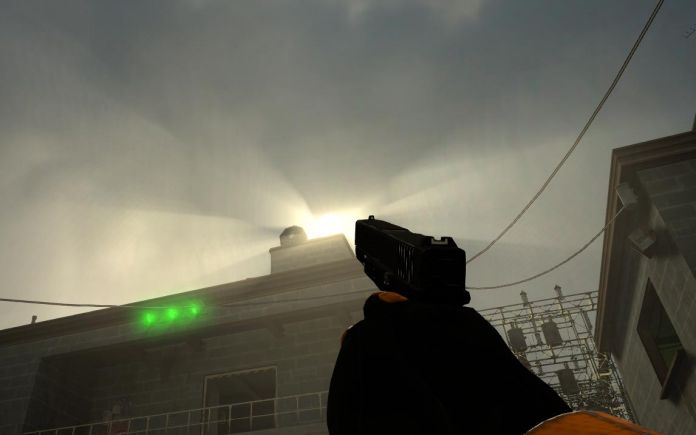
{{KV|LightnGodRayMode|intn=LightnGodRayMode|choices|Sets state for light and godrays.
{{KV|LightnGodRayMode|intn=LightnGodRayMode|choices|This determines what effects will be available to use for the light source. Keep in mind that the default choice is Light.
*0: Light - light only.
:*0: Light - light only.
*1: Godrays - godrays only.
:*1: Godrays - godrays only.
*2: Both Light and GodRays - both light and godrays.
:*2: Both Light and GodRays - both light and godrays.
{{expand|margin_left=2em|title=Examples|
<gallery mode=packed heights=290px>
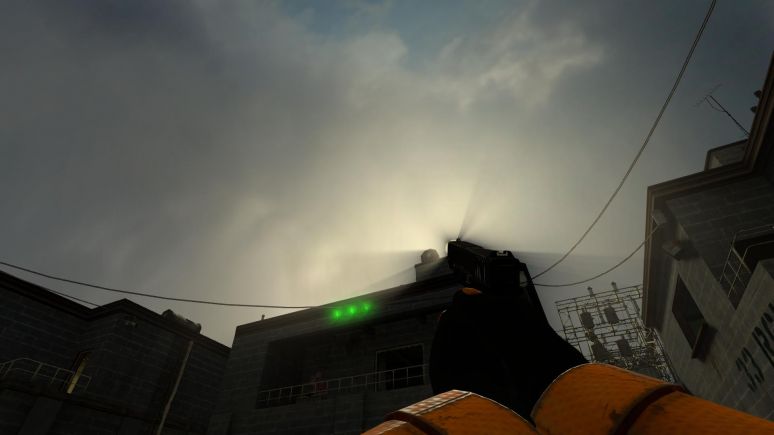
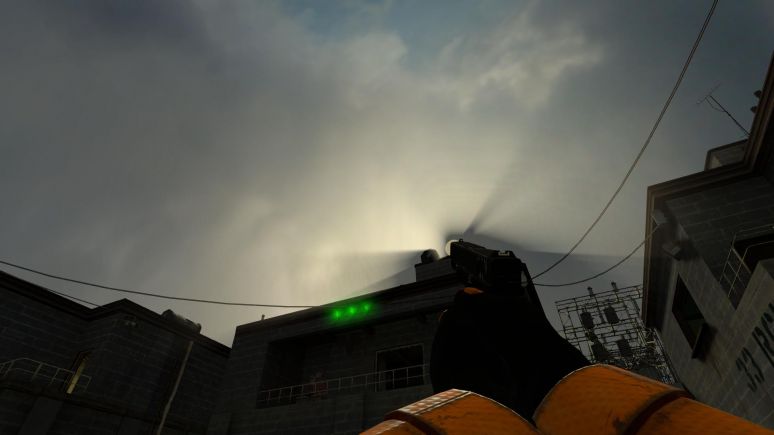
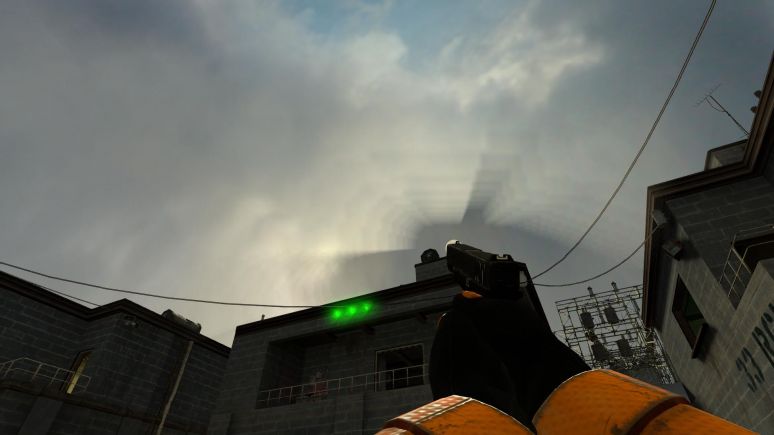
File:cGAL1.jpg| thumb | left | 510px | LightnGodRayMode - Light
File:cGAL2.jpg| thumb | left | 510px | LightnGodRayMode - Godrays
File:cGAL3.jpg| thumb | left | 510px | LightnGodRayMode - Both Light and GodRays
</gallery>
}}
:{{bug|hidetested=1|Even if godrays is turned off, the game will still think that the godrays is used if choice is <code>Godrays</code> or <code>Both Light and GodRays</code>.}}
}}
}}
Line 39: Line 25:
{{KV BmGodraysFancy}}
{{KV BmNewLightShadowPasses‎}}
{{KV|UseToneMapRays|intn=m_bUseToneMapRays|choices|
*0: Enabled
*1: Disabled
{{ModernConfirm|Deprecated.}}
}}
{{KV|UseToneMapDisk|intn=m_bUseToneMapDisk |choices|
*0: Enabled
*1: Disabled
{{ModernConfirm|Deprecated.}}
}}
{{KV|m_fAlphaDiskInner|intn=m_fAlphaDiskInner|float|{{todo|}}}}
{{KV|m_fAlphaDiskOuter|intn=m_fAlphaDiskOuter|float|{{todo|}}}}


==Inputs==
==Inputs==
{{IO|SetColorLight|param=color255|Change light's color value. Doesn't affect the godrays.}}
{{I|SetColorLight|param=color255|Change light's color value. Doesn't affect the godrays.}}
{{IO|SetIntensityForLight|param=float|Change light's intensity value. Doesn't affect the godrays.}}
{{I|SetIntensityForLight|param=float|Change light's intensity value. Doesn't affect the godrays.}}
{{IO|TurnOnGodRays|param=void|Turn the godrays on.}}
{{I|TurnOnGodRays|param=void|Turn the godrays on.}}
{{IO|TurnOffGodRays|param=void|Turn the godrays off.}}
{{I|TurnOffGodRays|param=void|Turn the godrays off.}}
{{IO|TurnOn|param=void|Turn the light on.}}
{{I|TurnOn|param=void|Turn the light on.}}
{{IO|TurnOff|param=void|Turn the light off.}}
{{I|TurnOff|param=void|Turn the light off.}}
{{IO|Toggle|param=void|Toggle the light's current state.}}
{{I|Toggle|param=void|Toggle the light's current state.}}
 
==Shadow map slots==
Shadow map slots is how many lights with shadows you can have per level. There are 3 separate shadow map slots, <code>High</code> (for lights with <code>1024</code> value for <code>ShadowMap LOD</code> property), <code>Medium</code> (for lights with <code>512</code> value for <code>ShadowMap LOD</code> property) and <code>Low</code> (for lights with <code>256</code> value for <code>ShadowMap LOD</code> property).
 
In <code>High</code> and <code>Medium</code> you can have 48 separate shadow maps, for <code>Low</code> you can have 47 separate shadow maps (143 shadow maps in total).
 
Each spot light with shadows takes 1 shadow map slot, so you can have 48/47 spot lights with shadows, if they are using the same value for <code>ShadowMap LOD</code> property.
 
Each point light with shadows takes 6 shadow map slots. This is due to point light isn't just omnidirectional light source, it's 6 spot lights in one entity. This means that you can have 8 point lights with shadows, if they are using the same value for <code>ShadowMap LOD</code> property. You can increase this value if you need, just disable shadows for one of the shadow face properties.
 
If one of the shadow map slots is full - you will not be able to have shadows for more lights with such shadow quality, you will need to use other value for <code>ShadowMap LOD</code> property.
 
Point lights and spot lights doesn't counts separately. You can't have 48 spot lights with 8 point lights, but you can have 6 spot lights with 7 point lights.
 
You can free up shadow map slots with <code>Kill</code> input. So, you can place triggers which will <code>Kill</code> lights that player can't see and spawn new lights via {{ent|point_template}} (uncheck the second flag for {{ent|point_template}}, this prevents some bugs). This helps a lot when you want to have many dynamic lights in different areas.
 
Important to note that due to some engine bugs you can't use many lights with shadows. Some tests show that 9th point light cause lights with shadows to be very glitchy. This can be done with spot lights as well. So don't be surprised if at some point you find something like this.
<gallery mode=packed heights=410px>
File:manyshadowslotsbugg.jpg| frame |The bug example.
</gallery>
 
It looks like you can workaround it if you will switch <code>ShadowMap LOD</code> property values from higher to lower.
 
{{tip|You can use {{command|nr_debug_print_shadow_slots_info}} to get full info about shadowmap slots.}}
 
==Lighting behavior with [[VIS]] and [[areaportals]]==
===Static type===
Static type is the most stable, since its shadows are baked in and updates only with save loads or while lighting  turning on. It shows all shadows even with closed [[areaportal]].
<gallery mode=packed heights=410px>
File:staticlight_0.jpg| frame |Areaportal is open.
File:staticlight_1.jpg| frame |Areaportal is closed.
</gallery>
===Stationary type===
Shadows for static props and brushes are baked, but not for physics props and other dynamic models. This means that shadows from dynamic models will disappear if they are hidden by a closed areaportal or if [[VIS]] is hiding such objects. Shadows for static props and brushes will not disappear.
<gallery mode=packed heights=410px>
File:stationlight_0.jpg| frame |Areaportal is open.
File:stationlight_1.jpg| frame |Areaportal is closed.
</gallery>
 
In some cases, this can be noticeable if dynamic model creates a large shadow.
<gallery mode=packed heights=410px>
File:Theboxshadow_0.jpg| frame |Areaportal hides the box, note that there is no shadow.
File:Theboxshadow_1.jpg| frame |Areaportal shows the box, now there is a shadow of the box.
</gallery>
With {{command|mat_wireframe|1}}.
<gallery mode=packed heights=410px>
File:thewireboxshadow_0.jpg| frame |Areaportal hides the box.
File:thewireboxshadow_1.jpg| frame |Areaportal shows the box.
</gallery>
 
===Dynamic type===
Shadows for static props and world geometry are baked, but not for dynamic models and brushes. This means that shadows from dynamic models and brushes will disappear if they are hidden by a closed areaportal or if [[VIS]] is hiding such objects. Shadows for static props and world geometry will not disappear. Moving lighting will update shadows for static props and world geometry, even with closed areaportal.
<gallery mode=packed heights=410px>
File:dynlight_0.jpg| frame |Areaportal is open.
File:dynlight_1.jpg| frame |Areaportal is closed.
</gallery>
 
===Player spawn and areaportals===
If player spawned in position where areaportal don't hide objects - shadows will be fine. Otherwise, static shadowmap will not see models with [[bmodel|bmodels]] and will bake shadows only for world geometry and displacements. This problem is not relevant only for Dynamic light type. The problem disappears after save reload from proper position.
<gallery mode=packed heights=410px>
File:psaa_0.jpg| frame |Player spawned in position where areaportal don't hide objects. The columns are {{ent|func_detail}}, the pipes are {{ent|prop_static}}.
File:psaa_1.jpg| frame |Player spawned in position where areaportal hide objects. Note that the columns and pipes don't have any shadows.
</gallery>
 
==Lighting behavior with start/end fade dist for prop_static==
This mechanic has some issues with static shadowmaps. It seems that there are limitations that don't allow to fix these issues, or this issues was not noticed at the development stage.
===Static type===
If player spawns in fade radius - shadows will never disappear (until save reload if out of radius).
<gallery mode=packed heights=410px>
File:fadepropstaticlight_1.jpg| frame |In radius.
File:fadepropstaticlight_0.jpg| frame |Out of radius.
</gallery>
If player spawns out of radius. - shadows will never appear (until save reload in radius).
<gallery mode=packed heights=410px>
File:fadepropstaticlight_3.jpg| frame |
</gallery>
The same for props with both Start and End fade dist.
===Stationary type===
The above mentioned issues are also available for this type.
 
Appears issue for prop_static with both Start and End fade dist.
 
If player spawns in Start fade radius - shadows will never disappear (until save reload if out of radius). The same happens if player spawns in End fade radius.
 
If player spawns out of radius - shadows will appear if you are in End fade radius and disappear if you are in Start fade radius (until save reload in radius). This happens because prop_static actually disappears completely, and creates a separate object as a fading model (this is also why decals disappear if player is out of Start fade radius).
 
<gallery mode=packed heights=210px>
File:fadepropstatiorlight_1.jpg| frame |In radius.
File:fadepropstatiorlight_2.jpg| frame |Out of Start fade radius.
File:fadepropstatiorlight_3.jpg| frame |Out of End fade radius.
</gallery>
 
===Dynamic type===
Dynamic type don't use static shadowmaps at all. This means that there is no problems with fading prop_static at all.
{{important|All the issues is also available for {{ent|func_lod}}.}}
 
==Dedicated [[ConVars]]==
{{varcom|start}}
{{varcom|nr_allow_hammer_nerfs|0|[[Integer]]|Allow new lights nerfs via {{ent|Newlights_gbuffersettings}} entity.
 
0 - Disabled.
 
1 - Allowed.
 
2 - Enabled/Forced.
}}
{{varcom|nr_allow_hammer_nerfs_4ways|0|Integer|Allow {{code|Enable4WaysFastPath}} property from {{ent|Newlights_gbuffersettings}} entity.
 
0 - Disabled.
 
1 - Allowed.
 
2 - Enabled/Forced.
}}
{{varcom|nr_shadow_max_passes_per_frame|16|[[Float]]|Frame per second in shadowmaps. The higher the value, the smoother and faster the shadows from objects can change. The recommended value is 24-28, not higher.
{{important|The game can change its value independently, depending on the number of shadowmaps in frame. The game returns to the previous value if the number of shadowmaps decreases.}}
{{bug|'''"End Game"''' chapter crashes with 29 and higher values.|hidetested=1}}}}
{{varcom|nr_shadow_quality|4|Integer|Sets shadow quality and enable/disable shadows for all or certain objects. Controlled by '''Dynamic Shadow Quality''' option. Only 5 values are available here.
 
0 (Disabled) - Shadows and lightcookies are completely disabled.
 
1 (POTATO) - Shadows are available for world geometry and displacements, only for '''Static''' and '''Stationary''' light types. The shadows are very pixelated. The player's flashlight also gets very simple shadows with "stairs".
 
2 (Low) - Added brush entities and static props in shadowmaps, only for '''Static''' and '''Stationary''' light types. Enabled lightcookies.
 
3 (Medium) - All the shadows are also available for '''Dynamic''' light type.
 
4 (Hight) - Added dynamic models in shadowmaps for '''Stationary''' and '''Dynamic'''.
{{note|This cvar needs save reload to see changes.}}}}
{{varcom|mat_unlock_gfx_highend_unsupported|0|[[Bool]]|When enabled this convar will unlock extreme graphics options. There will be a significant FPS drop when running game on ULTRA or INSANE configs. Game will consume upto 3 gigs of VRAM when some of the extreme graphics options have been enabled. These high end graphics config options are not officially supported. Don't enable this unless you have at least 3.5 GHZ quad core CPU with GTX 1080. These options are mainly for debugging and modders.}}
 
{{varcom|nr_lights_quality|4|Integer|Sets lights quality, state (for specific entities), enable/disable effects. Controlled by '''Dynamic Light Quality''' option. Only 7 values are available here.
 
0 (POTATO) - Disabled muzzle flash light (regardless of {{command|muzzleflash_light}}), lighting from batteries (regardless of {{command|cl_battery_dlights}}), light sources from [[dynlightscript.txt]], dynamic lights are also disabled for some other entities. Halflambertion is disabled. New specular is disabled. Bumpmaps are disabled. Lights are disabled completely in secondary cameras (monitors, water, etc). Overlaying on viewmodel looks pretty broken. Light is not smoothed out (most noticeable in the least bright areas).
 
1 (Low) - Allowed muzzle flash light, lighting from batteries, enabled light sources from [[dynlightscript.txt]], other dynamic lights are also enabled for some other entities. Enabled bumpmaps for models.
 
2 (Medium) - Enabled bumpmaps for models. Lights in secondary cameras, but most effects is disabled.
 
3 (Hight) - Enabled bumpmaps for brushes. Halflambertion with new specular is enabled. Fixed overlaying on viewmodel. Light is smoothed out.
 
4 (Very Hight) - Bumpmaps are also uncompressed, this makes lighting on surfaces more detailed.
 
5 (INSANE) - All the effects is enabled in secondary cameras.
 
6 (DevOnly) - This one for developers only. Includes uncompressed buffers and 32-bit depth. Don't use if you are general player or modder.
{{note|This cvar needs save reload to see changes.}}}}
{{varcom|nr_shadow_res|0|Integer|Affects the quality of shadows. Controlled by '''Dynamic Shadow Memory''' option. Only 4 values are available here.
 
0 (Hight) - Hight quality.
 
1 (Medium) - Medium quality.
 
2 (Low) - Low quality.
 
3 (POTATO) - Very low quality.
{{note|This cvar needs save reload to see changes.}}}}
{{varcom|nr_shadow_res_dkvk|0|Integer|It doesn't seem to work.}}
 
{{varcom|r_4way_minimal_mode_override|-1|Integer|Enable/disable bumpmaps for {{ent|Lightmapped_4WayBlend}}. Since one material of this shader provides 4 bumpmaps at once, disabling them will significantly affect performance.
 
-1/0 - Enabled.
1/2 - Disabled.
{{note|This cvar needs {{command|mat_reloadallmaterials}} to see changes.}}}}
{{varcom|np_gr_quality|2|Integer|Enable/disable godrays. Controlled by '''God Rays''' option or '''Enable God Rays''' button (if used [[VGUI]]).
 
0 - Disabled.
 
1/2 - Enabled. 1 supposed to enable godrays only for {{ent|newlight_dir}} and 2 for point lights and {{ent|newlight_dir}}, but currently both values enable both types.}}
{{varcom|np_gr_quality_sample_count|3|Integer|Amount of samples for godrays. This affects the quality/detail of the rays. Controlled by '''God Rays''' option, although the original game never changes the value (always 3). Min value is 0, max is 4. The max value is not recommended, it has a huge impact on frame rate, at the same time it does not create a big difference in the game.}}
{{varcom|np_gr_quality_pass_count|1|Integer|Pass count. Not very clear what exactly this affects, but it significantly reduces performance, and Fancy Rays also become pretty buggy. Controlled by '''God Rays''' option, although the original game never changes the value (always 1). Min value is 0, max is 4. Use the default value only.}}
 
{{varcom|nr_gbuffer_for_reflection_enabled|1|Bool|Enable/disable gbuffer for water reflections.}}
{{varcom|nr_gbuffer_for_refraction_enabled|1|Bool|Enable/disable gbuffer for refractions.}}
{{varcom|nr_gbuffer_for_secondary_cams_enabled|1|Bool|Enable/disable gbuffer for secondary cameras (monitors, etc).}}
{{varcom|nr_gbuffer_for_secondary_cams_quality|-1|Bool|New lights quality in secondary cameras and water reflections. With -1 it will use quality from {{command|nr_lights_quality}} cvar. With 0-5 it will use itown quality settings (in the same way as {{command|nr_lights_quality}}).}}
 
{{varcom|nr_shadow_filter_quality|2|Integer|Sets shadow filter quality. Min value is 0, max is 3.
 
0 (POTATO) - Shadow filter disabled.
 
1 (Medium) - Medium quality.
 
2 (Hight) - Hight quality.
 
3 (INSANE) - Best filter quality.
 
}}
 
{{varcom|nr_shadow_rad_Low|1.0|Float|Sets shadow filter quality scale for lights with 256 ShadowLOD value.}}
{{varcom|nr_shadow_rad_Med|1.5|Float|Sets shadow filter quality scale for lights with 512 ShadowLOD value.}}
{{varcom|nr_shadow_rad_Hight|1.5|Float|Sets shadow filter quality scale for lights with 1024 ShadowLOD value.}}
 
{{varcom|nr_shadow_biasoverwrite|0|Bool|Used by [[New Lights Editor]]. Allows/disallows to overwrite bias related values.}}
{{varcom|nr_shadow_nearz_overrite|-1.0|Float|Used by [[New Lights Editor]]. Changes NearZ value for all new lights.}}
{{varcom|nr_shadow_rad_override|0|Bool|Used by [[New Lights Editor]]. Allows/disallows to overwrite shadow radius related values.}}
{{varcom|nr_shadow_fov_overrite|-1|Float|Used by [[New Lights Editor]]. If the value of this convar is higher than -1 it will overrite FOV for shadowed lights.}}
{{varcom|nr_shadow_biasdepth|0.0002|Float|Used by [[New Lights Editor]]. Changes Depth Bias value for all new lights.}}
{{varcom|nr_shadow_biasnormaloffset|1|Float|Used by [[New Lights Editor]]. Changes Normal Bias value for all new lights.}}
{{varcom|nr_shadow_biasslope|0.2|Float|Used by [[New Lights Editor]]. Changes Slope Depth Bias value for all new lights.}}
{{varcom|nr_shadow_active|666|Integer|Sets max active shadowmaps. The value seems hardcoded.}}
 
 
{{varcom|nr_debug_print_shadow_slots_info||[[Void]]|Prints text to the console about shadowmap slots and their light sources.
 
It prints light type (point or spot) with their index, shadowmap enabled state (for each face), shadowmaps number, new light's targetname and position of it.
 
Below it also prints information about free shadowmap slots for each shadow resolution.
}}
 
 
{{varcom|nr_debug_force_shadowmap_res|-1|Bool|Only for debugging. Forces all new lights to use specified shadowmap resolution. -1 means use value from the property.}}
{{varcom|nr_debug_force_dynamic_on_all_stationary_lights|0|Bool|Only for debugging. Forces all stationary new lights to be fully dynamic and update even baked shadows.}}
{{varcom|nr_debug_force_lightstyle|0|Integer|Only for debugging. Forces all new lights to use specified appearance/light style. Possible values are 0-13. 13 for custom style from {{command|nr_debug_force_lightstyle_custom_string}}. 0 means use use value from the property.}}
{{varcom|nr_debug_force_lightstyle_custom_string|1|[[String]]|Only for debugging. Forces all new lights to use custom appearance/light style. Works the same as with lightmapped lights.}}
{{varcom|nr_debug_shadow_render_internal_disable|0|Bool|Only for debugging. Forces all new lights to disable shadowmaps rendering.}}
{{varcom|nr_debug_shadow_print_indices_assignment|0|Bool|Only for debugging. Prints text to the console about all new light sources and shadowmaps after level/save loading.}}
{{varcom|nr_debug_lights_mesh|0|Bool|Only for debugging. Enable/disable new lights mesh.}}
{{varcom|nr_debug_lights_mesh_fullscreen|0|Bool|{{todo|}}}}
{{varcom|nr_debug_light_mesh_volumesize_large|0|Bool|Only for debugging. Enable/disable new lights large mesh volume size mesh.}}
 
{{varcom|nr_debug_cull_deferred_lights|1|Bool|{{todo|}}}}
{{varcom|nr_debug_cull_deferred_code_lights_via_bsp|1|Bool|{{todo|}}}}
 
{{varcom|nr_dev_shoot_lights_enabled|0|Bool|Enable/disable point lights on each shoot. Only for player and only for bullet weapons. Shotgun can create several at once. Disappears after save reload.{{warning|Kills performance.}}}}
{{varcom|nr_dev_lights_quality_override|0|Bool|Enable/disable light quality override. Required for some cvars with {{code|nr_dev_}} prefix.}}
{{varcom|nr_dev_gb_debug_type|4|Integer|0 - DepthOnly. 1 - GBuffer_Fast 2 - GBuffer_Fast2. 3 - GBuffer_Fast3. 4 - Gbuffer_Slow.}}
{{varcom|nr_dev_gb_quality|2|Integer|Changes gbuffer quality.}}
{{varcom|nr_dev_lb_quality|1|Integer|0 is broken. 1 - default mode. 2 - debug materials with new specular.}}
 
{{varcom|nr_disable_setting_auto_reload|0|Bool|{{todo|}}}}
 
{{varcom|nr_fps_spam|0|Bool|For devolopers only. Spamming in the console performance values. Numbers aren't accurate.}}
 
{{varcom|nr_light_spot_bbox_optimizie|2|Intenger|Sets BBOX type for spot lights. Min value is 0, max is 3. There are note that 1 is broken. 3 makes BBOX size very small, so spot light sources will disappear even if they are in the player's field of vision.}}
{{varcom|nr_light_spot_mesh_volumesize_large|0|Intenger|This makes BBOX larger than it needs to be.}}
 
{{varcom|nr_lights_info||Void|Used by the game when you launch it. Prints in the console info about hardware support for texture formats, allocated formats and quality settings.}}
 
{{varcom|nr_lights_vol_check_threshold|10|Float|{{todo|}}}}
{{varcom|nr_light_settings_transition_exp|2|Integer|Affects the quality of the transition for changes from {{ent|newlights_settings}}. 0 - no transition. 1 - transition. 2 - smooth transition.}}
 
{{varcom|nr_lights_procedural_disable_all_lights|0|Bool|Disable all proceduraly created new lights ({{ent|npc_zombie_hev}}, {{ent|item_battery}}, weapons, etc).}}
{{varcom|nr_lights_procedural_enable_lights_priority_check|1|Bool|If enabled - all the code based procedural lights will go through priority based check before adding to render queue.}}
 
{{varcom|r_nr_deffered_debug_normals|0|Bool|Enable/disable normals debug.}}
{{varcom|r_nr_deffered_force_diffuse_only|0|Bool|Forces new lights to use diffuse texture only.}}
{{varcom|r_nr_deffered_lights_hlslclip_range_on|1|Bool|Enable/disable actual new light range in normals debug.}}
{{varcom|r_nr_deffered_lights_hlslclip_dir_on|0|Bool|{{todo|}}}}
 
 
{{varcom|r_nr_deferred_AA_fix_multiplier|1|Bool|Fixes anti aliasing issues.
 
{{expand|margin_left=2em|title=Example.|
<br>
<gallery mode=packed heights=500px>
File:deferred_AA_fix_multiplier0.jpg| thumb | left | 510px | Disabled.
File:deferred_AA_fix_multiplier1.jpg| thumb | left | 510px | Enabled.
</gallery>
}}
 
}}
 
{{varcom|end}}
{{note|Work in progress! It's not full list.}}
 
==Bugs/Limitations==
See [[/Bugs and limitations]]
 
== See also ==
* {{ent|newLight_Dir}} - directional sun light with godrays only.
* {{ent|NewLights_Spawner}} - spawner of deferred point lights.
* {{ent|env_lensflare}} - cinematic dynamic lens flare.
* {{ent|newLight_Spot}} - spot deferred light entity.
* {{ent|newLights_settings}} - entity that changes deferred light settings.
* {{ent|godrays_settings}} - entity that changes godrays settings.
* {{ent|env_cascade_light}} - deferred cascade sun light entity.
* [[New Lights Editor]] - in game deferred lights editor.
* [[Effect flags]] - effects flags, some of them are dynamic light effects.
* [https://chetanjags.wordpress.com/2023/07/18/blackmesa-xenengine-part-4-lighting-shadows/ BlackMesa XenEngine: Part 4 – Lighting & Shadows] - page from Chetan (lead programmer for Black Mesa) about new lights.
* [https://chetanjags.wordpress.com/2023/07/11/blackmesa-xenengine-part2-how-a-frame-is-rendered/ BlackMesa XenEngine: Part2 – How a Frame is Rendered] - page from Chetan (lead programmer for Black Mesa) about how a frame is rendered.
* [https://chetanjags.wordpress.com/2022/06/01/blackmesa-xenengine-part1-a-heavily-modified-source-engine/ BlackMesa XenEngine: Part1 – Heavily Modified Source Engine]  page from Chetan (lead programmer for Black Mesa) about {{xe|4}}.

Latest revision as of 07:57, 5 November 2025

Edit Tabs
NewLight Point.png

newLight_Point is a point entity available in Black Mesa Black Mesa. It creates an invisible deferred light source that shines in all directions, includes godrays and lightcookies.

C++ Class hierarchy
CNewLightPoint
CBaseEntity
NewLight_Point in End Game chapter (used for the portal).
Note.pngNote:You can have only 512 point light entities placed in the map editor.

Keyvalues

Name (targetname) <string>
The name that other entities refer to this entity by, via Inputs/Outputs or other keyvalues (e.g. parentname or target).
Also displayed in Hammer's 2D views and Entity Report.
See also: Generic Keyvalues, Inputs and Outputs available to all entities
Pitch Yaw Roll (Y Z X) (angles) <angle> !FGD
This entity's orientation in the world. Pitch is rotation around the Y axis, yaw is the rotation around the Z axis, roll is the rotation around the X axis.
Note.pngNote:There is almost no differences if you're using point light with no texture. Things changes if you're using textures.


Use old Falloff ? (bUseOldFallOff) <choices> !FGD Obsolete
Deprecated.
Sets old falloff state, disabled or enabled. This feature is disabled in the code, so you can't use old falloff (although it is still used for the flashlight).
  • 0: Disabled
  • 1: Enabled


Light Color (LightColor) <color255>
The RGB color of the light. Colors must be between 0 and 255.
Light Intensity (Intensity) <float>
Intensity/brightness of the light. It's RGB * intensity.
Note.pngNote:With 0 it will make the light disabled, including the effects. Doesn't affect shadows.
Note.pngNote:The default 8000 value is equivalent to default 200 brightness value for static VRAD lights. If needed to repeat static light brightness, multiple the brightness value by 40; if vice versa, divide by 40.
Range (Range) <float>
Range of the light, or how far the light source can illuminate. Measured in Hammer Units.
Warning.pngWarning:This is one of the parameters that affects performance in the game. Smaller values ​​allow you to process less geometry and save performance.
Icon-Important.pngImportant:Range is limited, the limit depends on intensity value. Do not use values ​​bigger than the intensity value allows.
Examples
Enabled (Enabled) <choices>
Sets light state on spawn, enabled or disabled.
  • 0: Enabled
  • 1: Disabled
Appearance (style) <integer choices>
Appearance presets.
Lightstyle presets (epilepsy warning)
Literal Value Description Sequence Preview
0 Normal m Lightstyle 0.png
10 Fluorescent flicker mmamammmmammamamaaamammma Lightstyle 10.gif
2 Slow, strong pulse abcdefghijklmnopqrstuvwxyzyxwvutsrqponmlkjihgfedcba Lightstyle 2.gif
11 Slow pulse, noblack abcdefghijklmnopqrrqponmlkjihgfedcba Lightstyle 11.gif
5 Gentle pulse jklmnopqrstuvwxyzyxwvutsrqponmlkj Lightstyle 5.gif
1 Flicker A mmnmmommommnonmmonqnmmo Lightstyle 1.gif
6 Flicker B nmonqnmomnmomomno Lightstyle 6.gif
3 Candle A mmmmmaaaaammmmmaaaaaabcdefgabcdefg Lightstyle 3.gif
7 Candle B mmmaaaabcdefgmmmmaaaammmaamm Lightstyle 7.gif
8 Candle C mmmaaammmaaammmabcdefaaaammmmabcdefmmmaaaa Lightstyle 8.gif
4 Fast strobe mamamamamama Lightstyle 4.gif
9 Slow strobe aaaaaaaazzzzzzzz Lightstyle 9.gif
12 Underwater light mutation mmnnmmnnnmmnn Lightstyle 12.gif
Tip.pngTip:Use new lights instead for lights with custom appearance, because static lightmapped lights reduces performance with this feature (especially near displacements).
Note.pngNote:Custom light styles are not possible.
Light Ambient Color (LightColorAmbient) <color255>
The RGB color of the shadows. Colors must be between 0 and 255.
Examples
SpecularMultiplier (SpecMultiplier) <float>
Specular multiplier. Sets intensity of new specular shader from this light source. It's RGB * Intensity * SpecularMultiplier. 0 means disabled.
Examples


falloffConstant (falloffConstant) <integer> !FGD Obsolete
Deprecated.
Constant value (can work only if old falloff is enabled).
falloffLinear (falloffLinear) <integer> !FGD Obsolete
Deprecated.
Linear value (can work only if old falloff is enabled).
falloffQuadratic (falloffQuadratic) <integer> !FGD Obsolete
Deprecated.
Quadratic value (can work only if old falloff is enabled).


Light Type (LightType) <choices>
Type of the light. This affects the behavior of the light source with parent, enable/disable dynamic models in shadowmaps, enable/disable static shadowmaps.
  • 0: Static - used only static shadowmaps, this means that shadows are cast only by static objects (prop_static, geometry, etc). Cannot move with parent.
Icon-Important.pngImportant:Brush entities and bmodels are also included in static shadowmaps and they never update (including func_physbox).
Note.pngNote:Static shadowmaps will update after save reload (only once).
  • 1: Stationary - the same as Static, but with dynamic shadows for dynamic models.
  • 2: Dynamic - lighting don't use static shadowmaps at all. It uses dynamic shadows for static objects and dynamic models. This type also can move with parent. This type is expensive, usually used for moving lights, but also can be used if you're getting issues due to static shadowmaps.
Examples
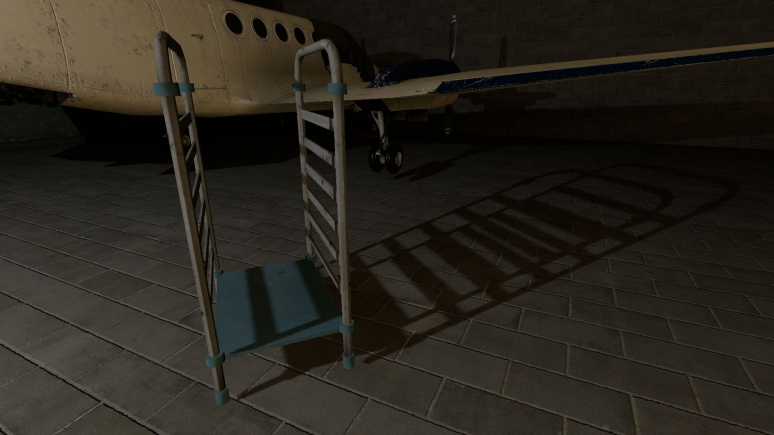
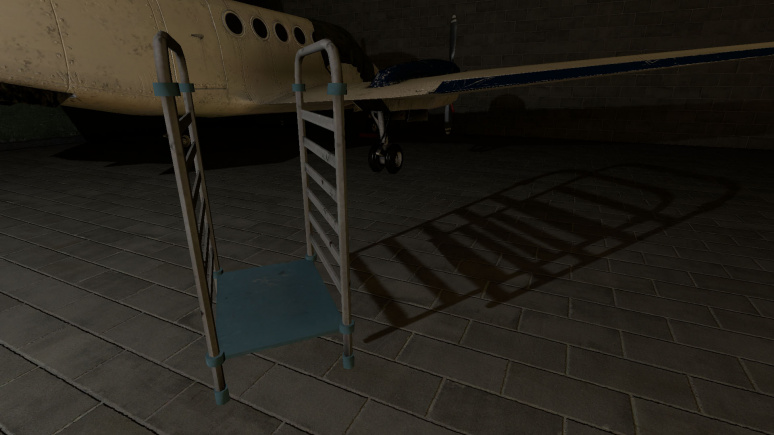
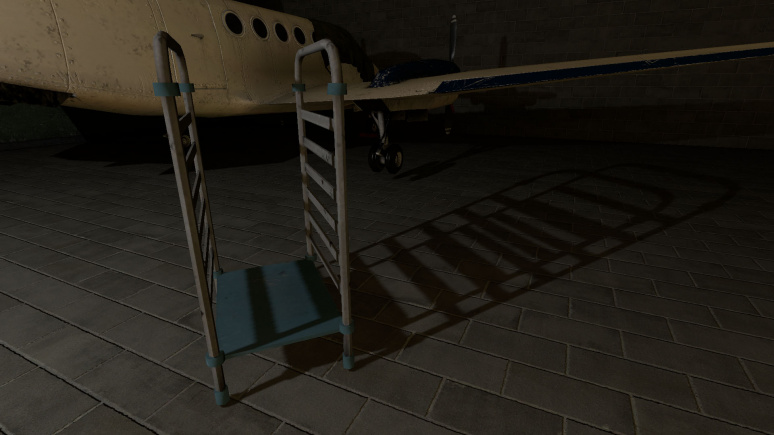
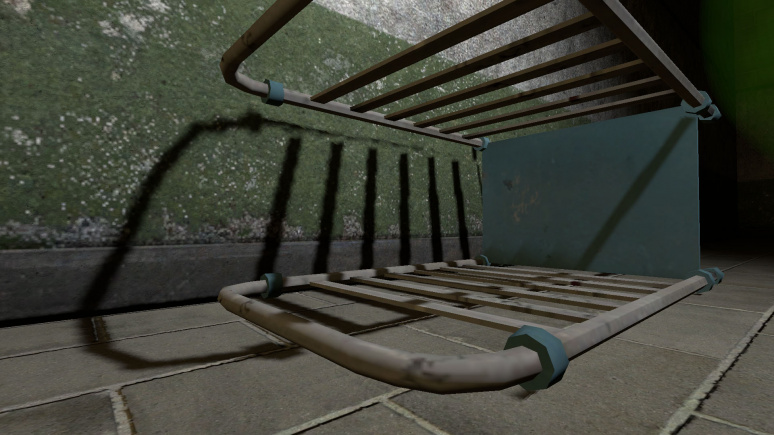
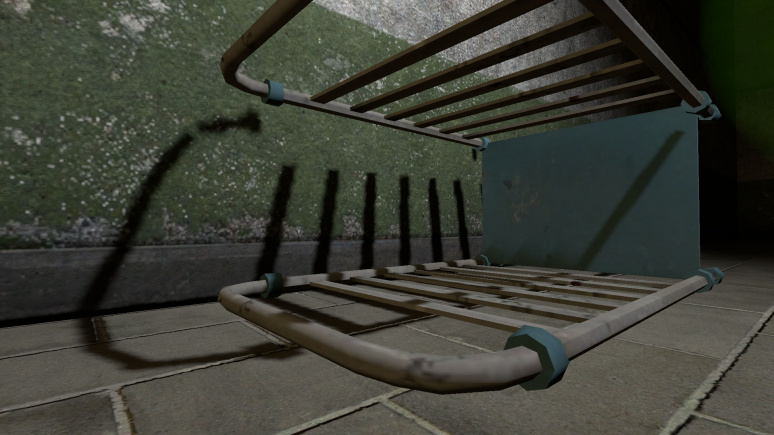
Note.pngNote:Note that shadow from metal box and grate box are flying on first and second pictures, that's because both was placed in air on map spawn. Doesn't happen on third picture, because the light updated shadow for both.
HasShadow (HasShadow) <choices>
Sets shadows state for the light, enabled or disabled. Remember that the default choices is No.
  • 0: No
  • 1: Yes
Examples
ShadowMapLOD (ShadowLod) <choices>
Resolution of shadowmap used by this light. This affects the quality of the shadows.
  • 0: 256
  • 1: 512
  • 2: 1024
Examples
Icon-Important.pngImportant:You cannot use any value from here an unlimited number of times. More information below.
ShadowRadius (ShadowRadius) <float>
Radius of shadow edges for soft shadows. If its value is negative, code will auto assign a value depending on ShadowLod. These code based values can be adjusted via convars nr_shadow_rad_High, nr_shadow_rad_Med and nr_shadow_rad_Low.
Examples
Tip.pngTip:Don't use very low values, because the shadows will look like stairs. Also don't use very high values, because the noise will spoil them a lot, or you'll see only noise.
NearZ (NearZ) <float>
NearZ used by shadowmap camera for this light. This is the distance at which the light source will start cast shadows.


ShadowFaceX (ShadowFaceX) <choices>
Sets shadow state (enabled or disabled) for X face.
  • 0: Enabled
  • 1: Disabled
ShadowFaceX_Minus (ShadowFaceX_Minus) <choices>
Sets shadow state (enabled or disabled) for -X face.
  • 0: Enabled
  • 1: Disabled
ShadowFaceY (ShadowFaceY) <choices>
Sets shadow state (enabled or disabled) for Y face.
  • 0: Enabled
  • 1: Disabled
ShadowFaceY_Minus (ShadowFaceY_Minus) <choices>
Sets shadow state (enabled or disabled) for -Y face.
  • 0: Enabled
  • 1: Disabled
ShadowFaceZ (ShadowFaceZ) <choices>
Sets shadow state (enabled or disabled) for Z face.
  • 0: Enabled
  • 1: Disabled
ShadowFaceZ_Minus (ShadowFaceZ_Minus) <choices>
Sets shadow state (enabled or disabled) for -Z face.
  • 0: Enabled
  • 1: Disabled


DepthBias (DepthBias) <float>
DepthBias is offset added to depth values in shadowmaps.
Examples


SlopeDepthBias (SlopeDepthBias) <float>
Slope Depth Bias used for surfaces having aliasing due to steep angles with light.
Examples
NormalBias (NormalBias) <float>
While rendering objects into shadowmaps, each vertex will be moved along -ve Normal direction, giving it an appearance of shrinking while rendering to shadowmaps. This property determines the amount of Units to be moved. Helps with shadow aliasing.
Examples
Note.pngNote:You will not see any changes if your material doesn't not provide bumpmap.
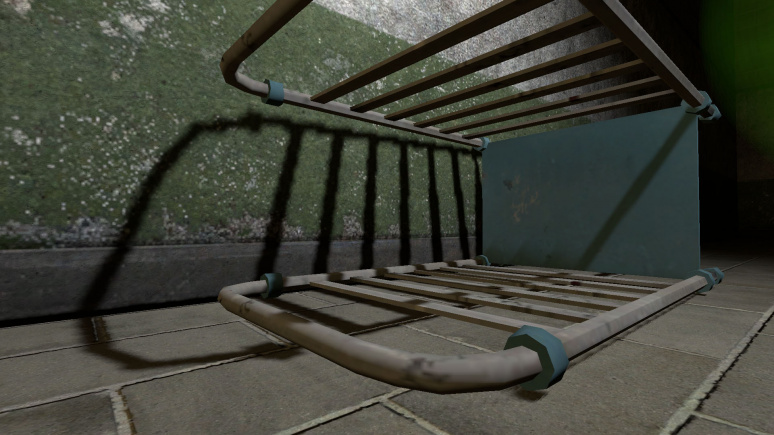
Icon-Important.pngImportant:Increasing this value will make shadows between different surfaces less accurate, greate example is third picture in examples, there you can see "two" shadows from railing.
Icon-Bug.pngBug:Numbers lower than 0.8 can cause huge graphics issues. Example.
Tip.pngTip:Increase this value if you are getting aliasing issues like this.


Enable Texture Light (bTexLight) <choices>
Sets lightcookie (texture lights) state, enabled or disabled.
  • 0: Disabled
  • 1: Enabled
Examples
Warning.pngWarning:This is one of the most expensive features, use wisely.
Texture name for TexLight (texName) <string>
Determines which texture will use the light source. Lightcookies are using .vtf (not .vmt) texture from files (just like env_projectedtexture).
.Enable Prop Only Mode (bNegLight) <choices> Obsolete
Deprecated.
Sets prop only mode, which supposed to disable shadows for world geometry. Doesn't work. The same effect can be achieved with shadow pass settings.
  • 0: Disabled
  • 1: Enabled
LightnGodRayMode (LightnGodRayMode) <choices>
This determines what effects will be available to use for the light source. Keep in mind that the default choice is Light.
  • 0: Light - light only.
  • 1: Godrays - godrays only.
  • 2: Both Light and GodRays - both light and godrays.
Icon-Bug.pngBug:Even if godrays is turned off, the game will still think that the godrays is used if choice is Godrays or Both Light and GodRays.


EnableGodRays (EnableGodRays) <choices>
Sets godrays state on spawn, enabled or disabled.
  • 0: Disabled
  • 1: Enabled
Warning.pngWarning:You can have only 40 point lights with godrays enabled simultaneously, otherwise the game will crash with this error message.
The error
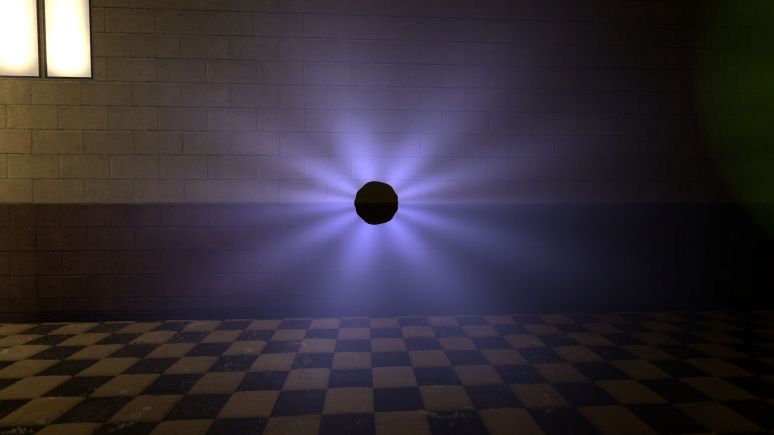
Density (Density) <float>
Density controls the length of rays/volumetric shadows. 1.0 should work in 99% cases. Good values are 0.5-1.5.
Examples
Weight (Weight) <float>
Weight controls the intensity of volumetric shadow. Blocking of rays by geometry. Good values are 0.1-10.
Examples
Decay (Decay) <float> Obsolete
Deprecated.
Decay controls luminance fall off per sample. Value here doesn't work.
Exposure (Exposure) <float>
Exposure controls the intensity of rays during blending pass with main scene. 2.0 is a good start. Good values are 1.0-10.0.
Examples


DistFactor (DistFactor) <float>
DistFactor controls the falloff of rays/length. 1.0 is a good starting value increase or decrease in the increments of 0.1. 0.0 will make the rays dissappear only disk will be rendererd.
Examples
Note.pngNote:Godrays doesn't look smooth if used big value here. The same for Exposure.
Example
ColorInner (ColorInner) <color255 + int>
The RGB color and brightness of the inner circle. Colors and brightness must be between 0 and 255.
Icon-Bug.pngBug:This color value doesn't work properly with newLight_Point if you are using Normal godrays type. This entity takes only red value. Works fine with Fancy type.
Examples
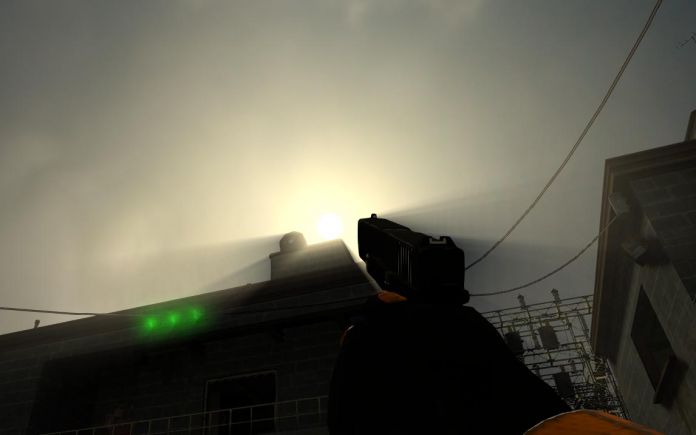
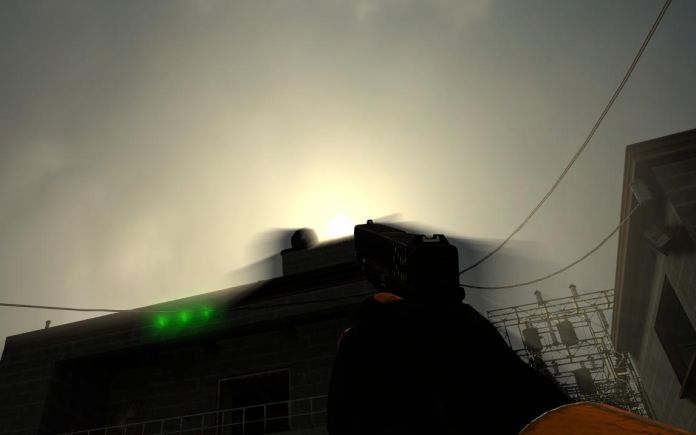
Note.pngNote:Rays is disabled on this picture (the colors are partially blending).
ColorRays (ColorRays) <color255 + int>
The RGB color and brightness of the rays. Colors and brightness must be between 0 and 255.
Examples
ColorOuter (ColorOuter) <color255 + int>
The RGB color and brightness of the outer circle. Colors and brightness must be between 0 and 255.
Icon-Bug.pngBug:This color value doesn't work properly with newLight_Point if you are using Normal godrays type. This entity takes only red value. Works fine with Fancy type.
Examples
Note.pngNote:Rays is disabled on this picture (the colors are partially blending).
Note.pngNote:You can't use black colors for ColorOuter, ColorInner and ColorRays.
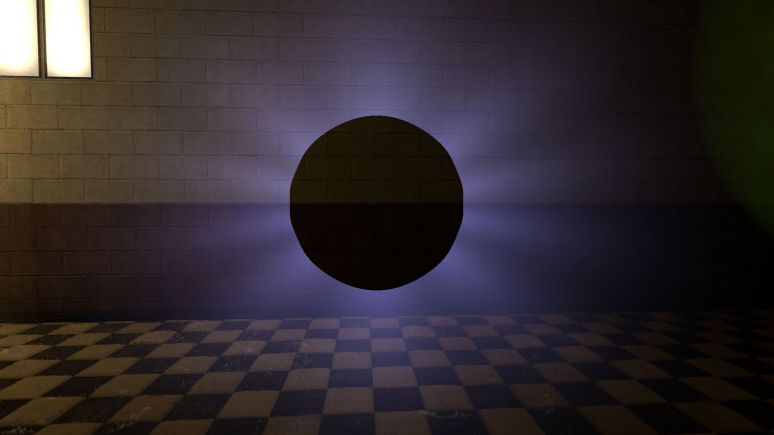
DiskRadius (DiskRadius) <float>
Radius of disk/circle of sun/point light in texturespace. 1.0 will be full screen, 0.5 is half screen, etc. 0 means don't render.
Examples
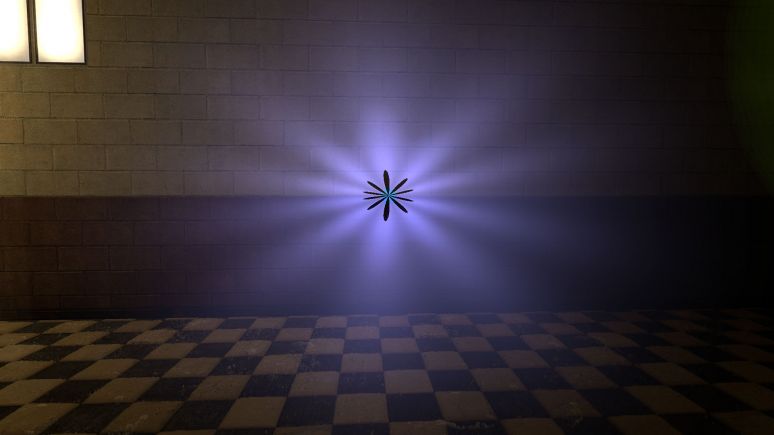
DiskInnerSizePercent (DiskInnerSizePercent) <float>
Disk inner circle radius is DiskRadius * DiskInnerSizePercent. 0 means don't render.
Examples
Note.pngNote:Rays is disabled on this picture (for clarity).


GodRaysType (GodRaysType) <choices>
Sets godrays type, normal or fancy.
  • 0: Normal
  • 1: Fancy
Examples
RenderInWorldSpace (m_bEnableWorldSpace) <choices>
Disables disks if this enabled.
  • 0: Disabled
  • 1: Enabled
Confirm:Does it affect anything else ?
Ell_FR_ConstA (Ell_FR_ConstA) <float>
This is fancy godrays disk size.
Examples
Ell_FR_ConstB (Ell_FR_ConstB) <float>
This is fancy godrays disk distortion.
Examples
EEll_SR_ConstA (EEll_SR_ConstA) <float>
This is fancy godrays disk hole size.
Examples
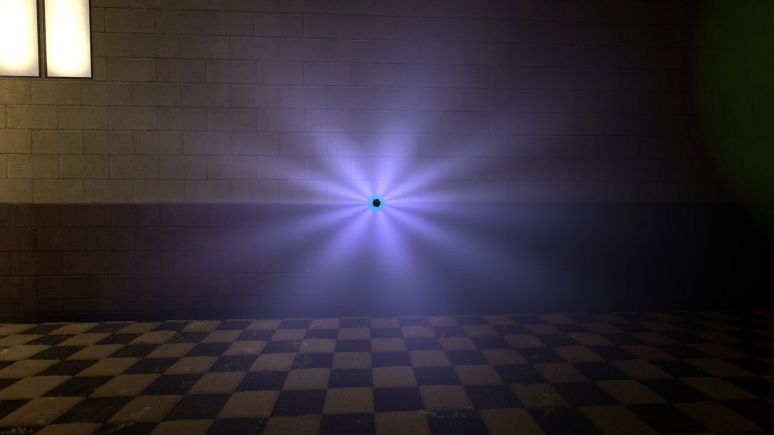
EEll_SR_ConstB (EEll_SR_ConstB) <float>
This is fancy godrays disk hole distortion.
Examples
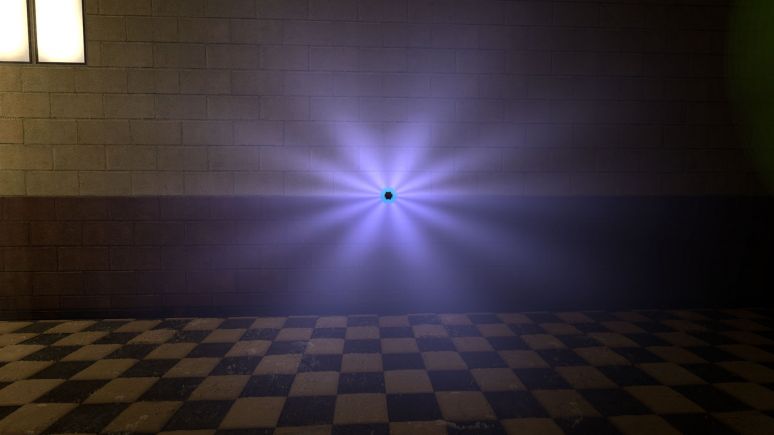
Ell_RRF_ConstA (Ell_RRF_ConstA) <float>
This is fancy godrays inner size.
Examples


Ell_RRF_ConstB (Ell_RRF_ConstB) <float>
This is fancy godrays inner distortion.
Examples
RotSpeed (RotSpeed) <float>
Rotating speed of fancy godrays, 0 means don't rotate, with negative number it will rotate to left. Examples (link to a video that showcase different values).
RotPatternFreq (RotPatternFreq) <integer>
Count of fancy godrays, with negative number will deny RotSpeed +/- effect. Examples (link to a video that showcase different values).
m_fAlphaDiskInner (m_fAlphaDiskInner) <float> Obsolete
Deprecated.
Alpha inner value for disk. Doesn't work.
m_fAlphaDiskOuter (m_fAlphaDiskOuter) <float> Obsolete
Deprecated.
Alpha outer value for disk. Doesn't work.
UseToneMapRays (m_bUseToneMapRays) <choices> Obsolete
Deprecated.
Sets tonemap state for rays, enabled or disabled. Doesn't work.
  • 0: Enabled
  • 1: Disabled
UseToneMapDisk (m_bUseToneMapDisk) <choices> Obsolete
Deprecated.
Sets tonemap state for disk, enabled or disabled. Doesn't work.
  • 0: Enabled
  • 1: Disabled


ShadowPass_Brush (m_bSRO_Brush) <choices>
Do we want to render world geometry in shadow passes for this light ? Doesn't affect bmodels.
  • 0: YES
  • 1: NO
ShadowPass_StaticProp (m_bSRO_StaticProp) <choices>
Do we want to render prop_static in shadow passes for this light ? This also affect bmodels.
  • 0: YES
  • 1: NO
ShadowPass_DynProp (m_bSRO_DynProp) <choices>
Do we want to render dynamic models in shadow passes for this light ?
  • 0: YES
  • 1: NO
ShadowPass_AlphaTest (m_bSRO__Trans) <choices>
Do we want to render models with transparency materials in shadow passes for this light ? Objects with transparency can cast shadows if your model includes a material without transparency.
  • 0: YES
  • 1: NO

Inputs

SetColorLight <color255RedirectInput/color32>
Change light's color value. Doesn't affect the godrays.
SetIntensityForLight <floatRedirectInput/float>
Change light's intensity value. Doesn't affect the godrays.
TurnOnGodRays <void>
Turn the godrays on.
TurnOffGodRays <void>
Turn the godrays off.
TurnOn <void>
Turn the light on.
TurnOff <void>
Turn the light off.
Toggle <void>
Toggle the light's current state.