TexMex: Difference between revisions
Jump to navigation
Jump to search


 Confirm:It seems like TexMex only supports saving WADs as WAD2; WAD3s and whatnot get converted to the vanilla
  Quake palette upon import.
SirYodaJedi (talk | contribs) mNo edit summary |
SirYodaJedi (talk | contribs) No edit summary |
||
| Line 6: | Line 6: | ||
TexMex also allows you to create new WADs and delete textures from existing ones, meaning only the textures you need are loaded into your level editor or shipped with your map. | TexMex also allows you to create new WADs and delete textures from existing ones, meaning only the textures you need are loaded into your level editor or shipped with your map. | ||
{{modernConfirm|It seems like TexMex | {{modernConfirm|It seems like TexMex only supports saving WADs as WAD2; WAD3s and whatnot get converted to the vanilla {{quakewiki|Quake_palette|Quake palette}} upon import.}} | ||
== External links == | == External links == | ||
* [https://valvedev.info/tools/texmex/ Download mirror] on the Valve Developer Union | * [https://valvedev.info/tools/texmex/ Download mirror] on the Valve Developer Union | ||
Revision as of 09:40, 7 December 2023


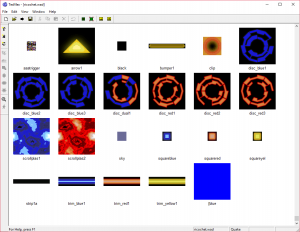
TexMex viewing 
ricochet.wadTexMex is a WAD management tool for  Quake-based games and
  GoldSrc. With it, you can open up WADs and BSPs, see their textures, and export them out to other formats. It supports a variety of texture formats, including Quake lightmaps and miptex,
  Heretic II M8 and M32[confirm],
  Quake II WAL,
  SiN SWL, PCX, TGA, BMP, and JPG.
TexMex also allows you to create new WADs and delete textures from existing ones, meaning only the textures you need are loaded into your level editor or shipped with your map.
Confirm:It seems like TexMex only supports saving WADs as WAD2; WAD3s and whatnot get converted to the vanilla Quake palette upon import.External links
- Download mirror on the Valve Developer Union