Blender Source Tools: Difference between revisions
Jump to navigation
Jump to search
 Note:Animation is not yet supported.
TomEdwards (talk | contribs) No edit summary |
TomEdwards (talk | contribs) (new release) |
||
| Line 7: | Line 7: | ||
== Installation == | == Installation == | ||
# '''[http://code.google.com/p/blender-smd/downloads/list Download the script]''' | # '''[http://code.google.com/p/blender-smd/downloads/list Download the script]''' (latest release August 12th 2010) | ||
# In Blender, open ''File > User Preferences'', move to the ''Add-Ons'' tab and click ''Install Add-On'' in the bottom of the window | # In Blender, open ''File > User Preferences'', move to the ''Add-Ons'' tab and click ''Install Add-On'' in the bottom of the window | ||
# Check the SMD Tools' box to enable them | # Check the SMD Tools' box to enable them | ||
# Click ''Save as Default'' to enable the tools in all Blend files | # Click ''Save as Default'' to enable the tools in all Blend files | ||
== Known issues == | == Known issues == | ||
Revision as of 10:25, 12 August 2010

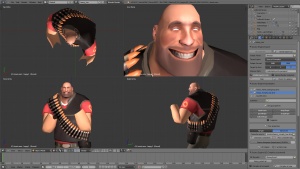
The Antlion Guard model in Blender.
 The Blender SMD Tools allow Blender 2.5x to import and export Studiomdl Data files.
Note:Animation is not yet supported.Installation
- Download the script (latest release August 12th 2010)
- In Blender, open File > User Preferences, move to the Add-Ons tab and click Install Add-On in the bottom of the window
- Check the SMD Tools' box to enable them
- Click Save as Default to enable the tools in all Blend files
Known issues
- Animation is not yet supported for import or export.
- No UI on errors.