Answered Help Desk Questions
 Todo: The contents of this page should be integrated with other articles, the FAQ, etc, preferably in a manner in which it shows up in a search. As this is done, the information can then be deleted from this page.
 Note:Please do not edit this page, except to add Answered Questions from the Help Desk. If you have any comments or queries about an answered question, please move it back to the Help Desk and comment there.
Contents
- 1 Answered Questions
- 1.1 Could datacache.dll crashes be linked with missing resources?
- 1.2 How can I use the "City 17 from above" skybox?
- 1.3 TF2 Capture point setup
- 1.4 Brush Face Resizing
- 1.5 Custom .wav files?
- 1.6 Assigning team points based on triggers without team member activator
- 1.7 Will not compile
- 1.8 Weapon handoff?
- 1.9 Exporting from XSI Foundation 6.0
- 1.10 Problems with Engine / Map
- 1.11 Half-Life 2 Episode 1 "tree_pine" models
- 1.12 Programming error
- 1.13 Wacked animations
- 1.14 Hammer: %1 is not a valid Win32 Application
- 1.15 HudMsg Error
- 1.16 Steamappid's, engine updates, and .dll's
- 1.17 HL2 in Outer Space?
- 1.18 "func_buyzone" does not exist in entities.
- 1.19 HELP!!! NONRESPONSIVE BRUSHES!!!!!
- 1.20 No func_buyzone
- 1.21 How to edit maps that come with the game
- 1.22 How do you add old games like half life 2 back into the sdk games list
- 1.23 Hammer loads map in bad server
- 1.24 More than 32 chapters in the chapter menu in a HL2 mod?
- 1.25 Problems for debugging at VS 2005 express edition
- 1.26 How can I make a tv screen?
- 1.27 keyframe_rope not moving with parent, spawning at world origin
- 1.28 Flight Sim?
- 1.29 Npc_citizens don't talk
- 1.30 StudioMdl.exe Error
- 1.31 Where is SDK?
- 1.32 Func_Door: Start Sound Problem
- 1.33 Hide .SVN folders in hammer texture browser?
- 1.34 Node graph
- 1.35 3D view in Hammer doesn't render
- 1.36 Map destroyed
- 1.37 Debug crashes
- 1.38 Counter-Strike Source mod?
- 1.39 Graphic Error During Test
- 1.40 What do I do next?
- 1.41 func_tank question
- 1.42 Animation Help
- 1.43 Shooting Allies
- 1.44 Selling your MOD
- 1.45 Vanishing Source SDK Mod Settings
- 1.46 Model recompiling
- 1.47 DoD models in Counter-Strike
- 1.48 Metal Grate Texture Problem
- 1.49 Transparency in models
- 1.50 Disappearing Models
- 1.51 How do I make a working floor?
- 1.52 2D Grid Problem
- 1.53 Custom Stuff
- 1.54 Generating output when player uses a locked door
- 1.55 Missing File?
- 1.56 Func_movelinear parentage
- 1.57 Cinema 4D
- 1.58 Strange Box
- 1.59 Can't finish Mod
- 1.60 Rebuilding dll's
- 1.61 More Compile problems
- 1.62 Can only see crosshair
- 1.63 3d Camera doesn't show anything
- 1.64 CS:S Lights (and shadows) are passing through brushes
- 1.65 Bizarre 3D Camera Behaviour
- 1.66 Teleport issue
- 1.67 Wave Material
- 1.68 Hammer Crash / 3d view Problems
- 1.69 Custom Soundscapes in HL2 Single Player
- 1.70 Third Person Camera Troubles
- 1.71 Launching Troubles
- 1.72 Jump height adjustment and stuck client
- 1.73 Coding a new weapon for impulse 101
- 1.74 SDK refuses to launch
- 1.75 Problem making props on Hammer
- 1.76 Cant use SDK suddenly
- 1.77 Changing Ammo used
- 1.78 Error: Missing frame start<61> - Any solutions??
- 1.79 Animated Prop_Dynamic & Bullets
- 1.80 tf2 with portal models
- 1.81 Hammer crashes when I attempt to create my first brush
- 1.82 VMF files not appearing correctly in Hammer
- 1.83 3d Skybox probs in Portal
- 1.84 Problem fixing leak...
- 1.85 Trying to create a regenerating wall
- 1.86 cannot find textures for capture points
- 1.87 general portals
- 1.88 A mod that only modifies client.dll/server.dll ?
- 1.89 Problems with Brushes
- 1.90 Merging Similar Map Files
- 1.91 Bullet Penetration in HL2DM
- 1.92 How do you undo func_details?
- 1.93 Entity Spawns Using Buttons
- 1.94 Help compiling
- 1.95 0/3326 MDL Files in Hammer
- 1.96 where is my func_door? All I have is func_door_ratating
- 1.97 func_ Entities Do Not Appear
- 1.98 Info_Player doesnt work
- 1.99 Water textures in hammer not showing up properly
- 1.100 Textures not applying
- 1.101 Hammer Crash on carving a sphere
- 1.102 Certain Props refuse to show up in-game...
- 1.103 hostage_entity limit on cstrike levels
- 1.104 Hiding what want not
- 1.105 Sky Camera kills map
- 1.106 Problem compiling maps
- 1.107 CUBEMAPS Ahh
- 1.108 need help: Spawn point issue
- 1.109 tools, tools tools?
- 1.110 Hammer crashes when I attempt to apply the texture tools/toolstrigger
- 1.111 Hammer closes when i am done setting it up!
- 1.112 TF2 Capture Rounds
- 1.113 Post-compile drawing bug?
- 1.114 I cant get my maps to run
- 1.115 Skybox
- 1.116 Level Transition Freeze-Up
- 1.117 brushes are correct but don't light up
- 1.118 Working with Google SketchUp?
- 1.119 Single Player Malfunctions
- 1.120 "Alert a programmer" Error
- 1.121 Too Many T-Junctions to Fix Up
- 1.122 Map Compiling Issues
Answered Questions
Could datacache.dll crashes be linked with missing resources?
My mod is currently plagued with frequent datacache.dll crashes. I've followed all the standard suggestions, but it still happens often on several different machines. It's a team deathmatch mod but with NPCs activated and I can't help feeling like the crashes may be due to a few resources not being found. While it runs the NPCs work and everything looks right apart from other players aren't animated. I get a few messages about animations or sounds being missing, but sounds play anyway and it doesn't stop the game immediately. I created the mod based on HL2MP but the map shows slightly differently when run in HL2MP and my mod (I get dandelions rather than brown grass). I'm using AppId 215, is there a way I can say use HL2SP resources as well? Would copying them into my mod directory be enough? Unfortunately I get no useful debug from the crash. Any help greatly appreciated. Gurtak 07:36, 31 Jul 2007 (PDT)
I have gotten this error due to many reasons yet its something terribly wrong with your map which is mainly what causes it.--Gear 05:43, 15 Aug 2007 (PDT)
- Thanks Gear. You are right, there was something wrong with the map, but we never tracked down what it was. Strange that it would work for a while and crash for no apparent reason. We started again from scratch and all works well now. I'm just glad it wasn't my code :) Gurtak 14:08, 2 Sep 2007 (PDT)
Scary isn't it?--Gear 01:11, 3 Sep 2007 (PDT)
How can I use the "City 17 from above" skybox?
Hi - I want to use the skybox from the very end of HL2, where City 17 can be seen from the top of the citadel. But using skybox names "d3_breen_01", "d3_citadel_05" etc. just causes the skybox not to be drawn at all, leading to that horrible "trails" effect. Help would be appreciated!
- Figured it out - it's not a skybox texture, it's a 3D skybox containing the city and cloud as geometry. Extracting and decompiling the final levels of Half Life 2 will show how it is done.
TF2 Capture point setup
I would like to know how to place two capture points in the map while leaving them both unlocked for capturing. To be more specific, I am interested in making a similar capture point layout as the official TF2 map "gravelpit". In gravelpit, point A and B are unlocked so that players can capture either one. So far in my exploration of the TF2 specific Hammer content, I have only discovered how to make the point layout linear; similar to the map "well" and "granary", where there is no optional capture order.
Could anyone please tell me how I would go about creating 2 or more capture points that can be captured in either order (i.e. not linear)?
Cheers.
Well sorry had to keep this to format about the italics, but for now theres no way to that yet, we might just need to wait for the SDK update.--Gear 16:59, 23 Oct 2007 (PDT)
- Check Team_control_point about team_previouspoint, . If empty, the team must own all points preceding this one. and if you want to set a specific position of each cap point on the hud check Team_control_point_master --Gectou4 00:04, 24 Oct 2007 (PDT)
I just want to say that I have found a way to create a set of control points similar to that of the map gravelpit.
To create the following:
- a set of 3 capture points (A, B, C)
- where point A and B can be captured in either order
- where C can only be capture after A & B
The map actually requires 4-6 capture points to get the main 3 functioning as required. I will explain this in terms of A, B, C, D, E.
- A, B, C are the main 3 capture points and should be set up that point C is only available once A & B are held
- A & B should be set up so that they are available to the Red team after point D is held
- A & B should be set up so that they are available to the Blue team after point E is held (skip if not required)
- Point D should default to the Red team
- Point E should default to the Blue team (skip if not required)
- Points A, B, C should be part of the same groupIndex (e.g. 0), and points D, E should be part of another group (e.g. 1)
- Points D, E should be placed outside of the map (they are control points)
Explanation:
- Point D & E provide a way to satisfy the required conditions of point A & B
- Point D & E are in a separate group so that the game ends when points A, B, C are captured
Brush Face Resizing
Is it possible to resize a single face on a brush proportionally? For example, if I want to create a cylinder with one end smaller than the other. Xiphos 16:47, 23 Oct 2007 (PDT)
Try using the Hammer Vertex Tool.--Gear 16:57, 23 Oct 2007 (PDT)
A good way is to shift-clone the brush, scale the copy to whatever size you want using Ctrl-M. Then use the Hammer Vertex Tool to match the vertices of the face you want to the resized brush's faces. So yeah, just use the tool like gear said. Sounds complicated mainly because I'm not too great at explaining things. --Darthkillyou 19:05, 23 Oct 2007 (PDT)
Wow, I wasn't aware the vertex tool could do that. Thank you.Xiphos 11:57, 24 Oct 2007 (PDT)
Custom .wav files?
I'm trying to use a custom wave file in an ambient_generic; it's a simple rainfall loop. Problem is, in the game it plays exactly once and then stops. The flag "Is NOT looped" is cleared, so it's not that; also, when I replace it with a .wav file from another mod (to test), it loops fine. The format is stereo 32-bit float, 22050Hz (identical to the wave file that works). My file is about 2.5 seconds long. Is there some other constraint I have to follow? I couldn't find anything in the wiki about what format(s) Source understands. Thanks.
Plasmadyne 11:59, 15 Sep 2007 (PDT)
- Probably you have to add "_loop" at the end of the .wav file. (i.e. myrainfallsound_loop.wav). For more information about the Sound System in Source I'll refer you to the Sound page, especially to the first external link. --Jurgen Knops 12:12, 15 Sep 2007 (PDT)
Thanks for the quick response! Unfortunately this didn't help; interestingly, the test .wav file (the one that worked) is named rumble_rain.wav, and it loops OK. I've tried changing the sample rate, precision, and even lower-casing the file name, to no avail. I've read all the links off the Sound page; what I meant about formats is that I couldn't find an entry that says "here is a list of sample rates, bit depths and file sizes that will work with Source." Possibly this doesn't exist. :) Plasmadyne 12:45, 15 Sep 2007 (PDT)
- Well, after a quick search I had found something for you. Your looping sound needs "cue-points". More information about these points can be found on VERC (unfortunately this info is for the GoldSrc Engine, but give it a try...), otherwise you can take a look at the VERC Forums (Old Source SDK forums). --Jurgen Knops 13:13, 15 Sep 2007 (PDT)
Ah, this solved it. Thanks! I would never have thought to look for that.
Assigning team points based on triggers without team member activator
We want to give team points when entities pass through a goal trigger, however I can't get the right combination of triggers to do the job. Entities could be anything, including monsters and players, but since they don't have team status they don't trigger the team score via the filter_activator_team and game_score. At present only a player walking through the trigger adds points. In short, if anything goes through goal A, team A scores, and the same for goal B and team B. Thanks. Gurtak 10:04, 23 Jul 2007 (PDT)
- Well turns it wasn't that difficult to create a custom team point entity for the goals. I was just hesitant about jumping straight into changing code. If anyone else wants this entity let me know, otherwise I'll move this to answered in the near future. Gurtak 07:08, 31 Jul 2007 (PDT)
Will not compile
FIXED:Did not know about user32.lib. That should really be put in a more obvious place. Elspin 19:44, 6 Jun 2007 (PST)
Weapon handoff?
I'm trying to have an NPC hand a weapon to the player. The goal is to have an armed npc_citizen (for example) who meets the player, goes through a short sequence, and holds out the weapon for the player to take. I know this is possible because Odessa does it in HL2 with the rocket launcher. I can muddle through the rest of the choreography but this bit has me stumped. What's the general procedure for scripting weapon pickups/handoffs? There are inputs listed in npc_citizen for e.g. GiveWeapon but no obvious way to get rid of weapons... At this point I've been through all the SDK docs and can't even find a way to convince an NPC to drop their weapon on the ground.
Plasmadyne 01:20, 18 May 2007 (PDT)
I think they used a weapon_rpg with the "Player only" flag checked, and built animations around it. See the commentary in Ep1 when Barney gives you the crowbar. --Gman003 08:38, 21 May 2007 (PDT)
OK, thanks... I think I have an outline now.
Plasmadyne 14:00, 27 May 2007 (PDT)
Exporting from XSI Foundation 6.0
I'm pretty new to modeling and trying to learn. I have a copy of XSI Foundation 6.0 (yes its legal if that matters). The Valve plugin doesn't seem to work (the ValveSource menu wasn't added to the toolbar). I put the file directly into the /addons folder. I suppose I could get a copy of the mod tool and move my files over when I'm ready to export, but I was wondering if there were any other options. Maybe I'm installing the addon wrong? Maybe it shows up somewhere else in the full versions of XSI? Pre-emptive thank you! -Mrhappy 01:20, 26 Mar 2007 (PDT)
- As noted here, the addon included with the SDK does not work in XSI 5. I'm guessing, and hoping, that the addon on the page there also works for XSI 6. Worth a shot anyway. --Daedalus 19:13, 26 Mar 2007 (PDT)
- Thanks a lot, I'm pretty sure it's working properly now. Moving to answered -Mrhappy 19:30, 10 Apr 2007 (PDT)
Problems with Engine / Map
I'm not sure if this is an error in the engine or a map, but every time I try to run a certain map, I get the following error:
13/ - func_brush: UTIL_SetModel: not precached: *3
hl2.exe then crashes to desktop. This only affects one map. I can provide the .vmf if needed.
--Gman003 15:39, 12 May 2007 (PDT)
Fixed, it was the skybox. Accidentally tied it to a func_brush.
--Gman003 17:48, 12 May 2007 (PDT)
Half-Life 2 Episode 1 "tree_pine" models
I'm fairly new to SDK's Hammer Editor & am currently trying my hand at mapping for Half-Life 2 Deathmatch. My particular map is of the outside variety in a mountain setting. I need evergreen trees to make it believable (no evergreen models available in Half-Life 2). I did notice just before the end of Episode 1 (in "ep1_c17_06.bsp"), there are evergreen trees. So with my GCF Scape I searched the "episode 1 shared.gcf" file & found them (six models altogether). I extracted the models to "hl2mp\models\episode1pines" & extracted the materials to "hl2mp\materials\models\episode1pines". However, the models don't appear in my map. I'm pretty sure it has to do with the fact that there were only two ".vmt" (material) & two ".vtf" (texture) files, but none with the same names as the models. Don't I need six ".vmt" & six ".vtf" files with the same names of the models? These models are awesome & are exactly what I'm looking for. Any help with this will be greatly appreciated. Thanks!
P.S. I have also used bspzip.exe to extract embedded files within "ep1_c17_06.bsp" thinking the files I need may be there. No luck with that either. How can the game render these models if the necessary files aren't in "episode 1 shared.gcf" or "ep1_c17_06.bsp"? Is there another place I can look for these material & texture files?--YPE 19:18, 26 Mar 2007 (PDT)
- There's nothing wrong with your models. You placed them in the wrong folder.
- E.g. If they came from: episodic/models/prop_foliage/ in the episodic folder, THEY HAVE TO BE IN hl2mp/models/props_foliage, and the same goes for the materials. It's just how the .mdl system works.--Sortie 00:07, 30 Mar 2007 (PDT)
- Thank you Sortie! I didn't realize the importance of keeping the directory intact. I moved the models to the "hl2mp\models\props_foliage" & the materials/textures to "hl2mp\materials\models\props_foliage". The models became visible when placed in my map. Now the only problem I have is feeling like a dork for putting them into the folder I created. I will give you due credit for helping me with the evergreen trees if I ever release my map. It's looking much better already! --YPE 16:58, 30 Mar 2007 (PDT)
Wait one minute i think he is wrong, you're creating the maps in hammer and want to include the props in your map correct, but you need to first extract the files to the Sourcesdk folder in the models and materials path for instance like this: c\programfiles\steam\steamies\username\sourcesdk_content\materials. Same goes for the the models but instead into the models folder. Sorry but the information he gave you is wrong once you place the props in that folder and materials you can then use them in Hammer. The game you design for also depends on the available content! However it being a mp map you can pack the textures and models so servers can have the players download them. Ive made sourceforts map and I've use ep 1 content on them so i think i would know pretty well on that one so its not bad or anything but thats what you need to do. It needs to be placed within hammmer so when compiled it will show up in the map.--Gear 17:06, 30 Mar 2007 (PDT)
Also on one last note I cant wait to see your map sounds great is it gonna look like this maybe a bit?:

- Gear, I can totally understand what you're saying. However, the information Sortie has given worked 100%. There is no need for duplicating the tree models into the "sourcesdk_content" directory. I did a compilation & the evergreen trees did show in-game. Thank you too, Gear, for bringing to my attention the "sourcesdk_content" directory. It may very well come in handy. As for what my map will look like, I'm not sure exactly, for I am not finished yet. But I can say that it will look completely different from the screenshot you posted. Hopefully, with luck, it will look a bit more like the opening scenes in the original "Half-Life 2: Episode 2 Trailer". That's my goal anyway. It may not look as good as what Valve has created, But I'm going to give it a shot. I am paying a lot of attention to detail. Who knows!
P.S. I will move this to the "Answered Questions" section in a few days (so Sortie & Gear know that it has been answered).--YPE 17:51, 30 Mar 2007 (PDT)
Sounds fantastic cant wait send me a copy when you're done I'll beta test it you hahah if thats okay i was just wondering with he hammer thing due to you need to place the props first in the map before its compiled but I'm glad it worked good luck!--Gear 17:54, 4 Apr 2007 (PDT)
- Well, Gear's idea might work, but I guess it'll only work inside hammer. By putting it into the game/mods own folder, it's 100% secure it works, and simpler to release the map.
- Thank you once again guys, I really appreciate the help you've given me. I certainly know where to go if i need help in the future! Peace... --YPE 15:42, 7 Apr 2007 (PDT)
Programming error
Every time I launch my mod, it works fine until I load a map. About 2/3 of the way through, I get "First-chance exception at 0x22b6d476 (server.dll) in hl2.exe: 0xC0000005: Access violation reading location 0x0000002c. Unhandled exception at 0x22b6d476 (server.dll) in hl2.exe: 0xC0000005: Access violation reading location 0x0000002c." Anyone know what that is? --Gman003 18:28, 19 Mar 2007 (PDT)
- Hope you don't mind, but I moved that log to a different page since it was so long.
- As to your question, it looks as though you've built the game in the Debug release, have you? If so, clean your solution (it's in the Build menu), set your configuration to Release (it should be on the toolbar somewhere, a dropdown list that currently shows Debug), and then build your solution again. --Daedalus 20:26, 19 Mar 2007 (PDT)
- No problem. And yes, it is a debug release, but that shouldn't affect it. I'll try rebuilding as release --Gman003 08:05, 20 Mar 2007 (PDT).
- You'd think it wouldn't effect it, but I've been unable to use the SDK at all in Debug release, usually end up with errors I can't see. Release has been working fine for a long time for me though. Let me know how it goes. --Daedalus 14:08, 20 Mar 2007 (PDT)
- That seems to fix it. --Gman003 07:54, 23 Mar 2007 (PDT)
Wacked animations
For some reason my animations are all lagged out (on default weapons in a ep1: sp mod code base), this has happened between compiles, and I changed no code. - Links to videos - NORMAL http://www.youtube.com/watch?v=MiNQ4US4w4o WACKED http://www.youtube.com/watch?v=Dh6Z9MqZ3JA --Amckern 16:13, 2 Nov 2006 (PST)
Hammer: %1 is not a valid Win32 Application
Whenever I try to load Hammer to edit either a mod I created or HL2, I get the above error. I tried resetting the game configuration and also deleting/reinstalling the SDK. No dice. I'll keep trying other stuff to get it working. If I do, then I'll answer my own question I guess :D Daemon Jax 15:46, 15 Mar 2007 (PDT)
A: Using a direct shortcut to hammer solves this problem. I found out how to do this at http://developer.valvesoftware.com/wiki/Source_SDK_Known_Issues Daemon Jax 16:14, 15 Mar 2007 (PDT)
HudMsg Error
When ever I run my level, I receive DLL_MessageEnd: Refusing to send user message HudMsg of 335 bytes to client, user message size limit is 255 byte. What can i do to get rid of it? Is it because i have to many ents initializing at map load, or is it something more low level? --Amckern 16:09, 23 Nov 2006 (PST)
Steamappid's, engine updates, and .dll's
I used to think I understood the way the engine updates and how mods access new code, but the more I read, the less I do. Also, I am not a programmer.
Using steamappid 215 is supposed to allow your mod to update in 'lockstep' with source engine updates. I am unclear if this means
- when you use the create a mod function the source code provided is the latest source code. this source code is updated when the source engine updates? Or client and server dll's are updated whenever steam updates, which would make no sense it would destroy custom code.
- I noticed there are many .dll's in the base source engine 2.gcf but that client.dll and server.dll are missing. As far as I can tell they only show up (besides in actual games) in base source engine.gcf/sourcetest/bin What confuses me is that this is the directory for the video stress test, and that the client.dll and server.dll weren't updated. I'm guessing that these other dll's are what update when the engine updates, and that the source code for them is unavailable without a license.
- I assumed that the engine only updated when a new episode/game is released, meaning that there has only been two updates (source base and source base 2), but this kinda doesn't make sense for two reasons:
- When compiling under Episode 1 (actually I haven't done this only read it) you do not need the -novirtualmesh parameter for displacements to collide with physics objects. However, under steamappid 215 you do which is either the same or a later code base, the later of which means (to me) that either the bug cropped up then, although I read it was present pre-ep1 and fixed (didn't get back into mapping till hl2:ep1) or that the bug only came up with a later code base, and once again, I thought the latest code base was the ep1, one.
- Steamappid 212 exists, which is the steamappid for base source engine 2. Now, as I understand it the code base only updates with a new episode/SP game. This implies that 213 will be for ep2 and 214 for ep3. Now, since they are released so far apart it doesn't make sense for steamappid to exist unless the codebase is updated between games using the non client and server dll's, which would retroactively effect steamappid 215 games, which may actually be bad (for example HDR on certain specular shaders is bad) This only makes sense if the codebase updates routinely, between games, but is not applied retroactively even when steamappid 215 is used. But, as far as I know it, the .gcf's are never modified, new ones created yes, but not modified, and the latest one is source sdk base 2.
I probably overthought/overtyped this. I'm sure its really simple, but I haven't seen a simple explanation anywhere. Anyone got one for me? Exactly how are standard-valve-made code updates applied to mods dynamically and when? --Mrhappy 00:38, 2 Feb 2007 (PST)
- There are two levels of code: engine code and game code. Engine code is updated in lock step for the SDK Base, that is, all engine updates immediately apply to mods; game code is updated when the game it's derived from changed, which isn't as often (look at the last HL2DM update!). Game code updates come as source code that must be merged into the mod's source (if the mod wants to use them).
- Engine code is in
base source engine 2.gcf. Game code (client.dll and server.dll) is in the game's cache. The two DLLs are in the sdk base cache not because it's a stress test, but because they are the default, pre-compiled files that will be used if you are making a mod without custom code (like MINERVA). Source will see that you don't have code of your own and fall back to whatever's in the SDK Base cache. The same applies to all files. - Valve update Source all the time.
- -novirtualmesh is for backwards-compatibility with older maps, AFAIK. Without it you'd need to recompile every map with a displacement in it.
- The only reason there is a separate "source engine 2" GCF is because of content issues between HL2 and Ep1. If it weren't for that, there would just be the one
source engine.gcf. I would be very surprised if a third instance of Source were to crop up when Ep2 is released.
- --TomEdwards 03:17, 2 Feb 2007 (PST)
Ok that makes sense, thank you! (I need to stop tying my brain in knots on stupid things like this.) Mrhappy 20:13, 2 Feb 2007 (PST)
HL2 in Outer Space?
Hello, I have been tearing at HL2 SDK for a while now trying to get a MOD to go into outer space as well as normal mode. I've done many things just short of completely breaking steam :P "sv_gravity 0" gives the no gravity effect, but you cant move. My guess is it's extremely simple or extremely hard. either way I desire to see HL2 in space! Anyone out there have a strategy or tutorial for making a space age level?
--Sir_BigOne 07:28, 25 Mar 2007 (PDT)
You can try creating a new class (cpp file) in the src/dlls directory:
Put this code in a cpp file in src/dlls (i.e. setPlayerPosition.cpp)
#include "cbase.h"
#include "convar.h"

void SetUserPosition( void ){
	CBasePlayer *pPlayer = ToBasePlayer( UTIL_GetCommandClient() );
	if(pPlayer != NULL && (engine->Cmd_Argc() == 3)){
		float x = atof(engine->Cmd_Argv(1));  //Get x coord
		float y = atof(engine->Cmd_Argv(2));  //Get y coord
		float z = atof(engine->Cmd_Argv(3));  //Get z coord

		Vector pos;
		pos = pPlayer->GetAbsOrigin();  //Get player position
		pos.x = x;
		pos.y = y;
		pos.z = z;
		pPlayer->SetAbsOrigin(pos);  //Set player position
	}
}

static ConCommand set_user_position( "set_user_position", SetUserPosition, "Set the user's position (x,y,z)", 0 );
Compile it.
Now you can use the console command set_user_position(0,0,0) to move the player
To do the outer space jetpack, modify this code to increment x,y, or z everytime the command is called. Then bind a keyboard key to the command (using config.cfg)
You can also hack around in in_main.cpp in the src/cl_dll directory. This is where many of the input controls are handled. BE CAREFUL AND BACK UP FILES SO YOU DON'T BREAK YOUR MOD.
Good Luck.
--Steve Henderson 14:41, 27 Mar 2007 (PDT)
MY hammer crashes when I load a blank map NOT COMPILE I have tried reinstalling sdk base and source twice and I am stumped on what to do so can someone please help me Its says this is the error report (C:\DOCUME~1\SEANRA~1\LOCALS~1\Temp\9e03_appcompat.txt) and I cannot find that file
--Sean 14:41, 16 Apr 2007 (PDT)
My take on it
- It's really going to depend on what you are trying to accomplish. From the sound of it variable-gravity is one thing you want. You could use Trigger_gravity (IRCC) in your maps, which would allow you to make sections of the map have different levels of gravity. This has the benefit of being a mapping-only solution, which means that no further re-coding needs to be done.
- The thing to remember (whether you hard-code,use sv_gravity, or trigger_gravity) is that gravity is what helps people walk, but putting some friction between them and the floor. As a result, the player will probably still need some form of propulsion to move around in the null-gravity sections (such as the jetpack mod above). Oh, and I'm aware that I'm answering a very old question, but I just wanted to make sure that people know what options they have. Hectate 06:11, 22 Oct 2007 (PDT)
"func_buyzone" does not exist in entities.
What might be the reason of this? Should I put a buyzone from somewhere else than from the entities menu? Because of this, there is no buyzone in my map, and that's the real problem. --Esa94 06:46, 18 Jun 2007 (PDT)
The func_buyzone entity is a brushbased entity, make sure you're doing "Tie to entity" while having the brush selected. Also make sure the configuration is CS: Source, and that the fgd is properly set. Solokiller 06:51, 18 Jun 2007 (PDT)
Okay, so I make a brush... There. Editing its size... Done too. Now it's tied to buyzone. Now just texturize it... There. Adding team value, cloning, changing team value... All done. Saving, and now (finally) testing. Works perfectly! Thanks a lot.--Esa94 11:35, 18 Jun 2007 (PDT)
HELP!!! NONRESPONSIVE BRUSHES!!!!!
There are four brushes in my map that simply REFUSE to be:
- Re-textured
- Deleted
However:
- If I try to move them, the brushes simply make copies of themselves and make the copies move instead.
- Resizing gives me the same effect as the above. (Except the brush copy is resized, and not moved)
- If I Shift-clone them, the copies work just fine!
They have no properties, because they are simply world brushes. Please Help!!!!! --Darthkillyou 20:22, 25 Jul 2007 (PDT)
Oops... It seems that I made many different copies of the same brushes over and over again... right on top of each other. NEVER DO THIS IF YOU CAN HELP IT. I guess I need to be more careful next time. :D --Darthkillyou 16:27, 31 Jul 2007 (PDT)
No func_buyzone
Guys, help please! I can't find func_buyzone in my entities menu! SDK is set to CS:S, my CS:S and SDK are valid and licensed. What the heck?
You have to make a brush first then convert it to an entity with CTRL + T
Or you can press the 'To Entity' button if you would like and next please place the questions in the help desk to get them answered faster thats where everybody looks really more rather than the talk page.--Gear 18:07, 4 Apr 2007 (PDT)
How to edit maps that come with the game
how do you edit the maps that come with team fort 2? --Ferretboy54 23:31, 17 Nov 2007 (GMT)
Simple! (I've done it) get VMEX. it is a BSP decompiler. select the BSP in VMEX and it converts it to the Hammer file type. -- Octoplasma 03:27, 27 Nov 2007 (GMT)
How do you add old games like half life 2 back into the sdk games list
I want to mod for half life 2 but only orange box shows up. --Octoplasma 19:27, 26 Nov 2007 (PST)
You need the Half Life 2 Game Itself.--Gear 23:35, 26 Nov 2007 (PST)
- I'm pretty sure you have to set -ep1 (EDIT: Not Correct, read below!) in the Launch Options of Source SDK. --volt 23:50, 26 Nov 2007 (PST)
- Yeah true, but you still require Half Life 2, for the original GCF, and hi volt.--Gear 23:56, 26 Nov 2007 (PST)
Hi gear. If he has the orange box, he has HL2. It's in the package. And the command you are looking to add into the command line is -engine ep1, excerpt from the Source SDK Release Notes.--volt 23:59, 26 Nov 2007 (PST)
- Oh yeah Durrrh @ me, sorry about that, lol feel like an idiot now.--Gear 05:59, 27 Nov 2007 (PST)
Hammer loads map in bad server
When I try to test a simple map by hitting F9 in hammer, it compiles fine, opens cs source fine (it's set up to the defaults for cstrike) and begins my map. The console shows no significant errors.. it can't download the dynamic pricing list or something and it can't find jingle.wav but those are the only errors. Then after about a second, the server shuts down saying "Server shutting down..." My map works perfectly if I just open counter strike through steam and manually do Create Server for it, but when hammer loads CS the server immediately shuts down. If I try to do Create Server for my map in a CS that's been opened by the hammer compiler, it takes 2 or 3 tries before it works. This is all very weird and quite inconvenient for testing. Can anyone help? --Froth 20:32, 25 Jul 2007 (PDT)
Sometimes that tends to happen even with normal games. Hammer places the bsp file within the map folder in css. Simply click the "don't run game after compiling" button, Once the hammer is finished compiling then open up css yourself and type map "your map name here" and thats all to it.
Thats just mainly a work around yet i don't know if any others exist.--Gear 20:37, 25 Jul 2007 (PDT)
- Well when I discovered CS:S about two and a half years ago I didn't actually own it.. I played with bots on the default maps for more than 4 months before I got bored and actually bought the game (and of course I'm very glad that I did- I've been playing heavily ever since). This inexplicable server shutting down message has never happened to me before even in that whole time of hosting my own games, yet it happens every single time when launching from hammer. Is there any way of actually fixing it rather than launching it separately? --Froth 21:51, 25 Jul 2007 (PDT)
Like i said no there is no other way unless you are too lazy to open it yourself i mean its really not that hard to be honest.--Gear 12:33, 26 Jul 2007 (PDT)
If you add more than 32 chapters to your mod, chapters 4, 5, 6, 7, 8 and 9 vanish from the menu and any chapters over 32 are left out. Is there any way to increase the 32 chapter limit?
Here is a some more information, following tests to explore the problem:
- For every chapter over 32, 1 chapter between 4 and 9 is removed.
- The remaining chapters are shifted down, and anything that's still left over after 32 is dropped.
- Therefore if you have 40 chapters, you lose six chapters (4 to 9 inclusive), as well as the left over 39 and 40.
- If you have 36 chapters, you lose 4 chapters (6 to 9 inclusive) but nothing is left over.
- If you have 33 chapters, you just lose chapter 9.
The system is entirely governed by the contents of the cfg folder. The presence of the chapter1.cfg, chapter2.cfg etc. files in the cfg folder is what tells the new game menu to add chapters. The modname_english.txt file in the resources folder only gives those chapters a name, and the textures in the vgui folder only give them a picture. The chapter#.cfg's can be numbered in any way, using any combination of letters and numbers (such as valve's use of 9a for Entanglement), but it all makes no difference, as long as there are not more than 32 in total.
Can this limit of 32 be fixed or worked around?--Fitzroy doll 12:17, 15 May 2007 (PDT)
Sadly no, 32 is really the limit or at least as high as it will go so truly the only work around is really decreasing the number of Chapters your mod contains. Besides there is really no reason to have more than 32 chapters unless of course if your mod has over 100 maps or is really, really long. Either way just try to work out more maps in one chapter and decrease the number of chapters in total.--Gear 13:35, 8 Jul 2007 (PDT)
- I understand. I am using the chapter menu in a somewhat unusual fashion, which is as a map browser similar to CS:S, but with images and titles. This is for the mod CSS SCI FI which features 27 scripted maps for use with SMOD. Each of those 27 is a unique game, and the maps are not linked, so the only way to access each map is through an individual chapter, as shown here. My solution has been to include an option in the SMOD Configuration Utility which I made that allows the user to switch chapter menus. This works, but of course it would be much better if all the chapters could be displayed together, without having to switch. --Fitzroy doll 07:51, 9 Jul 2007 (PDT)
Ah yes okay hahahaha you should've mentioned that earlier! It is okay though. Well hmmmm...... perhaps you can create a menu rather than a simple new game chapter start. Perhaps a menu that contains each map and the chapter name without the image. More or less a bit like Garry's Mod 10. Yet I'm a bit rusty on doing that. I do know though, that there is a guide to creating vgui menus on the main screen through certain key pressing and whatnot, so maybe that might work better.--Gear 13:56, 9 Jul 2007 (PDT)
Problems for debugging at VS 2005 express edition
Hi,I have the Microsoft Visual C++ 2005 Express Edition and I made all the changes that the tutorial (Compiling under VS2005) showed to me (like adjusting the directX files and the platform SDK files that I downloaded ) but when I'm trying to debug and I "start a new instance" the VS 2005 Express Edition start debugging and an error stop debugging my solution. Here is the the entire Debug process:
'hl2.exe': Loaded 'C:\Arquivos de programas\Valve\Steam\SteamApps\trackthetracker\sourcesdk\hl2.exe', No symbols loaded.
'hl2.exe': Loaded 'C:\WINDOWS\system32\ntdll.dll', No symbols loaded.
'hl2.exe': Loaded 'C:\WINDOWS\system32\kernel32.dll', No symbols loaded.
'hl2.exe': Loaded 'C:\WINDOWS\system32\user32.dll', No symbols loaded.
'hl2.exe': Loaded 'C:\WINDOWS\system32\gdi32.dll', No symbols loaded.
'hl2.exe': Loaded 'C:\WINDOWS\system32\imm32.dll', No symbols loaded.
'hl2.exe': Loaded 'C:\WINDOWS\system32\advapi32.dll', No symbols loaded.
'hl2.exe': Loaded 'C:\WINDOWS\system32\rpcrt4.dll', No symbols loaded.
'hl2.exe': Loaded 'C:\Arquivos de programas\Valve\Steam\SteamApps\trackthetracker\sourcesdk\bin\launcher.dll', No symbols loaded.
'hl2.exe': Loaded 'C:\WINDOWS\system32\wsock32.dll', No symbols loaded.
'hl2.exe': Loaded 'C:\WINDOWS\system32\ws2_32.dll', No symbols loaded.
'hl2.exe': Loaded 'C:\WINDOWS\system32\msvcrt.dll', No symbols loaded.
'hl2.exe': Loaded 'C:\WINDOWS\system32\ws2help.dll', No symbols loaded.
'hl2.exe': Loaded 'C:\WINDOWS\system32\ole32.dll', No symbols loaded.
'hl2.exe': Loaded 'C:\Arquivos de programas\Valve\Steam\SteamApps\trackthetracker\sourcesdk\bin\vstdlib.dll', No symbols loaded.
'hl2.exe': Loaded 'C:\Arquivos de programas\Valve\Steam\SteamApps\trackthetracker\sourcesdk\bin\tier0.dll', No symbols loaded.
'hl2.exe': Loaded 'C:\Arquivos de programas\Valve\Steam\SteamApps\trackthetracker\sourcesdk\bin\FileSystem_Steam.dll', No symbols  loaded.
'hl2.exe': Loaded 'C:\WINDOWS\system32\shell32.dll', No symbols loaded.
'hl2.exe': Loaded 'C:\WINDOWS\system32\shlwapi.dll', No symbols loaded.
'hl2.exe': Loaded 'C:\Arquivos de programas\Valve\Steam\Steam.dll', No symbols loaded.
'hl2.exe': Loaded 'C:\WINDOWS\system32\version.dll', No symbols loaded.
'hl2.exe': Loaded 'C:\WINDOWS\system32\mswsock.dll', No symbols loaded.
'hl2.exe': Loaded 'C:\WINDOWS\WinSxS\x86_Microsoft.Windows.Common-Controls_6595b64144ccf1df_6.0.2600.2982_x-ww_ac3f9c03\comctl32.dll', No symbols loaded.
'hl2.exe': Loaded 'C:\WINDOWS\system32\comctl32.dll', No symbols loaded.
'hl2.exe': Loaded 'C:\WINDOWS\system32\uxtheme.dll', No symbols loaded.
'hl2.exe': Loaded 'C:\Arquivos de programas\Arquivos comuns\Symantec Shared\AntiSpam\ASOEHOOK.DLL', No symbols loaded.
'hl2.exe': Loaded 'C:\WINDOWS\system32\msvcr71.dll', No symbols loaded.
'hl2.exe': Loaded 'C:\WINDOWS\system32\MSCTF.dll', No symbols loaded.
'hl2.exe': Loaded 'C:\Arquivos de programas\Alwil Software\Avast4\AhJsctNs.dll', No symbols loaded.
'hl2.exe': Loaded 'C:\Arquivos de programas\Valve\Steam\SteamApps\trackthetracker\sourcesdk\bin\datamodel.dll', No symbols loaded.
'hl2.exe': Loaded 'C:\Arquivos de programas\Valve\Steam\SteamApps\trackthetracker\sourcesdk\bin\parsifal.dll', Binary was not    built with debug information.
'hl2.exe': Loaded 'C:\Arquivos de programas\Valve\Steam\SteamApps\trackthetracker\sourcesdk\bin\dmserializers.dll', No symbols  loaded.
'hl2.exe': Loaded 'C:\Arquivos de programas\Valve\Steam\SteamApps\trackthetracker\sourcesdk\bin\datacache.dll', No symbols loaded.
'hl2.exe': Loaded 'C:\Arquivos de programas\Valve\Steam\SteamApps\trackthetracker\sourcesdk\bin\inputsystem.dll', No symbols  loaded.
'hl2.exe': Loaded 'C:\WINDOWS\system32\winmm.dll', No symbols loaded.
'hl2.exe': Loaded 'C:\WINDOWS\system32\Syncor11.dll', Symbols loaded.
'hl2.exe': Loaded 'C:\Arquivos de programas\Valve\Steam\SteamApps\trackthetracker\sourcesdk\bin\MaterialSystem.dll', No symbols loaded.
'hl2.exe': Loaded 'C:\Arquivos de programas\Valve\Steam\SteamApps\trackthetracker\sourcesdk\bin\StudioRender.dll', No symbols loaded.
'hl2.exe': Loaded 'C:\Arquivos de programas\Valve\Steam\SteamApps\trackthetracker\sourcesdk\bin\vphysics.dll', No symbols loaded.
'hl2.exe': Loaded 'C:\Arquivos de programas\Valve\Steam\SteamApps\trackthetracker\sourcesdk\bin\valve_avi.dll', No symbols loaded.
'hl2.exe': Loaded 'C:\WINDOWS\system32\avifil32.dll', No symbols loaded.
'hl2.exe': Loaded 'C:\WINDOWS\system32\msacm32.dll', No symbols loaded.
'hl2.exe': Loaded 'C:\WINDOWS\system32\msvfw32.dll', No symbols loaded.
'hl2.exe': Loaded 'C:\Arquivos de programas\Valve\Steam\SteamApps\trackthetracker\sourcesdk\bin\vguimatsurface.dll', No symbols loaded.
'hl2.exe': Loaded 'C:\WINDOWS\system32\oleaut32.dll', No symbols loaded.
'hl2.exe': Loaded 'C:\Arquivos de programas\Valve\Steam\SteamApps\trackthetracker\sourcesdk\bin\vgui2.dll', No symbols loaded.
'hl2.exe': Loaded 'C:\Arquivos de programas\Valve\Steam\SteamApps\trackthetracker\sourcesdk\bin\engine.dll', No symbols loaded.
'hl2.exe': Loaded 'C:\WINDOWS\system32\wininet.dll', No symbols loaded.
'hl2.exe': Loaded 'C:\WINDOWS\system32\normaliz.dll', No symbols loaded.
'hl2.exe': Loaded 'C:\WINDOWS\system32\iertutil.dll', No symbols loaded.
'hl2.exe': Loaded 'C:\Arquivos de programas\Valve\Steam\SteamApps\trackthetracker\sourcesdk\bin\steam_api.dll', No symbols loaded.
'hl2.exe': Loaded 'C:\Arquivos de programas\Valve\Steam\SteamApps\trackthetracker\sourcesdk\bin\shaderapidx9.dll', No symbols loaded.
'hl2.exe': Loaded 'C:\WINDOWS\system32\d3d9.dll', No symbols loaded.
'hl2.exe': Loaded 'C:\WINDOWS\system32\d3d8thk.dll', No symbols loaded.
'hl2.exe': Loaded 'C:\WINDOWS\system32\dnsapi.dll', No symbols loaded.
'hl2.exe': Loaded 'C:\WINDOWS\system32\winrnr.dll', No symbols loaded.
'hl2.exe': Loaded 'C:\WINDOWS\system32\wldap32.dll', No symbols loaded.
'hl2.exe': Loaded 'C:\WINDOWS\system32\rasadhlp.dll', No symbols loaded.
First-chance exception at 0x7c812a5b in hl2.exe: Microsoft C++ exception: common::CNamedArgsUndefinedNameException at memory location 0x0012dbc4..
First-chance exception at 0x7c812a5b in hl2.exe: Microsoft C++ exception: common::CNamedArgsUndefinedNameException at memory location 0x0012db9c..
First-chance exception at 0x7c812a5b in hl2.exe: Microsoft C++ exception: common::CRuntimeError at memory location 0x0012ddc0..
First-chance exception at 0x7c812a5b in hl2.exe: Microsoft C++ exception: common::CNamedArgsUndefinedNameException at memory location 0x0012dbe0..
'hl2.exe': Loaded 'C:\WINDOWS\system32\dinput.dll', No symbols loaded.
'hl2.exe': Loaded 'C:\WINDOWS\system32\hid.dll', No symbols loaded.
'hl2.exe': Loaded 'C:\WINDOWS\system32\setupapi.dll', No symbols loaded.
'hl2.exe': Loaded 'C:\WINDOWS\system32\wintrust.dll', No symbols loaded.
'hl2.exe': Loaded 'C:\WINDOWS\system32\crypt32.dll', No symbols loaded.
'hl2.exe': Loaded 'C:\WINDOWS\system32\msasn1.dll', No symbols loaded.
'hl2.exe': Loaded 'C:\WINDOWS\system32\imagehlp.dll', No symbols loaded.
'hl2.exe': Loaded 'C:\WINDOWS\system32\mscat32.dll', No symbols loaded.
'hl2.exe': Loaded 'C:\WINDOWS\system32\xpsp2res.dll', Binary was not built with debug information.
'hl2.exe': Loaded 'C:\WINDOWS\system32\rsaenh.dll', No symbols loaded.
'hl2.exe': Loaded 'C:\WINDOWS\system32\userenv.dll', No symbols loaded.
'hl2.exe': Loaded 'C:\WINDOWS\system32\secur32.dll', No symbols loaded.
'hl2.exe': Loaded 'C:\WINDOWS\system32\netapi32.dll', No symbols loaded.
'hl2.exe': Loaded 'C:\WINDOWS\system32\cryptnet.dll', No symbols loaded.
'hl2.exe': Loaded 'C:\WINDOWS\system32\winhttp.dll', No symbols loaded.
'hl2.exe': Loaded 'C:\WINDOWS\system32\sensapi.dll', No symbols loaded.
'hl2.exe': Unloaded 'C:\WINDOWS\system32\mscat32.dll'
'hl2.exe': Loaded 'C:\Arquivos de programas\Valve\Steam\SteamApps\trackthetracker\sourcesdk\bin\stdshader_dbg.dll', Binary was not built with debug information.
'hl2.exe': Loaded 'C:\Arquivos de programas\Valve\Steam\SteamApps\trackthetracker\sourcesdk\bin\stdshader_dx6.dll', Binary was not built with debug information.
'hl2.exe': Loaded 'C:\Arquivos de programas\Valve\Steam\SteamApps\trackthetracker\sourcesdk\bin\stdshader_dx7.dll', Binary was not built with debug information.
'hl2.exe': Loaded 'C:\Arquivos de programas\Valve\Steam\SteamApps\trackthetracker\sourcesdk\bin\stdshader_dx8.dll', Binary was not built with debug information.
'hl2.exe': Loaded 'C:\Arquivos de programas\Valve\Steam\SteamApps\trackthetracker\sourcesdk\bin\stdshader_dx9.dll', Binary was not built with debug information.
cpu speed 1599 MHz AMD
1023 MB of system RAM
'hl2.exe': Loaded 'C:\WINDOWS\system32\clbcatq.dll', No symbols loaded.
'hl2.exe': Loaded 'C:\WINDOWS\system32\comres.dll', No symbols loaded.
'hl2.exe': Loaded 'C:\WINDOWS\system32\wbem\wbemprox.dll', No symbols loaded.
'hl2.exe': Loaded 'C:\WINDOWS\system32\wbem\wbemcomn.dll', No symbols loaded.
'hl2.exe': Loaded 'C:\WINDOWS\system32\wbem\wbemsvc.dll', No symbols loaded.
'hl2.exe': Loaded 'C:\WINDOWS\system32\wbem\fastprox.dll', No symbols loaded.
'hl2.exe': Loaded 'C:\WINDOWS\system32\msvcp60.dll', No symbols loaded.
'hl2.exe': Loaded 'C:\WINDOWS\system32\ntdsapi.dll', No symbols loaded.
cpu speed 1599 MHz AMD
1023 MB of system RAM
'hl2.exe': Loaded 'C:\WINDOWS\system32\kbdus.dll', No symbols loaded.
'hl2.exe': Unloaded 'C:\WINDOWS\system32\kbdus.dll'
'hl2.exe': Loaded 'C:\WINDOWS\system32\mscat32.dll', No symbols loaded.
'hl2.exe': Loaded 'C:\WINDOWS\system32\wdmaud.drv', No symbols loaded.
'hl2.exe': Unloaded 'C:\WINDOWS\system32\wdmaud.drv'
'hl2.exe': Loaded 'C:\WINDOWS\system32\wdmaud.drv', No symbols loaded.
'hl2.exe': Unloaded 'C:\WINDOWS\system32\mscat32.dll'
'hl2.exe': Loaded 'C:\WINDOWS\system32\msacm32.drv', No symbols loaded.
'hl2.exe': Loaded 'C:\WINDOWS\system32\midimap.dll', No symbols loaded.
'hl2.exe': Loaded 'C:\WINDOWS\system32\mcicda.dll', No symbols loaded.
First-chance exception at 0x7c812a5b in hl2.exe: Microsoft C++ exception: Grid::CFs::CEndOfFileException at memory location 0x0012dd50..
First-chance exception at 0x7c812a5b in hl2.exe: Microsoft C++ exception: Grid::CFs::CEndOfFileException at memory location 0x0012e044..
'hl2.exe': Loaded 'C:\Arquivos de programas\Valve\Steam\SteamApps\trackthetracker\sourcesdk\bin\unicode.dll', Binary was not built with debug information.
'hl2.exe': Loaded 'C:\WINDOWS\system32\MSCTFIME.IME', No symbols loaded.
Can't find background image 'materials/console/background01.vtf'
First-chance exception at 0x0dbe0a3a in hl2.exe: 0xC0000005: Access violation reading location 0x00000000.
Unhandled exception at 0x0dbe0a3a in hl2.exe: 0xC0000005: Access violation reading location 0x00000000.
The program '[1876] hl2.exe: Native' has exited with code 0 (0x0).
- (THE LINES THAT ARE IN BOLD TEXT -right up here- ARE THE MAIN ERROR THAT STOPS THE WHOLE PROCESS)
- Can someone give me a help? Please if u read this debug process and found some error that u already know how to fix it please tell me!! (And sorry everyone for taking a big piece of the Help desk)
- Well I know the error but fixing its up to you, your system is throwing an exception because its trying to do something that doesn't make sense, your programs catching it and trying to handle it to stop it crashing the game. The reason the system is throwing an exception is because your trying to access a location that doesn't exist, your trying to use a null pointer (0x00000000) which is a no no as it doesn't point to anything. Figure out whats not being initialized or prevent your access of 0 and it'll be fine. Figuring out when your accessing 0 is your job. (and if you don't understand the programming I'm talking about its time to go back to basics) --Angry Beaver 19:37, 25 Dec 2006 (PST)
- Hey thanks for the help! I'm not really an expert about programming...I just know some things...So can u tell me the way that i must go to fix this problem? Ah, and another curious thing: I didn't change anything in the code yet (its original yet) so why is this error happening?is the code for VS 2005 Express Edition (I'm talking about that solution Game_HL2-2005) unacceptable?
- Hey Angry Beaver just forget about it, i made it! The problem was that i was working into the Debug HL2 and the right way is working at Release HL2. Ok just one more question ..why i cant work into the Debug HL2? u know why? plz tell me...
--Track 11:07 PM (GMT) 25, DECEMBER, 2006
How can I make a tv screen?
Hey guys i would like to create a tv screen for the tv monitor that I've placed in my map but how can a create it? Ok I selected the prop_physics and then I selected the skin for the tv_monitor_screen but it has no prop data...so when i run the map the tv screen shows nothing...I know that i need to create a prop data but no tutorial that I've found here tells me how to create this screen (what commands i need to write on the prop data)so can anyone help ? i will appreciate if someone could just tell where i can find this "tutorial", thanks --Track02:46 (GMT) , 26 Dec 2006
- See func_monitor—ts2do 21:25, 26 Dec 2006 (PST)
- See point_camera too! (does anyone know if there's a tutorial for this?) -Bit Mage 09:19, 27 Dec 2006 (PST)
- Thanks!
keyframe_rope not moving with parent, spawning at world origin
I have a keyframe_rope parented to a func_physbox. I have a phys_lengthconstraint where entity 1 is the func_physbox, and the blue ball is at the center of the move_rope that corresponds to the keyframe_rope. In-game, the constraint successfully works on the physbox, but the ropes do not move with the physbox and are stretched to the world origin. Any ideas? - Noclip 17:40, 5 Dec 2006 (PST)
- Either your Keyframe_rope has a NextKey set to a non-existing keyframe, or its Dangling keyvalue is on True. At least, once I had a similar problem, and those solved it. --uoz 23:55, 5 Dec 2006 (PST)
- Nope, neither of those are set incorrectly. The rope seems to be completely ignoring the keyframe when I parent the keyframe_rope to the physbox. - Noclip 07:14, 6 Dec 2006 (PST)
- Ok, then try to set Entity 2 of the phys_lengthconstraint as the name of your func_physbox, move the 'blue ball' to its baricenter and leave Entity 1 blank. Place the phys_lengthconstraint at the same position as the uppest keyframe_rope (or move_rope, if that is the case). It works for me. On a lighter note, be sure that your rope is properly set (starting from a move_rope and going on with keyframe_rope(s)) and you may want to check the Auto Resize flag on for all the *_rope entities. Hope this help. --uoz 08:09, 6 Dec 2006 (PST)
- Ugh. Still no luck. I've tried deleting the whole thing and starting from scratch, but even that doesn't help. - Noclip 20:22, 6 Dec 2006 (PST)
- Ok, then try to set Entity 2 of the phys_lengthconstraint as the name of your func_physbox, move the 'blue ball' to its baricenter and leave Entity 1 blank. Place the phys_lengthconstraint at the same position as the uppest keyframe_rope (or move_rope, if that is the case). It works for me. On a lighter note, be sure that your rope is properly set (starting from a move_rope and going on with keyframe_rope(s)) and you may want to check the Auto Resize flag on for all the *_rope entities. Hope this help. --uoz 08:09, 6 Dec 2006 (PST)
- Nope, neither of those are set incorrectly. The rope seems to be completely ignoring the keyframe when I parent the keyframe_rope to the physbox. - Noclip 07:14, 6 Dec 2006 (PST)
I've found a solution on that other Source modding wiki. If anyone else is having this problem, unparent the keyframe_rope from the physbox. Add a logic_measure_movement entity with the following settings:
Entity to Measure -(physbox)
Measure Reference -(move_rope)
Entity to Move - (keyframe_rope)
Movement Reference - (keyframe_rope)
And you have a fully functioning rope. - Noclip 16:36, 7 Dec 2006 (PST)
Flight Sim?
Is is at all possible to edit the source engine in such a way that it could be a flight sim instead of a FPS?
Thanks,
Kevin
If by "modify" you mean a total conversion of the engine into a flight sim engine, with calculations of air turbulence and flap angles, then yes, it is possible. A flight simulator (and not just a flight combat game) is always a complicated thing to program though, so regardless of what engine you use, it won't be that easy.
If you really meant an easy way to turn things into a flight combat game, first person or third person, then I don't see why not. Try putting a thruster entity beneath a platform, and activate it while the player is standing on it (so that it carries the player upward) for a cheap "flying machine". Putting several thrusters on it, and changing the code to make them respond to keyboard control, shouldn't be too hard. --Andreasen 16:13, 30 Nov 2006 (PST)
Npc_citizens don't talk
I'm working on a small singleplayer mod. Everything's fine, but since the August '06 SDK update, I'm not able to get the npc_citizens to talk anymore. If I run my mod with SteamAppID 220 (moving away the customized dlls from the bin dir) they speak and act as expected, while if I use SteamAppID 215 (with my custom dlls, but I didn't touched a single line of code that deals with them) they're mute (and from time to time they pose in their "Idle" posture). Here's a list of the things I've tried to solve this issue:
- I've tried to force their behaviour using an Ai_speechfilter, but it didn't work.
- I've moved away any script file from scripts\talker dir. Nothing happened.
- I've tried to replace the old script\talker\npc_citizen.txt and script\talker\npc_citizen_commandermode.txt with the new ones extracted from the episode 1 gfcs. No luck.
- I've run the mod with any possible combination of Don'tUseSpeechSemaphore setting. Wasted time.
Note that when I ran the mod with custom dlls AND SteamAppID 220 (before August), everything was fine. --uoz 01:39, 1 Nov 2006 (PST)
- Hey, guess I'll answer that myself after all. This is a temporary issue with sourcesdkbase, that will be fixed soon or later directly by Valve. Meanwhile, you may want to apply an hotfix to the code, mounting content like explained here. Whole story on Verc Forums. --uoz 01:16, 3 Dec 2006 (PST)
StudioMdl.exe Error
I was trying to compile a model, but studiomdl.exe keeps giving me this error:
ERROR: Can't load MaterialSystem.dll
So then it aborts processing of the model. Does anyone know what's causing this or how to fix it? --Font38 18:27, 30 Nov 2006 (PST)
Ok, I downloaded the GuiStudioMdl utility and tried it and surprisingly it worked. So I looked at the command line it generated to call studiomdl.exe. Here it is:
studiomdl.exe -game "c:\program files\valve\steam\steamapps\SourceMods\DeepBlue" "C:\Program Files\Valve\Steam\SteamApps\megafont\sourcesdk_content\DeepBlue\modelsrc\PalmTree.qc"
The problem was that I didn't include the -game command line argument to tell studiomdl.exe which game I was compiling the model for. I didn't do that because the tutorial on this site about compiling models didn't even show that command line argument in the example. I also had to edit my .smd file a little bit too because in there the texture filenames had the wrong file extension too.
Where is SDK?
I have trouble locating sdk i purchased the copy and went online 2 download, it finished an searched everywhere for it its not on any of the cds or in the downloaded folder is it a separate download from steam? please help.
Right click on steam's tray icon, then click the tools tab at the top...click Source SDK, then install in the bottom left corner. When it installs click the launch button which should be where the install button was before.
Func_Door: Start Sound Problem
I was working on a mod map in which I have a func_door that slides open. There are 4 of these doors in the map. They all have the same move sound (Doors.Move17) as they are identical types of doors, but they all have the same problem. When the door opens, the move sound is just a bunch of jumbly garbled noise. However, the stop sound works fine. I tried changing the move sound to Doors.Move18 to see if it had to do just with that sound, but the problem still occurred. Both move sounds work fine when previewed in Hammer. The mod is using app ID 215 like you're supposed to unless you have a good reason to use another. Next, I tried temporarily changing the app ID of the mod to 220 for HL2 and ran the map again (without recompiling). After doing this, the sound problem no longer occurred. Does anyone know what the cause of this is or if there's a fix?
Thanks
Mike Font38 15:04, 21 Nov 2006 (PST)
- Try to use the raw sound file in place of the game sound--uoz 03:55, 22 Nov 2006 (PST)
- Awesome, that fixed the problem! Thanks for your help!--Font38 17:10, 22 Nov 2006 (PST)
Hide .SVN folders in hammer texture browser?
How do you hide .SVN folders from the texture browser in hammer, and model viewer? Screenshot - [1] --Amckern 18:18, 28 Sep 2006 (PDT)
- You can add an exception in the Options dialog for each folder, but its tedious and a pain to do. I think this has been listed as a bug in the tracker, so hopefully we will get a patch soon to fix it. Wraiyth 22:41, 28 Sep 2006 (PDT)
Node graph
I know this is a complete newbie question, despite the fact that I've been using SDK for a few months now. I can't get my head around this "Node Graph Out of date" thing. I can build things, I know how to use a few more entities thanks to this and a few other SDK sites; but no website can clearly explain why this node graph notice pops up once I've compiled a map. So could someone tell me what this means and how to fix it? (Also, when I put furniture in a map with prop_physics, when I test it out the furniture is lying where it's not supposed to be or is turned upside down etc, with the rest of the furniture. E.G: If I put a monitor, keyboard, plant, on a desk, once compiled the desk would be on it's side the monitor next to it etc. Is this because of the Node Graph thing? Or is it a completely different problem?) Thanks. MKM92 13:50, 4 Nov 2006 (PST)
- There 2 different issues.
- Node Graph: This is easy to get rid of. Place an NPC and an info_node into your map. Run it once. As long as you don't modify it, it'll never come back. Its simply telling you that the its building the AI's movement and interaction info. with no info_nodes it tells you every time you start up. with info_nodes and an npc it tells you once. Until you replace the files
- Moving Objects: This is not so easy to fix. Its simply the placement of your prop_physics, part of them probably microscopic is in another object. So to fix the penetration error source moves the object out of the other one, seeing as this happens in game you end up with momentum and gravity throwing the object round too. Thus it ends up somewhere its not supposed to be. Improving the placement will probably fix it 9/10 but the quicker way to do it is to turn on the flag that freezes it in place until it receives some form of physics interaction (not disable motion, the other one. Id say if i had Hammer in front of me). the only issue is your placements gotta be perfect, as it may make the object look like its floating or as soon as you enable physics it could start trying to fix the penetration error and throw it around.--Angry Beaver 09:03, 5 Nov 2006 (PST)
- The Objects are working now and the nodegraph sign is gone. That's the first time that's ever happened! Thanks. MKM92 11:47, 6 Nov 2006 (PST)
3D view in Hammer doesn't render
I'm using Hammer on my new tablet pc, everything works fine except nothing shows up in the 3D view, not even the axis lines.
System Specs are: 2.0 GhZ Core 2 duo, 2 Gb 667 mhZ DDR2 Ram, ATI Radeon 1400 w/ 64 mb dedicated ram
I've tried reinstalling the SDK
Anything else I can do? Mrhappy 19:03, 19 Nov 2006 (PST)
Just basic tech support question: Have you tried placing a camera? —Kateye 19:09, 19 Nov 2006 (PST)
Well, that worked. Never used or had to use a camera before, kind of annoying to have to do that with every new map, but oh well now I can map on the go. Thanks a lot Kateye, really appreciate your help. Moving this to answered. --Mrhappy 10:57, 20 Nov 2006 (PST)
Map destroyed
I was creating a map, and after testing it a few times, I open hammer to find this error:For your information, 976 solid(s) were not loaded due to errors in this file. After that error my map opens, but there is a giant white thing that looks like a spider web covering my map.
- Open the .vmx file or one of the autosave files from c:\hammerautosaves --Amckern 07:14, 11 Nov 2006 (PST)
Debug crashes
Trying to follow the guide here, but running into some issues. I get a bunch of the "entry point not found" errors using the "old" paths and then the game will finally launch. However, if I use the "new" paths mentioned (C:\Program Files\Steam\SteamApps\geekguy\sourcesdk\hl2.exe) I get a "can't find background image 'materials/console/background01.vtf' error then a crash which looks like a pointer moved off to NULL. Googling the error only brings up threads about people trying to pirate the game. Do I need to set debug options for the "hl" project too? Can someone explain to me the two projects (client and hl) and what they are? Any solutions to the crash? Thanks in advance. Crypticgeek 21:05, 16 Sep 2006 (PDT)
- Hi, you will need to make a new .vmt and .vtf with modname_background01 as the files name. You can either extract the original background textures from the GCF, and rename them, or make your own with vtf edit. --Amckern 18:11, 28 Sep 2006 (PDT)
Counter-Strike Source mod?
I believe I've read that it is possible to make a mod for CS:S. How do you start? It's not in the SDK's Make a Mod menu. Thelonesoldier 00:25, 9 Nov 2006 (PST)
- You can NOT make a mod for cs:s, you can make maps, or use sever plugins like mani. --Amckern 07:26, 11 Nov 2006 (PST)
Graphic Error During Test
I'm having trouble testing my maps due to an error with the graphics that I've only experienced while testing maps. Basically what will happen is I'll run my map in Half Life 2, and then after about 30 seconds the entire map will go black (as if it were night time) in game. The flashlight will add light to certain areas, but others won't be effected by this. If I enter in sv_cheats 1 and do impulse 101 the problem will correct itself and the lighting will be restored. On the occasion entering impulse 101 won't, and I'll have to tab out, which crashes Hammer and gives me a memory error. Any ideas?
Edit: I'm a huge newb and had my refresh rate set too low.
---Bill 13:14, 30 Nov 2006 (PST)
What do I do next?
Ok I'm working on an HL2 single player map. I've compiled it no problem. my question is how do i play the compiled map. i started up HL2 and looked around for something that would let me select the compiled map but i found nothing. what do i need to do to play a HL2 single player map i compiled? Twiggyzippo 22:32, 31 Oct 2006 (PST)twiggyzippo
well lets see. When you compile a map Hammer automatically places the map in a folder. Look under tools/options in Hammer ad find where it says put compiled maps here:. Also when yo compile our map it creates a BSP. so when in the console type map (name of map goes here) or you can keep pressing the down arrow key to scroll through existing BSP's. However when you compile the map loads up so that doesn't make any sense that it didn't. Unless you checked "don't run map after compiling"--Gear 22:58, 31 Oct 2006 (PST)
func_tank question
I have a multiplayer map that uses 1 or more (about 5 or 6) func_tanks. None of them seem to fire any bullets, but I can turn them around on me and kill myself with them. I get an error in the console, at times, times I can't pinpoint. I think it's either when a bullet hits me or is fired, but the error is "Master was null or not a master!". It also doesn't have any sound, and I've been asking around for a few days. Func_tankrockets and func_tankpulselasers seem to work fine though. Any help would be ENORMOUSLY appreciated, thanks. --Eaglebird
Also, it doesn't work with(or in, rather) any other mods/games. Same problems. I'm going to try finding an instance where it worked, if at all, in multiplayer, and move it over to a new map and see what, if any, the problem is. --Eaglebird
Animation Help
Help me please, I am not an animator, but I am trying to get an animation i did for a weapon to work. I don't know if my problem is in my .qc or if the problem is in the .smd, or something else. In my qc I have $modelname weapons/v_crossbow.mdl $body studio "v_crossbow.smd" $origin 0 0 68 $cdmaterials "mytex" $scale 50 $surfaceprop "weapon" $sequence idle01 "v_crossbow.smd" fps 1 $sequence fire "test2" snap fps 30 activity ACT_VM_PRIMARYATTACK 1 I have a test2.smd animation for the fire sequence, but when I compile the weapon, then load it up in the game, when I shoot, it disappears, what should I do? Thanks, Cubedude 11:56, 22 Apr 2006 (PDT)
- Check it in HLMV, if the animation plays correctly. If it does, it might be related that the reload animation is played after the crossbow is fired and/or an animation with the bolt missing is loaded. Of course you can use your test2 animation for that, however make sure you trigger the same events as in the original .qc, otherwise similar problems might appear...
- Note:A viewmodel doesn't need $surfaceprop. --Vaarscha 14:15, 22 Apr 2006 (PDT)
- For some reason I didn't think of that, Thanks. Cubedude 15:55, 22 Apr 2006 (PDT)
- The problem was that I had the bones Max Influences set to high, and the engine didn't support it. Cubedude 13:40, 28 Jul 2006 (PDT)
Shooting Allies
What's the easiest way to make a map where you will be able to shoot rebels? Let me specify: I can make them shoot at me but I can't shoot back because I can't hurt my "friends". How do I disable this "god mode" of theirs? --Andreasen 06:49, 7 Apr 2006 (PDT)
- Have you tried hurting them by taunting them, calling them fat and so on? ... Alternatively, for a less psychological route - is there some 'reciprocal' flag for the ai_relationship thingy? —Cargo Cult (info, talk) 10:59, 7 Apr 2006 (PDT)
- Oh, there's an entity for these things? :) I changed their relationship through a relation input into the NPC directly. Thanks. :) --Andreasen 02:18, 8 Apr 2006 (PDT)
Selling your MOD
If a team makes a professional modification using the HL2 SDK, is it able to sell it through Steam as opposed to offering it as a free third-party product? Or do Valve make the calls on these ones, forcing the developers to hope to God that Valve will see, like and sell the modification? --Janzak 08:00, 17 Feb 2006 (PST)
- I'm fairly sure that Valve would make the call about what goes on Steam; note that this is no different to the problem faced by console developers who need to get their games approved by Sony/MS/Ninty before they can even release their game let alone charge for it. --Superpig 19:45, 06 Mar 2006 (GMT)
- You do not own the engine, you need to pay VALVe for the engine (called licensing). Either that or VALVe buys the modification off of you and then takes full ownership of it. View the Source Engine Licensing page. --Steamfraiser 07:55, 22 Mar 2006 (PST)
Vanishing Source SDK Mod Settings
I had a setting for my mod in the source sdk list, but after the last update it has vanished. I can't select my mod on the drop-down list at the bottom any more. How can I add it back in? Thanks. - RodeoClown 00:35, 22 Mar 2006 (PST)
- Found Talk:Removing_Game_Configurations, which shows which file to remove the mod details from (GameConfig.txt in your sourcesdk\bin folder). I followed this in reverse (copied the Half-life 2 section, renamed) to add my mod back in - just setting details where necessary.- RodeoClown 14:04, 22 Mar 2006 (PST)
- I think there's also a vconfig tool or something for doing it graphically - it's useful for adding things which aren't quite full mods, like my own MINERVA. It's in the same directory as the rest of the Source SDK executables, anyway. —Cargo Cult (info, talk) 14:49, 22 Mar 2006 (PST)
Model recompiling

I used the latest version of mdldecompiler to decompile models/Humans/Group01/male_09.mdl. The face appears fine in editors (MilkShape 3D & gmax) but the problem occurs when I recompile it. The facemap goes crazy.—ts2do 16:59, 26 Feb 2006 (PST)
- Try recompiling the texture. Check out this link. -- Sodabus 20:56, 26 Feb 2006 (PST)
- This might not help much but a human model has two textures, one for the body and one for the face. The problem seems to be that the model only uses the body texture. --Deadity 04:10, 27 Feb 2006 (PST)
- Problem's been solved already...Now I need help getting eyelids working—ts2do 06:56, 28 Feb 2006 (PST)
- (Bump)—ts2do 17:35, 2 Mar 2006 (PST)
- I did a quick copy of the eyelid data from
%sdkcontent%\hl2\modelsrc\humans_sdk\Male_sdk\Male_06_sdk.qcand got some of the eyelid flexes moving. I've barely done any eyelid work before, so I don't think I can help you any further. -- Sodabus 08:01, 3 Mar 2006 (PST)- Problem solved...it seems mdldecompiler messes up the referenced frames for each position of the eyelids—ts2do 18:40, 4 Mar 2006 (PST)
- I did a quick copy of the eyelid data from
- This might not help much but a human model has two textures, one for the body and one for the face. The problem seems to be that the model only uses the body texture. --Deadity 04:10, 27 Feb 2006 (PST)
Here's the fix:
eyelid upper_right "soldier_expressions" lowerer 1 -0.218500 neutral10 0.166800 raiser12 0.265000 split 0.1 eyeball righteye eyelid lower_right "soldier_expressions" lowerer23 -0.301000 neutral20 -0.211900 raiser24 -0.040300 split 0.1 eyeball righteye eyelid upper_left "soldier_expressions" lowerer 3 -0.218500 neutral31 0.166800 raiser34 0.265000 split -0.1 eyeball lefteye eyelid lower_left "soldier_expressions" lowerer41 -0.301000 neutral40 -0.211900 raiser42 -0.040300 split -0.1 eyeball lefteye
—ts2do 19:48, 18 Mar 2006 (PST)
DoD models in Counter-Strike
Would it be ok to use Day of Defeat models in Counter-Strike: Source, by compiling them in the cstrike folder.--Deadity 05:11, 20 Feb 2006 (PST)
- You must receive permission directly from Valve. If you include DOD:S content in CS:S and share your work you have directly violated the Steam E.U.L.A. by bypassing Steam to distribute Steam specific content. --wisemx 04:43, 27 Feb 2006 (PST)
- Hold your horses dude, I haven't violated anything. I'm just asking.--Deadity 06:56, 27 Feb 2006 (PST)
- There are two issues here... 1) Is it possible to use DoD models in CS:S? Tech details of this question is, yes it's possible. 2) The other issue here is "Should you", and the answer to that is, like Deadity said, No It violates EULA's from valve. While you can get permission to do so, I wouldn't count on it. --Grash 08:30, 9 Dec 2007 (PST)
Metal Grate Texture Problem
I have a brush that has a metal grate texture on it. When I compile and run the map, the grate appears as though no light is falling on it. It is just black (except for the transparent areas which are fine). I tried a different grate texture on the brush and had the same problem. The texture I am using is metal/metalgrate013b. I went to the forums first to look and see if anyone else had my problem, but that site isn't working. Anyway, does anyone know what the problem is and how to fix it? --Font38 20:46, 17 Jan 2006 (PST)
- The problem was that the brush in question was a func_wall entity for some reason. So I deleted and reconstructed the brush, along with the other 2 brushes that make up my small metal grate bridge that crosses over a small water channel. After doing this, the metal grate brushes render properly when I compile and run the map.--Font38
- If a brush renders completely black like that, you should assume that the brush is bound to an entity and that entity's the color keyvalue is set to
0 0 0and therefore is black.—ts2do
- If a brush renders completely black like that, you should assume that the brush is bound to an entity and that entity's the color keyvalue is set to
Transparency in models
I've created a mesh which requires a part of it to be semi-opaque. The vtf has an appropriate alpha map (white for the bulk of the model, grey for the "window".) The associated .vmt file has the translucency flag set. The issue is that, while the window area is correctly semi-opaque, parts of the mesh are visible through itself. It's not semi-opaque, because other objects aren't visible through it. I've checked and re-checked both the mesh and the material, and can't see any obvious issues - is there some kind of inherent problem with semi-opaque meshes? --PiMuRho 09:10, 23 Jan 2006 (PST) The issue of rendering translucent materials has been addressed as a hardware issue...if you try using alphatest (boolean transparency) it will render fine if I understand what you're saying...it may not be what you want but it will help identify the issue—ts2do 20:33, 23 Jan 2006 (PST) Yes, the problem goes away if add $alphatest to the VMT, but then it no longer renders the window at all. I've come to the conclusion that you can't have transparent sections on models using $translucent. Instead, I split the mesh into two parts - main bulk and window - and did it that way. --PiMuRho 23:26, 23 Jan 2006 (PST)
Disappearing Models
I've got sliding doors in my current map, and I just went through and replaced each pair with prop_dynamics. Now, when they open, some of the doors turn invisible just before they reach their fully open position. The bizarre thing is that it only happens on sets of doors that are aligned on the X axis. Y-aligned sets are fine. Sometimes it affects one door, other times two. I've copied from the working sets, rebuilt from scratch, rebuilt the models even, and it still does it. I've run out of things to try now. Help! --PiMuRho 01:46, 25 Jan 2006 (PST)
- Still not entirely sure why it was only affecting certain doors, but moving the model origins to the inner edge of the doors from the centre fixed it. --PiMuRho 12:14, 25 Jan 2006 (PST)
How do I make a working floor?
Hi, I've created a house for a single player map I'm creating. However, now that I've placed some items in there with item_item_crate and prop_physics, a bed and a shelf for example, I've noticed that the floor (a basic cube brush) doesn't appear solid, all the props go straight through it. This also appears to be the case with the ground outside the house, which is a grass-textured brush above a skybox-brush (the skybox helps me see more clearly what parts of the ground I've already done and what I haven't - yes, I'm going to delete the skybox when the map is done). I also get loads of Infinite values from vphysics! in the console when the map has fully loaded, and CPU usage is constantly 100 % until finally after some interaction with the items HL2 crashes. Have I made some obvious mistake somewhere? Alt+P says no problems and no leaks are found while compiling. Thanks, Jupix 09:13, 29 Jan 2006 (PST)
- Try hovering your physics prop above the ground a few inches as well as checking the compile log for errors—ts2do 10:09, 29 Jan 2006 (PST)
- All right, I did that for the items I have in the map, and it helped for the most critical ones of my problems. I no longer get Infinite values from vphysics! and CPU usage is normal. However, I still experience the odd behavior of the wall brushes. I created a room just to test it and a mattress in an empty room just goes through the floor (and the walls and the ceiling) like it wasn't there. However, the edge next to the void seems solid. Is there some setting for the brush I should be looking for? Do I need to tell Hammer somehow that I want a solid brush? Or is this still likely to be a problem with overlap? Jupix 12:26, 29 Jan 2006 (PST)
- Send me your VMF [email protected]
- All right, I did that for the items I have in the map, and it helped for the most critical ones of my problems. I no longer get Infinite values from vphysics! and CPU usage is normal. However, I still experience the odd behavior of the wall brushes. I created a room just to test it and a mattress in an empty room just goes through the floor (and the walls and the ceiling) like it wasn't there. However, the edge next to the void seems solid. Is there some setting for the brush I should be looking for? Do I need to tell Hammer somehow that I want a solid brush? Or is this still likely to be a problem with overlap? Jupix 12:26, 29 Jan 2006 (PST)
—ts2do 12:29, 29 Jan 2006 (PST)
- You've got mail :) Jupix 12:37, 29 Jan 2006 (PST)
You need to use prop_ragdoll for the mattress—ts2do 13:06, 29 Jan 2006 (PST)
- Ah, of course. Thanks. Jupix 13:14, 29 Jan 2006 (PST)
So everyone else knows what is going on here. Ragdolls won't collide with brush entities, because ragdolls are calculated clientside. This is an optimization tradeoff that Valve made. --Spektre1 02:46, 30 Jan 2006 (PST)
2D Grid Problem
I just updated half life 2 and hammer, but when I went to use hammer the 2D grids were really screwed up. I would be so grateful if somebody could help me with this problem. thanks. Cubedude 16:41, 2 Feb 2006 (PST)
- For a screenshot of this problem, see User_talk:Cubedude.
I just needed to update my graphics card. Thanks AndreasonCubedude 17:05, 7 Feb 2006 (PST)
Custom Stuff
I read the tutorial about BSPZip. I injected a file (in this case, a .wav I was going to use for music). So the file is in the BSP (I used -dir to make sure), but now, how do I make it show up in the sounds list? Could it be that I was using env_message instead of something else?
- Make sure you are viewing Raw sound types. --wisemx 08:30, 1 Feb 2006 (PST)
Generating output when player uses a locked door
I'd like to trigger an event when a player tries to open a door but finds that it's locked. Unfortunately, it appears func_door, func_door_rotating and prop_door_rotating only fire outputs when they are unlocked and opening or closing, so it doesn't seem like I can just use the Entity I/O System as normal.
I have an idea or two for how I might hack my way around this: at the moment I'm thinking about a dummy, invisible, silent, unlocked door, on top of the real locked door, that the player will successfully open and so trigger the event.
Though that'll probably work, I wondered if anyone else had any other suggestions for less hacky ways of doing it?
I'd be up for tweaking the code to hook up the use() input on the door entities to an OnUse output, but I'm not really keen on wading around in the SDK for hours just to find where to add what is presumably one or two lines of code. If someone were to point me to the right file(s) and/or lines of code, that would be very helpful. Other non-coding suggestions are very welcome too. (Just to clarify, this is for HL2 singleplayer.)
TIA. Giles 02:54, 26 Feb 2006 (PST)
- Well if you're not willing to do a simple search for doors and outputs, you shouldn't be a developer!—ts2do 11:27, 26 Feb 2006 (PST)
- I'm not sure, when you say search, if you mean through the SDK code or in the Wiki. If the latter, I didn't find any appropriate info under any of the door entity entries; if you meant the former, then hey, my only defense is that I'm wearing my mapper hat today and not my coder one. :)
- I've got it, It's kinda like what you said "hacking around" But it works. What I did was I made a locked func_door_rot and then created a func_button that was also locked and invisible and as big as the door. I put the button just a unit or two in front of the door and I put an OnUseLocked output to trigger what ever I needed to, then I used the OnUseLocked Kill "Button" which i named the button. to get rid of the button. I also used a locked sound for the button so when you went to use the door "but actually used the invisible button" It sounded like a locked door. Hope this helped. If you want me to email you this map then email me at [email protected] Cubedude 14:31, 26 Feb 2006 (PST)
- I'm interested to see if anyone pops up with any other suggestions, but if they don't, I'll move this to answered in 24 hours or so. Thanks Cubedude. Giles 15:20, 26 Feb 2006 (PST)
Missing File?
I am new to this, so feel free to shove my ignorance in my face, but when I try to compile my map in Hammer, I get an error window, saying
"Unable to load c:\program files\valve\steam\steamapps\(my username)\half-life 2 deathmatch\bin\filesystem_steam.dll"
after the Compile Process Window says
** Executing...
** Command: "c:\program files\valve\steam\steamapps\nobody09\half-life 2 deathmatch\hl2.exe"
** Parameters: -game "c:\program files\valve\steam\steamapps\nobody09\half-life 2<br>
deathmatch\hl2mp" +map "dm_test"
which I guess, is what it says before it runs the map. I have searched for filesystem_steam.dll in the specified location, but it's not there. Does anybody else not have this file, or do I just need to reinstall HL2DM, or is this some other problem? --Nobody 2:05 PM, 14 Mar 2006 (CST)
- The problem seems to have fixed itself- I finished the level, and after the steam platform update today , it seems to work, and the file (filesystem_steam.dll) is there. --Nobody 6:33 PM, 15 Mar 2006 (CST)
If you start playing a normal HL2DM game and go back to SDK, it is also fixed. This works also by the same Problems with CSS, DOD or HL2.
Func_movelinear parentage
So I've got a func_tracktrain that follows a series of path_tracks in order to make the top section of a moving crane. This all works swimmingly. Now I want a lower part for the crane that can raise and descend in order to pick things up. I've created this with a func_movelinear (and some ropes for effect). It moves a total of 224 units straight down when fully extended. When it's not parented to the train, it works fine - it descends and raises as you would expect. However, as soon as I parent it to the train, using the "open" input that would usually lower the crane causes it instead to go upwards and along a negative X axis. I initially thought that some weirdness was causing it to move to the world origin (0,0,0), but it's nowhere near. In fact, it appears to be moving 448 units (twice the movement amount set in the func_movelinear properties) along the x axis. Help? --PiMuRho 08:53, 13 Apr 2006 (PDT)
- It looks like specific engine weirdness. I used a second func_tracktrain parented to the original instead --PiMuRho 00:55, 15 Apr 2006 (PDT)
Cinema 4D
I was wondering if you know of any support for Maxon's Cinema 4D in the source, source code? The reason is, we are looking at using some of the attachments in C4D in hl2, but don't know if we have to make attachments in the engine to mimic that of our c4d model, or if we can export directly into source? --Amckern 20:02, 8 Oct 2006 (PDT)
- I've asked around and unfortunately we don't support Cinema 4D. I'm afraid that you will need to duplicate the attachments. I'm going to download an evaluation copy of Cinema 4D so that I can see what format it uses for models. Maybe we'll write some sort of converter some day. :) -Mike
- I've gotten Wolf together with some of the best c4d C.O.F.F.E.E. writers to create an smd (and hopefully vtf for bodypaint) exporter for Cinema 4D. More details here; http://www.3dattack.net/forum/showthread.php?t=6517 --nirrad 04:25, 21 Oct 2006 (PDT)
Strange Box
What's going on here? all my debug settings are correct... --Amckern 23:29, 28 Mar 2006 (PST)
I get that error when my debug settings are either blank or point to an .exe that doesn't exist. I would double-check to make sure you've set them correctly. --O 04:27, 12 Jul 2006 (PDT)
Can't finish Mod
The update gave me some weird error that says couldn't load library client when I try to open the Half Life 2 Mod program and because of that when i compile my maps they wont work or at least the program wont work how do I fix that I already tried changing the steam ID to 215 but I guess that doesn't work then. On top of that I have an error that happens when I compile my map. When the compile process is about to open Half Life 2 an error occurs. It states:MountAppFilesystem 0 failed: SteamMountAppFilesystem (215,19,0x123fd74) failed with error 21: A different version of this FS is already in use. And thats the error. Need some serious help with this - can't figure it out. Thanks.MrTwoVideoCards 10:10 Aug,4 2006 (PDT)
Never mind, problem solved. Just had to change the game directory from Half Life 2 to Steam.dir and load it off Source sdk base. If anybody has had this problem as well, check the Source SDK FAQ. It has this error report and a way to fix it.---MrTwoVideoCards 11:37 Aug,9 2006 (PDT)
Rebuilding dll's
Okay, so I figured out the MountAppFilesystem error but now I get an error that says cant load library client and I know what I have to do. A faq says to rebuild the dll's but I have no idea how to do that. Can anyone help me with this?---MrTwoVideoCards 11:38 Aug,9 2006 (PDT)
More Compile problems
Okay so I'm pretty tired of all these errors happening to me already why did the update screw everything up ahrrggg. When i compile my map i get an error log from windows that says the error is in Steam.dll or at least that file so please i cant load my maps and test them out please i need so much help cant figure it out ahhhh!!!!! Thanks n_n---MrTwoVideoCards 6:17 Sep 3
- What exactly does the error message say? Can it find Steam.dll? Can it load Steam.dll? Have you tried the usual fixes - refreshing the SDK and loading the game you are compiling for? --Andreasen 18:21, 3 Sep 2006 (PDT)
Yeah so that worked thank you so much for that but now i have another problem it compiles correctly and HL2 loads up but when i go into my map theres a bunch of stuff missing? I designed a complete Parking garage and its fully complete in hammer but in the game theres just the main floor some debris and one wall of one side and a couple of supports i made and thats it in hammer i have zombies more cars three levels walls all around and more debris as well as displacements and water and none of that is there. MY map looks like it did when the update got released. After that it just doesn't seem to update it.---MrTwoVideoCards 10:15,Sep 4 2006 (PDT)
- Does your map look that way in the Hammer editor too, or is stuff just missing in-game? If it is just missing in-game, check if the cordon state is on, and turn it off. If that doesn't work, I don't know. --Andreasen 11:00, 4 Sep 2006 (PDT)
Uh actually how do you do that?.---MrTwoVideoCards 11:10, Sep 4 2006 (PDT)
- See here: Cordon See if you have enabled the cordon state icon in your toolbar. If you have, click on it to turn it off. --Andreasen 11:15, 4 Sep 2006 (PDT)
Nope it didn't work so thats just great now i don't know what to do about that.---MrTwoVideoCards 11:27, Sep 4 2006 (PDT)
- It's almost as if you're saving your map to some other folder than the one you load after you've compiled it. Check where you save your map. Does the file path end like this:
..\<yoursteamid>\sourcesdk_content\hl2\mapsrc\? - If it doesn't, change it to that path. If it does, compile your map without running it, and look at the last line of the compile, where your map is being copied, to see if your compile manages to copy the file from the
..\<yoursteamid>\sourcesdk_content\hl2\mapsrc\<yourmap>.bspfolder, to the..\<yoursteamid>\half-life 2\hl2\maps\<yourmap>.bspfolder. --Andreasen 11:43, 4 Sep 2006 (PDT)
Hmm.......... i think that could be the problem see check this out his what i did: i saved the map in my flashdrive so its location is G:City_night_sewer_01 its just in there i didn't create a folder or anything so should i move the file to a different folder or what? this is how it looks like at the end of the compile when it launches HL2:
Executing...
- Command: Copy File
- Parameters: "g:\city_night_sewer_01.bsp" "c:\program files\steam\steamapps\mrtwovideocards\half-life 2 episode one\episodic\maps\city_night_sewer_01.bsp"
- Executing...
- Command: "c:\program files\steam\steamapps\mrtwovideocards\half-life 2 episode one\hl2.exe"
- Parameters: -dev -console -allowdebug -game "c:\program files\steam\steamapps\mrtwovideocards\half-life 2 episode one\episodic" +map "city_night_sewer_01"
Is that right or what do i have to do?---MrTwoVideoCards12:56, Sep 4 2006 (PDT)
- You have most certainly saved your file somewhere the compiler isn't able to find it. If you save your map file outside the exact folder you configured the compiling tools to find it in - by default
c:\program files\steam\steamapps\mrtwovideocards\sourcesdk_content\hl2\mapsrc\- the compiling tools won't be able to find your new save file. Instead it will find, compile and copy the older map that resides in that folder. --Andreasen 12:30, 4 Sep 2006 (PDT)
Okay then so exactly what should i do to fix that do i change the map directory from the hammer options or do I place the file somewhere else?---MrTwoVideoCards 1:15, 4 Sep 2006 (PDT)
- It's your choice. Both solutions work. Either change the Hammer VMF Directory from
$SteamUserDir\sourcesdk_content\hl2\mapsrctoG:, or place your latest save file in thec:/program files/steam/steamapps/mrtwovideocards/sourcesdk_content/hl2/mapsrc/folder. --Andreasen 14:43, 4 Sep 2006 (PDT)
Okay so i already tried that before and changed it to G: however it didn't work very well so yeah i don't know what to do now that should of worked is there anything i can do i tried coping the map to a new one but then i get the error "File specified not found" so yeah man thats totally dumb looks like I'm totally stuck.---MrTwoVideoCards 10:14, Sep 4 2006
- If changing to
G:didn't work, changing it back to$SteamUserDir\sourcesdk_content\hl2\mapsrc(with \, not /) and placing a copy of the map in yourc:/program files/steam/steamapps/mrtwovideocards/sourcesdk_content/hl2/mapsrc/folder, should work. Have you checked the Hammer VMF Directory for typos? What exactly does the error say when it cannot find the file? Does it mention where it cannot find the file, and what tool that cannot find the file? - Also, as you are mapping for Episode One, the folder name might be something else, like (I don't know - I don't have Episode One.) but that shouldn't matter. --Andreasen 11:38, 5 Sep 2006 (PDT)
Okay well i changed it to$SteamUserDir\sourcesdk_content\hl2\mapsrc theres no ep 1 folder however right now I'm compiling and i hope that works i saved the map in that folder so it should work right? Anyway if it goes wrong again i put the compile log here to see if things are still wrong but the error its just that windows error "windows reported the error cannot find file specified" Okay so the compile is done now and it went in to the game but it didn't work! Again. heres the compile log:
** Executing...
** Command: "c:\program files\steam\steamapps\mrtwovideocards\sourcesdk\bin\vbsp.exe"
** Parameters: -game "c:\program files\steam\steamapps\mrtwovideocards\half-life 2 episode one\episodic" "c:\program files\steam\steamapps\mrtwovideocards\sourcesdk_content\hl2\mapsrc\city_night_sewer_01"

Valve Software - vbsp.exe (Aug  4 2006)
1 threads
materialPath: c:\program files\steam\steamapps\mrtwovideocards\half-life 2 episode one\episodic\materials
Loading c:\program files\steam\steamapps\mrtwovideocards\sourcesdk_content\hl2\mapsrc\city_night_sewer_01.vmf
Error: displacement found on a(n) func_detail entity - not supported

The Begging:
** Executing...
** Command: "c:\program files\steam\steamapps\mrtwovideocards\sourcesdk\bin\vvis.exe"
** Parameters: -fast -game "c:\program files\steam\steamapps\mrtwovideocards\half-life 2 episode one\episodic" "c:\program files\steam\steamapps\mrtwovideocards\sourcesdk_content\hl2\mapsrc\city_night_sewer_01"

Valve Software - vvis.exe (May 22 2006)
fastvis = true
1 threads
reading c:\program files\steam\steamapps\mrtwovideocards\sourcesdk_content\hl2\mapsrc\city_night_sewer_01.bsp
reading c:\program files\steam\steamapps\mrtwovideocards\sourcesdk_content\hl2\mapsrc\city_night_sewer_01.prt
LoadPortals: couldn't read c:\program files\steam\steamapps\mrtwovideocards\sourcesdk_content\hl2\mapsrc\city_night_sewer_01.prt


** Executing...
** Command: "c:\program files\steam\steamapps\mrtwovideocards\sourcesdk\bin\vrad.exe"
** Parameters: -bounce 2 -noextra -game "c:\program files\steam\steamapps\mrtwovideocards\half-life 2 episode one\episodic" "c:\program files\steam\steamapps\mrtwovideocards\sourcesdk_content\hl2\mapsrc\city_night_sewer_01

----

The End:
** Executing...
** Command: Copy File
** Parameters: "c:\program files\steam\steamapps\mrtwovideocards\sourcesdk_content\hl2\mapsrc\city_night_sewer_01.bsp" "c:\program files\steam\steamapps\mrtwovideocards\half-life 2 episode one\episodic\maps\city_night_sewer_01.bsp"


** Executing...
** Command: "c:\program files\steam\steamapps\mrtwovideocards\half-life 2 episode one\hl2.exe"
** Parameters: -dev -console -allowdebug -game "c:\program files\steam\steamapps\mrtwovideocards\half-life 2 episode one\episodic" +map "city_night_sewer_01".
---MrTwoVideoCards 12:36, Sep 5 2006
- Aha, search this log for the word "Error". You'll find this line: "Error: displacement found on a(n) func_detail entity - not supported". This line is what you should have reported to begin with, because this is the problem that makes your map fail even the first pass of compiling: You've tied a displacement brush to an entity. Find it, and move it back to a world brush again, and the compile should work. --Andreasen 14:36, 5 Sep 2006 (PDT)
Well it finally worked and it takes longer to compile which definitely means it worked however I now have another problem. Its that whole mumbo jumbo about wHL2 had to close because it ran into an unexpected error. Just the regular Windows error report. When I press click for details I see this:
AppName: hl2.exe	 AppVer: 0.0.0.0	 ModName: datacache.dll
ModVer: 0.0.0.0	 Offset: 0000b413
Ive had that datacache thing before so i wondered if you could look at the compile log and see if anything is incorrectly placed:
** Executing...
** Command: "c:\program files\steam\steamapps\mrtwovideocards\sourcesdk\bin\vbsp.exe"
** Parameters: -game "c:\program files\steam\steamapps\mrtwovideocards\half-life 2 episode one\episodic" "G:\City_night_sewer_01"

Valve Software - vbsp.exe (Aug  4 2006)
1 threads
materialPath: c:\program files\steam\steamapps\mrtwovideocards\half-life 2 episode one\episodic\materials
Loading G:\City_night_sewer_01.vmf
fixing up env_cubemap materials on brush sides...
ProcessBlock_Thread: 0..Brush 329273: WARNING, microbrush
Brush 329277: WARNING, microbrush
Brush 329300: WARNING, microbrush
.1...2...3...4...5Brush 377609: WARNING, microbrush
...6...7...8...Brush 468406: WARNING, microbrush
9...10 (1)
**** leaked ****
Entity light_environment (579.00 4248.00 1772.00) leaked!

FindPortalSide: Couldn't find a good match for which brush to assign to a portal near (442.6, 5934.0, 685.4)
Leaf 0 contents: CONTENTS_SOLID
Leaf 1 contents: CONTENTS_SOLID CONTENTS_WATER CONTENTS_TRANSLUCENT
viscontents (node 0 contents ^ node 1 contents): CONTENTS_WATER
This means that none of the brushes in leaf 0 or 1 that touches the portal has CONTENTS_WATER
Check for a huge brush enclosing the coordinates above that has contents CONTENTS_WATER
Candidate brush IDs: Brush 244941:


FindPortalSide: Couldn't find a good match for which brush to assign to a portal near (443.8, 5527.0, 680.9)
Leaf 0 contents: CONTENTS_SOLID CONTENTS_WATER CONTENTS_TRANSLUCENT
Leaf 1 contents: CONTENTS_SOLID
viscontents (node 0 contents ^ node 1 contents): CONTENTS_WATER
This means that none of the brushes in leaf 0 or 1 that touches the portal has CONTENTS_WATER
Check for a huge brush enclosing the coordinates above that has contents CONTENTS_WATER
Candidate brush IDs: Brush 244941:


FindPortalSide: Couldn't find a good match for which brush to assign to a portal near (1236.4, 4987.4, 716.7)
Leaf 0 contents: CONTENTS_SOLID
Leaf 1 contents:
viscontents (node 0 contents ^ node 1 contents): CONTENTS_SOLID
This means that none of the brushes in leaf 0 or 1 that touches the portal has CONTENTS_SOLID
Check for a huge brush enclosing the coordinates above that has contents CONTENTS_SOLID
Candidate brush IDs: Brush 349231:


FindPortalSide: Couldn't find a good match for which brush to assign to a portal near (1237.5, 4999.6, 723.1)
Leaf 0 contents: CONTENTS_SOLID
Leaf 1 contents:
viscontents (node 0 contents ^ node 1 contents): CONTENTS_SOLID
This means that none of the brushes in leaf 0 or 1 that touches the portal has CONTENTS_SOLID
Check for a huge brush enclosing the coordinates above that has contents CONTENTS_SOLID
Candidate brush IDs: Brush 349231:


FindPortalSide: Couldn't find a good match for which brush to assign to a portal near (1240.8, 4963.8, 742.7)
Leaf 0 contents: CONTENTS_SOLID
Leaf 1 contents:
viscontents (node 0 contents ^ node 1 contents): CONTENTS_SOLID
This means that none of the brushes in leaf 0 or 1 that touches the portal has CONTENTS_SOLID
Check for a huge brush enclosing the coordinates above that has contents CONTENTS_SOLID
Candidate brush IDs: Brush 349231:


FindPortalSide: Couldn't find a good match for which brush to assign to a portal near (1243.5, 4962.7, 758.3)
Leaf 0 contents: CONTENTS_SOLID
Leaf 1 contents:
viscontents (node 0 contents ^ node 1 contents): CONTENTS_SOLID
This means that none of the brushes in leaf 0 or 1 that touches the portal has CONTENTS_SOLID
Check for a huge brush enclosing the coordinates above that has contents CONTENTS_SOLID
Candidate brush IDs: Brush 349231:


FindPortalSide: Couldn't find a good match for which brush to assign to a portal near (1237.6, 4999.6, 723.1)
Leaf 0 contents: CONTENTS_SOLID
Leaf 1 contents:
viscontents (node 0 contents ^ node 1 contents): CONTENTS_SOLID
This means that none of the brushes in leaf 0 or 1 that touches the portal has CONTENTS_SOLID
Check for a huge brush enclosing the coordinates above that has contents CONTENTS_SOLID
Candidate brush IDs: Brush 349231:


FindPortalSide: Couldn't find a good match for which brush to assign to a portal near (1236.6, 4987.5, 716.7)
Leaf 0 contents: CONTENTS_SOLID
Leaf 1 contents:
viscontents (node 0 contents ^ node 1 contents): CONTENTS_SOLID
This means that none of the brushes in leaf 0 or 1 that touches the portal has CONTENTS_SOLID
Check for a huge brush enclosing the coordinates above that has contents CONTENTS_SOLID
Candidate brush IDs: Brush 349231:

*** Suppressing further FindPortalSide errors.... ***
Processing areas...done (0)
Building Faces...done (0)
Chop Details...done (0)
Find Visible Detail Sides...
Merged 684 detail faces...done (0)
Merging details...done (0)
FixTjuncs...
PruneNodes...
WriteBSP...
NODRAW on terrain surface!
NODRAW on terrain surface!
done (1)
WARNING: node without a volume
Creating default cubemaps for env_cubemap using skybox materials:
skybox/sky_day01_09*.vmt
Run buildcubemaps in the engine to get the correct cube maps.

No such variable "$hdrbasetexture" for material "skybox/sky_day01_09rt"
Can't load skybox file skybox/sky_day01_09 to build the default cubemap!
Finding displacement neighbors...
Finding lightmap sample positions...
Displacement Alpha : 0...1...2...3...4...5...6...7...8...9...10
Building Physics collision data...
done (1) (511884 bytes)
Error! prop_static using model "models/props_debris/building_brokenpillar001i.mdl", which must be used on a dynamic entity (i.e. prop_physics). Deleted.
Error loading studio model "models/props_debris/building_brokenpillar001i.mdl"!
Placing detail props : 0...1...2...3...4...5...6...7...8...9...10
Compacting texture/material tables...
Reduced 2201 texinfos to 1449
Reduced 167 texdatas to 135 (9103 bytes to 7161)
Writing G:\City_night_sewer_01.bsp
17 seconds elapsed
  1.049162 -3.207047 0.000000
  -1.049033 -3.207047 0.000000
  -1.049033 3.206336 0.000000
  1.015345 -3.207047 0.000000
make_triangles:calc_triangle_representation: Cannot convert

** Executing...
** Command: "c:\program files\steam\steamapps\mrtwovideocards\sourcesdk\bin\vvis.exe"
** Parameters: -game "c:\program files\steam\steamapps\mrtwovideocards\half-life 2 episode one\episodic" -fast "G:\City_night_sewer_01"

Valve Software - vvis.exe (May 22 2006)
fastvis = true
1 threads
reading g:\City_night_sewer_01.bsp
reading g:\City_night_sewer_01.prt
LoadPortals: couldn't read g:\City_night_sewer_01.prt


** Executing...
** Command: "c:\program files\steam\steamapps\mrtwovideocards\sourcesdk\bin\vrad.exe"
** Parameters:  -game "c:\program files\steam\steamapps\mrtwovideocards\half-life 2 episode one\episodic" -noextra "G:\City_night_sewer_01"

Valve Software - vrad.exe SSE (May 22 2006)
----- Radiosity Simulator ----
1 threads
Could not find lights.rad in lights.rad.
Trying VRAD BIN directory instead...
Warning: Couldn't open texlight file c:\program files\steam\steamapps\mrtwovideocards\sourcesdk\bin\lights.rad.
Loading g:\City_night_sewer_01.bsp
No vis information, direct lighting only.
10434 faces
31 degenerate faces
1031362 square feet [148516192.00 square inches]
66 displacements
49996 square feet [7199471.00 square inches]
WARNING: light_spot at (-129 4720 856) has inner angle larger than 90 degrees! Clamping to 90...
WARNING: light_spot at (-129 4720 856) has outer angle larger than 90 degrees! Clamping to 90...
WARNING: light_spot at (147 3523 856) has inner angle larger than 90 degrees! Clamping to 90...
WARNING: light_spot at (147 3523 856) has outer angle larger than 90 degrees! Clamping to 90...
WARNING: light_spot at (1160 3523 856) has inner angle larger than 90 degrees! Clamping to 90...
WARNING: light_spot at (1160 3523 856) has outer angle larger than 90 degrees! Clamping to 90...
WARNING: light_spot at (700 4889 856) has inner angle larger than 90 degrees! Clamping to 90...
WARNING: light_spot at (700 4889 856) has outer angle larger than 90 degrees! Clamping to 90...
WARNING: light_spot at (-129 4366 856) has inner angle larger than 90 degrees! Clamping to 90...
WARNING: light_spot at (-129 4366 856) has outer angle larger than 90 degrees! Clamping to 90...
15 direct lights
BuildFacelights:     0...1...2...3...4...5...6...7...8...9...10 (222)
Build Patch/Sample Hash Table(s).....Done<0.0334 sec>
FinalLightFace:      0...1...2...3...4...5...6...7...8...9...10 (5)
FinalLightFace Done
0 of 0 (0% of) surface lights went in leaf ambient cubes.
ComputePerLeafAmbientLighting: 0...1...2...3...4...5...6...7...8...9...10
Ready to Finish

Object names       Objects/Maxobjs  Memory / Maxmem  Fullness
------------       ---------------  ---------------  --------
models                  37/1024         1776/49152    ( 3.6%)
brushes               1267/8192        15204/98304    (15.5%)
brushsides           19318/65536      154544/524288   (29.5%)
planes               28228/65536      564560/1310720  (43.1%)
vertexes             14156/65536      169872/786432   (21.6%)
nodes                 5919/65536      189408/2097152  ( 9.0%)
texinfos              1449/12288      104328/884736   (11.8%)
texdata                135/2048         4320/65536    ( 6.6%)
dispinfos               66/0           11616/0        ( 0.0%)
disp_verts           16578/0          331560/0        ( 0.0%)
disp_tris            29184/0           58368/0        ( 0.0%)
disp_lmsamples      152059/0          152059/0        ( 0.0%)
faces                10434/65536      584304/3670016  (15.9%)
hdr faces                0/65536           0/3670016  ( 0.0%)
origfaces             5671/65536      317576/3670016  ( 8.7%)
leaves                5957/65536      190624/2097152  ( 9.1%)
leaffaces            15195/65536       30390/131072   (23.2%)
leafbrushes           6456/65536       12912/131072   ( 9.9%)
areas                    3/256            24/2048     ( 1.2%)
surfedges            73825/512000     295300/2048000  (14.4%)
edges                40627/256000     162508/1024000  (15.9%)
LDR worldlights         15/8192         1320/720896   ( 0.2%)
HDR worldlights          0/8192            0/720896   ( 0.0%)
waterstrips           1227/32768       12270/327680   ( 3.7%)
waterverts               0/65536           0/786432   ( 0.0%)
waterindices         20502/65536       41004/131072   (31.3%)
cubemapsamples          57/1024          912/16384    ( 5.6%)
overlays                 0/512             0/180224   ( 0.0%)
LDR lightdata         [variable]     3164132/0        ( 0.0%)
HDR lightdata         [variable]           0/0        ( 0.0%)
visdata               [variable]           0/16777216 ( 0.0%)
entdata               [variable]      110078/393216   (28.0%)
LDR leaf ambient      5957/65536      142968/1572864  ( 9.1%)
HDR leaf ambient         0/65536           0/1572864  ( 0.0%)
occluders                0/0               0/0        ( 0.0%)
occluder polygons        0/0               0/0        ( 0.0%)
occluder vert ind        0/0               0/0        ( 0.0%)
detail props          [variable]           1/12       ( 8.3%)
static props          [variable]           1/23946    ( 0.0%)
pakfile               [variable]      626602/0        ( 0.0%)

Level flags = 0

Win32 Specific Data:
physics               [variable]      511884/4194304  (12.2%)
 Total Win32 BSP file data space used: 7962425 bytes

Total triangle count: 30058
Writing g:\City_night_sewer_01.bsp
3 minutes, 55 seconds elapsed

** Executing...
** Command: Copy File
** Parameters: "G:\City_night_sewer_01.bsp" "c:\program files\steam\steamapps\mrtwovideocards\half-life 2 episode one\episodic\maps\City_night_sewer_01.bsp"
Oh and sorry for taking so much space in the Help desk just hopeful this will be the final time. ---MrTwoVideoCards 1:20, Sep 6 2006 (PDT)
- First of all, I don't know anything about the cache error that you mentioned, but it might be connected to the other errors, because second of all this tells you that you have a leak:
**** leaked ****
Entity light_environment (579.00 4248.00 1772.00) leaked!
- Leak errors are a source of many other errors, so fix the leak first and see if your map works much better now. The lighting may have changed somewhat, as light entities may now be calculated if all goes well. Read about leaks here: Leak
- Second of all, this tells you that you have turned a surface textured in the Nodraw tool texture into a displacement surface.
NODRAW on terrain surface!
NODRAW on terrain surface!
- Read about displacement here if you are unsure about how to make displacements.
- Third of all, this tiny error will delete a broken pillar that you've placed in your map:
Error! prop_static using model "models/props_debris/building_brokenpillar001i.mdl", which must be used on a dynamic entity (i.e. prop_physics). Deleted.
Error loading studio model "models/props_debris/building_brokenpillar001i.mdl"!
- This is because it is of the wrong prop type. Make the pillar a prop_dynamic entity to make it valid.
- I don't expect this to be the final error of your map, because you seem to have made a lot of alterations without checking the compile log for errors, leaving you with many errors to correct. The first you should correct is the leak, because it will solve most of the errors in your log. Also, if this error...
WARNING: light_spot at (-129 4720 856) has inner angle larger than 90 degrees! Clamping to 90...
WARNING: light_spot at (-129 4720 856) has outer angle larger than 90 degrees! Clamping to 90...
WARNING: light_spot at (147 3523 856) has inner angle larger than 90 degrees! Clamping to 90...
WARNING: light_spot at (147 3523 856) has outer angle larger than 90 degrees! Clamping to 90...
WARNING: light_spot at (1160 3523 856) has inner angle larger than 90 degrees! Clamping to 90...
WARNING: light_spot at (1160 3523 856) has outer angle larger than 90 degrees! Clamping to 90...
WARNING: light_spot at (700 4889 856) has inner angle larger than 90 degrees! Clamping to 90...
WARNING: light_spot at (700 4889 856) has outer angle larger than 90 degrees! Clamping to 90...
WARNING: light_spot at (-129 4366 856) has inner angle larger than 90 degrees! Clamping to 90...
WARNING: light_spot at (-129 4366 856) has outer angle larger than 90 degrees! Clamping to 90...
...isn't fixed by fixing the leak, you should check your light_spot entities in your map, and use smaller angles on them. --Andreasen 13:45, 6 Sep 2006 (PDT)
Man do I feel like a big idiot lol. The answers to this problem were so simple however I took up half the help desk now it works and my map is going great the only thing thats wrong is there are too many physics collisions at once so ill slow that down and take some stuff away that doesn't need to be there and change some stuff to static props as well and by the way thanks for helping me so much!!!!!!!!!!!!---MrTwoVdoCards 3:39, Sep 5 2006
- Glad to be of any help. I've moved your questions to the "Answered Questions" section now, as we seem to have solved all your problems for now. --Andreasen 16:27, 6 Sep 2006 (PDT)
Can only see crosshair
I've created a map with the tutorial from moddb (http://tutorials.moddb.com/98/beginners-guide-to-valve-hammer-editor/?fpage=1), but when i run the map it says "node graph out of date rebuilding" and all I can see is a black screen and my crosshairs. I've added lights and a startpoint, and i have 4 textured walls. The map is not too big , and I have 4 regular lights and a spotlight. Tskaze 20:49, 26 Jul 2006 (PDT)
Ah... Newbie mistake: I made a box too big and was trapped in it. Tskaze 19:54, 27 Jul 2006 (PDT)
Did you remember to place a newgame_spawn prefab? Forgetting that could of been a common mistake as well.---MrTwoVideoCards 11:42, 9 Aug 2006 (PDT)
The "node graph out of date rebuilding" error can also be cause by assigning a physics model (like a table or barrel) to an entity that you have defined as a "prop_static" entity or visa versa ---Dstarsboy 11:46, 9 Jul 2007 (PDT)
3d Camera doesn't show anything
I have two questions. First, in a few levels I have made, the 3d camera shows a black screen until I choose View and then Center 3d views on selection. I never used to have to do that. Also, when i check a level for problems I am told there is no player start, even though there are a few of them, as it is a hl2 dm level.--Hambone 10:36, 22 Aug 2006 (PDT)
- The recently updated Hammer has a few changes to the camera system - you'll need to manually add a camera to get the 3D view to work. Click on the red camera icon to the left, then on one of the 2D views drag from the starting point to an ending point. Stuff should work then. You can add multiple cameras, too - do the click-drag thing on a 2D view with the camera tool active, and press Page-Up and Page-Down to switch between them in the 3D view.
- The check-for-problems thing is also a bit rubbish. MINERVA maps generally produce zillions of 'errors' - and the maps are broken if Hammer is allowed to fix these alleged problems. It's somewhat special. —Cargo Cult (info, talk) 05:50, 23 Aug 2006 (PDT)
Thanks, that solved my camera problem. --Hambone 07:52, 23 Aug 2006 (PDT)
CS:S Lights (and shadows) are passing through brushes
Heyo, this would be my first post, and i hope I'm doing this correctly.
I'm making a simple CS:S funyard map, the most notable feature of my map is a lot of switchable lights (triggering using trigger_multiple). My problem is that the 'light' and 'light_spot' entities i am using are shining through my walls and standing platforms. (There is also a shadow of a 'weapon_scout' passing through a brush, that i can't seem to get rid of.) visit http://meat-shield.com/img/ to see snaps of the problem in-game and in hammer.
I've had these brushes at func_brush, but even converting them back to world brushes hasn't helped...
Anyone know why this is happening? TYVM in advance. Hovis 22:48, 7 Jul 2006 (PDT)
- Make sure that you are not using dynamic lights because they are rendered differently. You can still turn off the static lights, you just can't move them. Try recreating your brushes as simple world brushes, instead of converting them (remember to recompile). You could also wait for a CS:S update, when HL:2 episode two will come out. Hopefully they will have dynamic shadows enabled by then. Try reading this page for an explanation of dynamic lights. Advanced_Lighting --Deadity 03:25, 8 Jul 2006 (PDT)
- yeah, no dynamic lights at all (as i understand it, dynamic lights aren't compiled - they're handled by the engine in realtime). I'm using 'light's and 'light_spot's exclusively, and only naming the ones that need switching.
- Turns out I have a partial fix though, my func_brushes weren't converting back to world geometry. (i got it to work by clicking 'to World' many times.) My problems now is an awful compile time, and too many switchable lights hitting the same face.
- Moving this to the answered section, and starting a new question for my 'too many lights' question.
- Hovis 14:17, 8 Jul 2006 (PDT)
Bizarre 3D Camera Behaviour
I'm currently making a map for a mod, and have managed quite successfully in building it up until now. For no apparent reason, the brushes in the 3D view stretch and separate, displacements have hundreds of gaping lines in them, and from certain angles, stretch into infinity. When I run the map, it plays fine, however this error message appears in the console:
        Warning: using WorldTwoTextureBlend on a non displacement surface
        SurfFlags to fast group: unhandledflags (400800) (brick/brickfloor001a)!
        - This implies you have a surface (usually a displacement) embedded in a solid"
This started happening today, and I have done nothing that caused this error before. This is the first problem I've had on it. It's annoying because I cant see to edit the map sometimes. I have had displacements in solids before this point, and it didn't cause any problems. I need help on this quickly, so any would be greatly appreciated. THX-1138 14:47, 25 May 2006
- I had some problems a couple of months back with polygon tearing. Turned out it was because my graphics card was on its last legs. Have you checked your map on other computers to see whether it runs into the same problems? It might be that your graphics card is overheating. If it is still broken on other computers, I would suggest taking and posting a screenshot and/or doing some good old half-and-half. --Giles 03:27, 30 May 2006 (PDT)
- Ok, now the map I'm making wont open because it cant load one of the solids. It says something about running out of memory loading it. My computer does tend to overheat, so that could be the problem, but it runs the game fine and has no real problems, except this one. Is there any way for me to get back into my map to edit these brushes, or at least delete them?THX-1138 15:59 30 May 2006
- If you can't get the map into Hammer at all, you can edit the vmf file in any ASCII editor (Notepad, Notepad++, Word, etc.) and make an educated guess about some of the world brushes to delete. For the format of the file, you can review VMF_documentation. —BJ(talk) 08:09, 30 May 2006 (PDT)
- As well as what BJ suggested, Hammer keeps a backup of your penultimate save. Look for
mapname.vmxwherever you keep the VMF. Rename the VMX file so that it is a VMF and try loading that. You might lose some work, but it's better than losing all your work. (Though you do make daily backups of your work, anyway, right? :P) --Giles 08:25, 30 May 2006 (PDT)
- As well as what BJ suggested, Hammer keeps a backup of your penultimate save. Look for
- Thanks, I got the map working in Hammer again, but the dodgy tearing still occurs. I'm guessing it won't prevent me from finishing the map, but would make it more irritating. At least I don't have to start again though. Thanks again.THX-1138 13:03 31 May 2006
- Yep, that was the problem, but it's fixed now, thanks to that solution. Cheers Giles and BJ for the help.THX-1138 12:09 01 June 2006
Teleport issue
Is there a way of getting thrown grenades or weapons teleported through a trigger_teleport or a point_teleport?--Deadity 14:41, 9 Feb 2006 (PST)
- The only way to do it, if possible, would be to use trigger_teleport. You should define a filter class ent that accepts npc_frag_grenade—ts2do 16:52, 9 Feb 2006 (PST)
- Would this be possible in Counter-strike? If it could, how?--Deadity 04:27, 10 Feb 2006 (PST)
- To find the name of entity that is used when the grenade is a projectile, you can start a server, type report_entities in console, throw a grenade, then type report_entities again. The entity that is in the second but not the first is the name of the grenade projectile. Use that for the filter class—ts2do 16:23, 10 Feb 2006 (PST)
- So I tried to set hegrenade_projectile to be allowed by the filter_class, but it didn't work. It's like the trigger_teleport ignores those types of entities. Why in fudges name? I do not understand.--Deadity 06:47, 11 Feb 2006 (PST)
- I have your asnwer! It seems im way late, but heres the easiest way to do it: (For counter strike: source) find and download de_hangumhigh. Decompile it, and select one of the two teleports on either end of the map (pretty obvious). These teleports with teleport both people and grenades. -Savotei
- So I tried to set hegrenade_projectile to be allowed by the filter_class, but it didn't work. It's like the trigger_teleport ignores those types of entities. Why in fudges name? I do not understand.--Deadity 06:47, 11 Feb 2006 (PST)
- To find the name of entity that is used when the grenade is a projectile, you can start a server, type report_entities in console, throw a grenade, then type report_entities again. The entity that is in the second but not the first is the name of the grenade projectile. Use that for the filter class—ts2do 16:23, 10 Feb 2006 (PST)
- Would this be possible in Counter-strike? If it could, how?--Deadity 04:27, 10 Feb 2006 (PST)
Wave Material
I am using shorewave001a as an overlay for a wave effect but for some reason the material stops displaying for about a second while animating. Is there any way to stop this happening (I looked in the vtm file, and it uses a sine for the animation - could that be part of the problem? - RodeoClown 20:55, 25 Apr 2006 (PDT)
- I think that material definition is just plain broken - I rewrote it for MINERVA without the sine stuff, and my simpler version works pretty well. Do feel more than welcome to borrow my updated .VTM and .VTF files - I also made a version of one of the textures with a bit more 'wiggle' to it, so waves don't look so uniform... —Cargo Cult (info, talk) 00:34, 26 Apr 2006 (PDT)
- Thanks for that, I was thinking I might have to rewrite it (I had a look at MINERVA before asking to see how you did it, but I saw you'd used a different material - I might just steal it :) )- RodeoClown 04:05, 26 Apr 2006 (PDT)
Hammer Crash / 3d view Problems
Ok I've got a problem with Hammer when I add model to my map hammer locks up solid for about 20secs and then crashes with it reporting that the file "shaderapidx9.dll" caused it to crash. But if I turn the 3d view to wireframe it'll be fine, i think that is because that file that causes hammer to crash does things with the dx9 shaders and when in wireframe mode their are no shaders to draw. So thats my problem these are my computers specs
Athlon 64 x2 4200 (stock speed/no overclock) 1 GB of RAM PC3200 X1900 XTX (stock speeds/no overclock) x1900 Crossfire (stock speeds/no overclock) x-fi fatality sound card Asus A8R32 Dulux motherboard
I think thats pretty much the core hardware, And heres what I've tried so far...
I did a little search on my HDD's for the "shaderapidx9.dll" file and found that it resided in all the Bin folders that uses the source engine and the bin folder in the SDK folder. So i tried copying the file from the hl2 bin dir into the sdk bin dir, in hindsight possibly not the best idea I've ever had but i did it anyway. and it still crashed after i did this.
So i removed the sdk and the sdk .gcf and restarted steam and told it to download the sdk again from scratch, still that didn't solve it.
I tried turning AA and AF on and off, i also tried turning crossfire on and off. still no go.
I have noticed 2 other things as well are, One that i can do brush mapping for about 10min before hammer crashes with the same error and Two is I can view some models in the model viewer but the ones i can view are well i dunno how to explain it, kinda looks like they have exploded, artifacting if you will.
Yet all the source engine games play like normal.
Would really appreciate any possible answers or suggestions Thanks, Struders
- This has already been reported. See Source_SDK_Bugs/Hammer_bugs Do you have dx set to debug versions? Also, see the section "Suggestions Before Asking A Question" above. :) —BJ(talk) 08:08, 26 May 2006 (PDT)
First off thanks for the response, second i did check the reported bug but i was looking for the error i was getting specifically so i must of missed it or something. Anyways i looked that page about setting the direct3d to debug mode, and after about 30mins of scratching my head i finally figured out that i had to download this directx control panel thingy so once i had that i went on to the direct32 tab but i cant change my d3d runtime, its all greyed out, but it looks like is set to use the retail version of d3d. any ideas why its greyed out?Struders
- If Retail Version is checked and grayed-out, it may mean that you do not have the debug versions installed. It won't solve your problem (it would appear) but you can find out if the debug versions are on your drive. To find out, you can search for d3d9d.dll on your drive or, go to your Windows Start button, click "Run..," enter "dxdiag" (without the quotation marks) and check the DirectX Files tab in the diagnostic window to see if d3d9.dll is listed. Another suggestion: be accurate in the description of your problem. For instance, it's the Direct3D tab and not direct32. I knew what you meant, in this case, but it may be important sometime. Also, "thingy" may sound cute but it's not descriptive and doesn't help understanding the problem. Occasional punctuation marks in your description would be a good thing. The clearer and more accurate you make the description of your problem, the more likely you'll get help. :-) —BJ(talk) 15:33, 26 May 2006 (PDT)
First of all i apologize for my scruffy reply, I'll try harder this time :). I had a look though the dxdiag list of used files and i saw the file d3d9.dll in their and it has in the columns next to it final retail, as do all the other files listed. One thing that i have failed to mention so far is that before i changed my motherboard everything was ok. I was using hammer literally hours before i changed my motherboard and then tried to use it with the new one I'm getting this problem. My old motherboard was the DFI LanParty UT RX200, Other then that my PC is identical to the point where hammer was working. I have saved a report from dxdiag, I don't know if its going to contain any us full info but its at (http://www.struders.nildram.co.uk/DxDiag.txt) also I've saved the error dump report that windows generates(http://www.struders.nildram.co.uk/errorlog.rtf), i very much doubt that will be of any use though. I really don't know what more information i can give... but I'm desperate for a work around or a fix just so i can under way with my maps again.Struders
- For your info - your dxdiag report looks ok as far as showing no debug versions. The d3d9.dll is the retail version. d3d9d.dll is the debug version which apparently you don't have (which is probably good at this point). It's unlikely to help but try refreshing your SDK content. I don't know whether than reloads the dlls or not. If you feel very confident in yourself, you can save your copy of the shaderapidx9.dll in the sourcesdk/bin folder and copy over one of the shaderapidx9.dlls from HL2, CS:S or HLDM bin folders. That's the best I can do for you right now, I'm afraid.
Ok I've managed to get it working by the last and only option i had left, yup the format. I've installed as little as possible, i have my antivirus, firewall, steam, drivers for my core hardware (only what i NEED to get steam running, The high priority security windows fixes. However I have NOT installed any directX updates I'm using the standard directx version that the windows sp2 comes installed with. I also did a BIOS reset whilst i was at it, and as far as I'm aware I'm using the same settings as before the format. I'm going to slowly install all non essential software and drivers now creating restore points along the way. I'll report any of my findings here, they might provide a better solution to fixing this problem.Struders
- You reformatted your drive?? Wow. Sounds like you really wanted Hammer to work! Please do keep this entry updated, particularly if you find the problem recurs following some particular software reinstallation. Pretty valuable information. —BJ(talk) 13:51, 27 May 2006 (PDT)
Right well I have not been able to replicate the crash at all. I have all the windows updates installed. I used the directx web installer to update my directx and i did see it install the December 05 DirectX update also, i know that the Deeember update was mentioned somewhere else on the wiki as a possible cause. I've now installed the catalyst control center and enabled crossfire and selected the settings I like. They only other thing i can think of right now is before i reformatted i didn't have steam installed in the default location, I had it on my E: drive. But my method to fixing this problem probably isn't for everyone. So for now Thank You for all your help, and I'll feedback if i ever do get the same error again.Struders
HI ALL,i am a csser.i live in chongqing china,i search shaderapidx9.dll in google,so i look your talk.
sorry,my English is suck...
i think my problem is same to him.
i think the dx9.dll is about the dx,so i update my vedio driver and i update the dx9.0c to the version 4.9.0.904,now my css is ok~ ^ ^
wish can help someone —Unsigned comment added by Panda (talk • contribs). Please use four tildes (~~~~) or {{Message}} template to sign your username.
- For the people with a weird 3D view in Hammer (Models is there, but has weird displacements on it's entire surface (moves when moving camera)), which mostly is happening due the latest ATi drivers, type, in the shortcut to hammer "C:\Valve\Steam\SteamApps\crabbydata\sourcesdk\bin\hammer.exe -dxlevel 80", especially the -dxlevel 80-piece. This will solve the problem for most of these problems...! --CrabbyData 10:35, 14 Jun 2006 (PDT)
Custom Soundscapes in HL2 Single Player
It appears that custom soundscapes still do not work in HL2 Single Player. I have followed the steps for Soundscape#Creating Soundscapes for HL2DM and the soundscapes work fine, but when I move the same file to HL2 Single Player using the same procedures, the file is not found. I can't even play the sounds from the console using the playsoundscape command, though I can do this in HL2DM. Is it the case that custom soundscapes are not possible in HL2 Single Player? When will the feature be enabled?--Fitzroy doll 01:52, 18 Apr 2006 (PDT)
- Did you resolve this issue? Custom soundscapes work just fine in HL2SP, you just need to add them to the soundscape manifest.
soundscapes_manifest.txtiirc. --Giles 14:35, 5 Jun 2006 (PDT)- Yes and no. Yes, I got around the problem by packaging the map as a mod and editing the soundscape manifest from there. If you edit the soundscape manifest in regular HL2 single player it does not work, as it appears to be intentionally disabled.--Fitzroy doll 03:19, 9 Jun 2006 (PDT)
Third Person Camera Troubles
I've implemented the third person camera according to the tutorial in this wiki, and I've checked all the coding and scripting and it's all perfect according to that, yet in game, when I press "V" (Which I bound to "Toggle Third Person View" In Options), it tells me "unknown command +camchange", but in the one part of the tutorial, that specific command is added. I have recompiled the mod and everything, but I still can't seem to get it to work. Any ideas?
Launching Troubles
Every time I open "My Games" list and launch my mod, I get an error that says "Could not load library client." What does this mean? Also I'm new at the modding scene and I don't know where to go to physically get started, "coding & testing & stuff." I could use some help!
Jump height adjustment and stuck client
I'm trying to increase the player's jump height. I changed GAMEMOVEMENT_JUMP_HEIGHT in gamemovement.h from 21 to 120. In gamemovement.cpp, I commented out this block of code:
	if ( g_bMovementOptimizations )
	{
#if defined(HL2_DLL) || defined(HL2_CLIENT_DLL)
		Assert( sv_gravity.GetFloat() == 600.0f );
		flMul = 160.0f;	// approx. 21 units.
#else
		Assert( sv_gravity.GetFloat() == 800.0f );
		flMul = 268.3281572999747f;
#endif

	}
	else
This is done to make the game actually use GAMEMOVEMENT_JUMP_HEIGHT. The problem is that when I play the mod, the player jumps appropriately high, but then gets stuck in the floor after landing. I get the message "Client stuck in object 0," and the player's movement kind of stutters all over after that. For reference, this is a HL2 multiplayer mod running off the Source SDK Base. --JKyle 10:36, 5 Oct 2006 (PDT)
Coding a new weapon for impulse 101
I'm asking how do you edit the impulse 101 cvar to add my new weapon ( Pistolb ) I can't find anything that deals with any impulse cvars Danm36 09:43, 25 Oct 2007 (PDT)
SDK refuses to launch
I try to launch SDK, and nothing happens. No errors, nothing. I've tried uninstalling and reinstalling both sdk and Steam, tried defragging and verifying the tool cache, and tried adding "-engine ep1". I've even tried launching it directly from the sourcesdk bin folder. I got an error reading "This application has failed to start because Steam.dll was not found. Re-installing the application may fix this problem." Anything you guys can think of would be greatly appreciated, because I'm out of ideas. Raan 16:45, 11 Mar 2008 (PDT)
- Disregard. The problem has been solved, likely through an official update. Raan 06:55, 31 Mar 2008 (PDT)
Problem making props on Hammer
I really need help with this issue. I am trying to make a zombie map that is fairly hard, using the physics props and some static props. Although this is a fairly easy task, I need you to answer one thing... Why is it that every time I make a prop_static/prop_physics entity and then browse for a world model, it says that the "File could not be 'read'" along with some other things. So whenever it says that, I have no choice but to click OK and terminate the program. I tried restarting Steam, Source SDK, and my Computer, but nothing seems to work. Please reply. Thank you.
Sakuragaoka 05:12, 21 Feb 2008 (PST)
- Are you making sure you're editing the correct game (i.e. the Current Game must be set to the game you want to build the map for, before you load Hammer)? Have you tried reseting your game configuration? --Etset 05:29, 21 Feb 2008 (PST)
- Yes I am sure... I have set the game to be Half-Life 2 and it is running off of the -engine ep1 launch option... I will edit this post after I reset the SDK's configuration.
- EDIT - Sorry, but I have just reset my game configurations and it still doesn't work. I have no idea why! I can't make a map without props! I desperately need this to work but I, for some reason, can't find a way to make the prop entity work! I also read the "Reset the Source SDK Game Configuration" article. So I will run the game I am making a level for and try to make a prop again. HOPEFULLY it will work this time. Sakuragaoka 14:58, 21 Feb 2008 (PST)
- Yeah I found out why it is messing up. It's just a problem in the -engine ep1 SDK. It always had bugs. I will now move this to the answered questions article Sakuragaoka 05:40, 22 Feb 2008 (PST)
Cant use SDK suddenly
Only recently in the sdk main part with the different tools and stuff, down the bottom where it lets you choose which game to start the valve hammer editor or whatever with, it doesn't give me Cs Hl2dm or DOD, it only gives me choice of portal, TF2 and Hl2 EP2 which i don't have any of. —Unsigned comment added by Fl4M3Z (talk • contribs). Please use four tildes (~~~~) or {{Message}} template to sign your username.
Go to tools > Source SDK > Properties > Launch Options
Enter in -engine ep1, I don't know your exact problem but that will allow you to select the ones you want. --Woody 15:54, 9 Nov 2007 (PST)
Changing Ammo used
I want to change the shotgun to shoot pistol ammo. How do i do this? --Ferretboy54
- Exactly same for you as well. its all within scripting.--Gear 21:10, 16 Sep 2007 (PDT)
- Could you explain how i do that? --Ferretboy54
- You might have to look at a few things yet I'm not to sure, might want to get more help, ill see if anyone else knows for you.--Gear 08:38, 17 Sep 2007 (PDT)
- Could you explain how i do that? --Ferretboy54
Well, if you are talking about singleplayer, you have to go to C:\%your_directory%\Steam\steamapps\%your_account%\half-life 2\hl2\scripts\weapon_buckshot.txt (if directory doesn't exists, extract it from gcf archive) and there change type of ammo. Don't forget to change the ammo in weapon_pistol.txt to shotgun's ammo or it wouldn't work properly.--1BloodYDoG1 11:08, 14 Nov 2007 (PST)
- Thanks --Ferretboy54
Error: Missing frame start<61> - Any solutions??
I'm trying to compile a custom character model in Half-Life 2 and I keep getting this error message:
ERROR: Missing frame start<61> : 0.000000 0.000000 0.000000 1.570796 (etc .)
Screenshot:
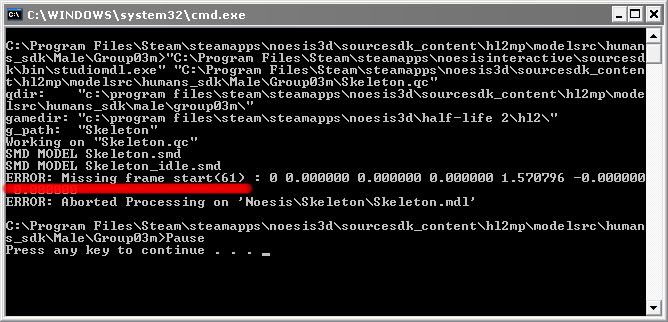
The confusing part is that there shouldn't even be a frame 61 because the timeline was only 40 frames long. I've looked around for a solution but have not yet been able to find one. Any ideas, suggestions, or fixes would be GREATLY appreciated!!! Thanks.
--User benmears
- You could simply edit Skeleton_idle.smd and remove the offending frames or whatever....it's a text file—ts2do 20:48, 4 Oct 2007 (PDT)
- It's been established elsewhere that 61 is an error code, not frame number. --TomEdwards 08:45, 25 Nov 2007 (PST)
- Fixed! XSI 6 starts animations at frame -2, which is causing this issue. You can fix it by editing box to the left of the animation timeline to read 0. :-) --TomEdwards 11:34, 25 Nov 2007 (PST)
- It's been established elsewhere that 61 is an error code, not frame number. --TomEdwards 08:45, 25 Nov 2007 (PST)
I'm getting exactly the same error with a completely different model:

The QC is simply:
$modelname Police_animations.mdl

$includemodel "player\male_anims.mdl"
$cd "C:\Program Files\Steam\steamapps\SourceMods\testmod\modelsrc\Police_XSI"

$sequence hipswave "handships.smd" frame 0 80 fps 30
It's to do with the custom SMD, as there are no errors if I compile with that line commented out. And since the numbers are all exactly the same as benmear's, I'd say it was something specific to ValveBiped. --TomEdwards 08:37, 25 Nov 2007 (PST)
Fixed! XSI 6 starts animations at frame -2, which is causing this issue. You can fix it by editing box to the left of the animation timeline to read 0. :-) --TomEdwards 11:34, 25 Nov 2007 (PST)
Animated Prop_Dynamic & Bullets
I`ve been trying to figure out how to create an animated prop_dynamic for my single player mod.
So far, I have the model, animation sequences, collision joints, and bone_followers set up in the qc, and I`ve compiled and set the prop up in Hammer. The collision works for the player and for other objects; Moving parts of the prop_dynamic effect the player and prop_physics items.
The one thing that is not working is bullet collision effects.
It seems like the bullets are stopped by the collision, as they do not effect items behind the prop. They do not, however, show any damage decals or create any surfaceprop noises for my model unless they collide with the first subobject joint in the collision mesh.
Any advice on how to get this working properly? Is it a matter of the bone_followers not being initialized on the client? If so, how do I initialize them?
Thanks in advance for any help.--Yedda2000 06:21, 08 Mar 2008 (EST)
tf2 with portal models
I was making a portal themed map for TF2 when I noticed that no portal models showed up in the list in the model viewer. How do I add portal models to TF2
- You don't. They're separate products. Not everyone who has TF2 owns Portal, so the files are disconnected from each other. Also, it would be illegal to import the models in. Sorry.--Katana314 18:25, 19 Jan 2008 (PST)
- For more information, see this article. This question is answered and should be moved by it's author to the Answered Questions section of the Help Desk. --Etset 04:27, 22 Jan 2008 (PST)
Hammer crashes when I attempt to create my first brush
When I open hammer, select a texture and attempt to create my first box, hammer appears to not register my actions, then seconds later it crashes. I noticed this problem after i tried to copy paste my work from a .rmf file from vhe 3.4 into source sdk hammer editor. --User:Dr0ski--
- Any chances the .rmf file might be corrupted or not being correctly interpreted by Hammer? Try loading the file and moving around some brushes. If it crashes just by doing that, it could be either one of those two problems, I guess. --Etset 04:30, 22 Jan 2008 (PST)
- Well I'm positive its not the .rmf NOW, because like i said i will start a completely new map and make my first brush, but right when i click:>freeze>crash. --Dr0ski 1:53, 27 Jan 2008 (CST)
- Did you make sure hammer is configured correctly (read this page)? Also, in the Source SDK Launcher, is the Current Game selected to the game you want to build a map for? Have you also tried verifying the integrity of the Source SDK cache file (right-click on "Source SDK" launcher in Steam > Verify integrity of cache file)? --Etset 02:57, 27 Jan 2008 (PST)
- I had a problem where my config crashed the editor, but this was due to the fact that I was running under the orange box configuration, and creating my own CS:S configuration while in hammer; it just didn't work.
- I eventually figured out to run under the episode 1 configuration. :P Eaglebird 13:38, 6 Feb 2008 (PST)
- Thank you for the input, I just tried verifying the integrity of the Source SDK and still no luck. Source SDK only gives me 3 options: Half-Life episode 2, Portal, and TF2...But then I opened Hammer and setup for Counter-Strike like the first time user guide tells me and then I find counter-strike in Source SDK.... I select 'couter-strike' and open hammer, and still when I attempt to create my first brush hammer crashes. If i run under the episode 2 configuration like Eaglebird suggested (yes i do have the orangebox), wont this make it not possible to map for CS:S? Dr0ski 17:08, 8 Feb 2008 (PST)
- Oh you're trying to make a CS:Source map? Try reading this page: Using the Source SDK with Episode 1-Engine Games. It might help your problem. The thing is, the current (non-beta) version of the SDK needs to know if you want to edit Episode 1 engine games, or Episode 2 engine games. The link I gave you explains how to set the Source SDK to edit Episode 1 engine games (one of which is Counter-Strike:Source). It also explains how to revert back to editing Episode 2 engine games (HL2: Episode 2, TF2 and Portal) (it's the last sentence on the article). See if it helps!
- Sidenote: when the current beta version of the SDK is "released" (in non-beta status), you will be able to choose directly on the SDK Launcher list what Engine & Game you want to edit. --Etset 03:19, 9 Feb 2008 (PST)
- Cleaned up paragraphs, were a bit difficult to discern at first. Eaglebird 01:24, 10 Feb 2008 (PST)
- Heeeeyyyy thank you for that information etset appreciate it. My problems solved. thanks for making my day :D:DDr0ski 21:53, 10 Feb 2008 (PST)
VMF files not appearing correctly in Hammer
I have a problem with my vmf files appearing incorrectly in the Hammer Editor. This problem began after Valve updated the SDK to include the Orange Box games. When I opened the SDK for the first time after the update, I noticed that the "Current Game" was Half-Life 2: Episode 2. I originally had it set to Half-Life 2 Deathmatch. Then I noticed all of my Hammer configuration settings for Half-Life 2 Deathmatch were gone & replaced with Half-Life 2: Episode 2 settings (thank you very much Valve Software). This didn't set well with me as I knew I then had to reconfigure Hammer for Half-Life 2 Deathmatch once again. So I followed the tutorial HERE & reconfigured my Hammer Editor. I can now view my .vmf files, but they look corrupted. Here's a SCREENSHOT of it. I also noticed after reconfiguring it, the SDK doesn't "copy the files" when opened like it did before. Maybe I did something wrong, not sure. Here are my CURRENT HAMMER CONFIGURATIONS. I also tried creating a new brush in a new map & that just crashes the Hammer Editor. I was well on my way to making a decent looking map as you can see HERE. I'm hoping at this point that it's my configuration of Hammer. At least that can be fixed. I spent many hours on what I have created & it makes me sad & angry that this is happening. Any help with this will be greatly appreciated. Thank you. --YPE 19:50, 12 Nov 2007 (PST)
- Update: I took another look at where files are located in the sourcesdk folder & discovered that there are two hl2mp.fgd files, two vbsp.exe files, two vrad.exe files & two vvis.exe files. One of each in the "sourcesdk\bin\ep1\bin" directory & one of each in the "sourcesdk\bin\orangebox\bin" directory. So I reconfigured my Hammer again to use the "ep1" directory instead of the "orangebox" directory & applied the changes. However, the messages screen within hammer are still pointing to the "orangebox" directory as you can see HERE with no changes in how my Hammer Editor is behaving. What's going on here? Did Valve Software goof on the SDK update? --YPE 15:27, 13 Nov 2007 (PST)
- Update 2: PROBLEM SOLVED. Take a look here: Cant_use_SDK_suddenly. Sorry, didn't see that until now. Thank you Woody! I don't know how you knew do to that, but it works great! Everything is back to normal & I can continue with my HL2DM map. :) I would like to leave this here for maybe a week or so, so others may be helped. Peace... --YPE 17:28, 13 Nov 2007 (PST)
3d Skybox probs in Portal
Ok - for starters, sorry if this is in the wrong place, as I'm new to this forum.
My 3d Skybox looks fantastic in my level, so long as you don't look at it through a portal. If you do, the skybox contents take precedence over the map's main contents and it looks really odd. Here are a couple examples: This first image is taken of the portal (I'm looking through the portal): Strange 1a
This image is of the same location, but I stepped through the portal so you aren't looking through the portal: Strange 1b
The below series of images shows me getting slowly closer to a portal, then stepping through:
Strange 2a Strange 2b Strange 2c Strange 2d
I'm not sure if this is something I did wrong or if it's a problem with the game engine. Any help would be greatly appreciated!! ---RigorMortis 16:57, 1 Jan 2008 (PST)
- I got my answer from the steampowered forums: it's just the engine. It doesn't properly render a 3d skybox through portals. I definitely hope a Valve employee reads this and makes it their mission to fix this problem, as 3d skyboxes are awesome. --RigorMortis 17:15, 3 Jan 2008 (PST)
- Looks like we're just going to have to wait for a fix! --Etset 10:48, 22 Jan 2008 (PST)
Problem fixing leak...
I have a func_useableladder entity that is leaking out of my skybox. The simple fix would seem to be-adjust the skybox to close the leak. The problem is when I adjust the skybox to fix the leak the map doesn't seem to want to compile. It gets about halfway through to BasePortalVis and then Hammer stops responding (according to windows). When my map compiles with the leak it doesn't run any "portal" anything. If I leave the skybox how it is the map will compile fine. This leads me to another question. Is there a limit to the size of the skybox brush? If I cut up the skybox will this help the compiling process? Also this is a deathmatch map. I'm new to map design so this maybe something simple. Thanks. 08:40, 14 Jan 2008 (PST)~SkiBo08:40, 14 Jan 2008 (PST)
- Not experienced with the tools but here goes some help (hopefully):
- If you need to find out where your map is leaking, try following the suggestion given in this part of the Leak article. Remember that the whole map must be sealed off by brushes, whether they be part of the skybox or not.
- When you compile "with the leak" only vbsp.exe is run, and the compile process stops there (vvis.exe and vrad.exe are not run, see: Leak), and I believe BasePortalVis has to do with vvis.exe, so that's why it's mentioned only when the leak is fixed.
- I can't be sure about this, since I'm not too familiar with the tools, but what's probably happening is the compile process simply taking a long time (Windows might think the process has become "stuck", but it still might be working). Is it a fairly big map? Does it have many details? That might be the reason why it is taking so long. Be sure to skim through the Optimization_(level_design) for help on optimizing your map (it can help in drastically reducing compile times!). There's a lot of useful information in there. One other page that is definitely worth reading is this one (external link).
- Side note: you placed your question in the Answered Questions section. Next time look more carefully, you might not get a reply! ;) --Etset 16:26, 14 Jan 2008 (PST)
- Thank you for the in depth reply. I will try these suggestions and hopefully solve my problem. Oh and thank you for moving my question to the proper area. :)SkiBo 18:47, 14 Jan 2008 (PST)
Trying to create a regenerating wall
I'm trying to make a wall with lots of health that resets its health every second. This is so that it can only be destroyed by a demoman using all 8 pipe bombs at once. I created a func breakable with 1000 health, and then a logic timer. Every 1 second, the logic timer sends the output 'sethealth <1000>' to the func breakable. However, when I run the map, the wall breaks as soon as the map loads. I've tried making the sethealth parameter higher or lower but it always has the same effect. Can anyone help? Chutup 20:05, 5 Jan 2008 (PST)
Don't worry, I worked it out on my own, I think. Once I took the <> symbols out of the parameter box, it works fine. Chutup 05:39, 6 Jan 2008 (PST)
cannot find textures for capture points
I am trying to texture with the tfc2 tutorial but there are no texture that they said should be there...why is this????
- Are you referring to the prop_dynamic? --wisemx 06:48, 28 Dec 2007 (PST)
Fixed rather irritating title. --Baliame (talk) 07:44, 28 Dec 2007 (PST)
general portals
Is there a way to create "prey"-like portals in sdk? for example a door that leads into another part of an existing, or whole new level. —Unsigned comment added by Spamos (talk • contribs). Please use four tildes (~~~~) or {{Message}} template to sign your username.
- I think the answer would be: yes and no. To some extent I believe you could be able to use the new engine capabilities (introduced by Portal, specifically) to create the portals themselves, and that would allow you to interconnect two parts of the same map. As for using a portal to connect two maps, that might not possible, since when you change maps you must load the new map, and that not only takes a bit of time (i.e., it's not instantaneous like in "prey", but then again, in "prey" it probably was instantaneous because the portal lead to another part of the same map...I don't know), it will spoil the momentum the player might have had.
- Plus, if a portal were to lead to another level, you would have to create the illusion that the player, who is looking at the portal, is actually seeing the other level. This can be easily accomplished if the "other level" starts in a relatively small area (you can actually create that same area in the "first level", and put a changelevel entity right after the portal, so the player is taken to the "other level").
- In any case, the source code available in the SDK is not the most recent ("Orange Box") version so you probably can't do anything that is related to portals (unless you were to code it in by yourself), for the time being at least. --Etset 02:46, 17 Jan 2008 (PST)
A mod that only modifies client.dll/server.dll ?
I have the Source SDK and I'm working at a modification that involves C++ code. The thing is that Valve's philosophy of distributing mods basically means distributing new maps along with game mods while I want to have the same content as HL2/HL2MP/HL2EP1 only with different functionalities in the client/server dlls and wouldn't want someone that's playing my mod to also download the HL2MP maps for example.
Another odd thing is that I'm currently working on the HL2MP and every time I start the game outside Visual Studio 2005, Steam overwrites my DLLs with the original ones which is weird since I've disabled the automatic updates.
Is there a way to make a mod for HL2MP and keep the same maps in it?--Cippyboy 18:30, 9 Feb 2008 (PST)
- Read about mounting content on the following pages:
- By mounting GCFs of other games, your mod will be able to access those games' contents.
- I believe you can also make your mod "mount" additional content via the GameInfo.txt file SearchPaths section (I believe an example of this is MINERVA, which uses no custom code by the way). However, you should also be aware that one should avoid mixing game content, because you can't assume that every player that has one game also has another, or all of them. Perhaps coding the actual mounting of the GCFs is a safer way and allows you to have some control over verifying it the player has that content installed or not. In any case, remember to warn players about which games they need installed in order to play your mod.
- Although I don't know what's causing that issue with the DLL files, I believe you might be overwriting the original HL2MP ones when you compile your code, perhaps? (i.e. building your files to the
\Steam\SteamApps\account_name\half-life 2 deathmatch\hl2mp\binfolder) If so, Steam detects that they are "corrupted" or "outdated" (or otherwise don't match the original files) and overwrites them with the ones it holds on the GCF files, which are already siting on your computer (hence the automatic updates thing not working). If that is the case, you should build your code to your mod folder, because the folder you're using is (might be, if this is the problem...) for the original dlls that the game uses to play HL2 Deathmatch online! The game automatically detects it if you try to change them (otherwise, anyone could implement cheats into the code that way). - This is not my "area of expertise" (come to think of it, none is...), so if I've said anything wrong please feel free to correct me! --Etset 09:23, 11 Feb 2008 (PST)
- Thanks for the input. I was doing what you said because I couldn't figure out how to "mount" the game content, GCFs and whatever else there is, and that seemed like a good solution, until I tried running the game outside (I actually wanted to have 2 instances of the game running so I could debug server & client dlls separately, and see how they interact, although I saw that that's not possible, or is it ?). I managed to run the game with AppID 320 (HL2MP), but I have no maps in it. I tried copying one from HL2MP but it's missing textures and I see no weapon models.
- I also tried the code version with the GCF, and I did filesystem->MountSteamContent(320) and it shows me an error Extra appid 320 but no steamappid, and that's kind of odd . --Cippyboy 22:04, 13 Feb 2008 (PST)
- The only ways I know of (only because I read about it here on the wiki) are those two:
- Mounting content via the source code;
- Mounting content via the GameInfo.txt file;
- For testing purposes you can (and perhaps should) use the gameinfo.txt file for the game to load content from one (or various) games. I gave the example of the gameinfo.txt file for the MINERVA mod, which looks like:
- The only ways I know of (only because I read about it here on the wiki) are those two:
(...)
SearchPaths
{
        Game		|gameinfo_path|.
        Game		episodic
        Game		hl2
}
(...)
- With these SearchPaths I believe the mod is mounting both HL2 and HL2:Episode 1 content. But when you do this you're already assuming that people own these two games. If they don't own these games, when the mod loads up it will not find some files (textures, models, maps..etc), and it will not be (properly) playable. This is a kind of "static" content mounting, because you define that you want your mod to have contents from the games X, Y and Z, and that's it, you can't change these specifications when you release your mod to the public, and you have to warn them that they must own games X, Y and Z in order to play your mod correctly.
- The alternative, as I see it, is to hard code that content mounting (which is what you're trying to do), and verifying if the mounting was successful (i.e. the person not only owns the game, but the content was correctly mounted and thus can be used by the game), or if the content mounting didn't succeed (i.e. probably the person doesn't own the game, or there was some error when trying to mount the content). As you see, this gives you more liberty in "dynamically" (as opposed to statically) detecting if the person has a particular game installed or not. If you choose this way of doing things, you must also hard code any dependencies that your mod has over a specific game, i.e. if a particular game content failed to mount, you don't want your mod to ever access content from that mod!
- What you cannot do is extract some content from the GCF files and distribute them with your mod! You say you've extracted a map (bsp) file and used it. This is probably ok if you're just testing things, but you're prohibited of distributing your mod with any files extracted from the GCF files (or else you're violating the EULA -- this is explained in the Mixing Game Content article). Besides, it's more work than it's worth: you extracted the map file, but now you need textures~, models and everything else that the map uses.... It's much easier to just mount hl2mp via gameinfo.txt ("static" mount) or hard coding it ("dynamic" mount).
- I have no clue about running two instances of the game ... (even if it's doable, it might be a heavy task for the processor... I don't know). You said you managed to run the game with appid 320 (HL2MP): try using the gameinfo.txt file to mount hl2mp (and/or other games: hl2, etc...) like I mentioned, and you will automatically have access to its content.
- Regarding that error you had when attempting filesystem->MountSteamContent(320), I'm sorry but I can't be of assistance, as I don't know the inner-workings of these things. Keep experimenting with it! --Etset 04:30, 14 Feb 2008 (PST)
- I was already using
(...)
SteamAppId				320

SearchPaths
{
	Game				|gameinfo_path|.
	Game				hl2mp
	Game				hl2
}
(...)
- And when I said I copied a map from HL2MP I meant I copied it from the maps folder, not extracted anything from the GCFs and there's really no point to talk about mixing content, since I first wanna fix the issue of just running my mod, then worry about other aspects. And I did experiment with the MountSteamContent thingy, and I have no idea what's going wrong. What I don't understand in all this is why doesn't Valve have a guide of what's the engine doing, step by step when it's starting ? Like, what files does it read and in what order, if you mount a GCF, was does it read from them ? From where does it read the menus, from where the levels ? And so on. You said that it overwrites my dlls with the ones from the GCF, well then when it runs HL2MP why does the executable load the dlls from the bin folder, and not from the GCF archive ? what's the loading priority ? I've just been bits of information spread randomly here, no direct guide. Only that "My First Mod" page which I followed but to no success.
- I also tried running HL2 single player like that and it starts the same, I see the HL2 intro, the new-game/load game menus, and then when I click new game, there's no chapter to choose from. And I only included a gameinfo.txt in the mod folder. --Cippyboy 19:13, 14 Feb 2008 (PST)
For your mod, you should be using only files in your ...\Steam\SteamApps\SourceMods\your_mod_folder\, which means your .dll files should be placed in the following folder: ...\Steam\SteamApps\SourceMods\your_mod_folder\bin.
Having a "step by step" guide would be a very hard thing to create and maintain, simply because we're talking about a very complex system, and such document would be enormous! The rule is to divide things into modest-sized and (hopefully) highly informative articles that (together) make up the whole of the documentation. You ask for a Valve guide: I'm sorry but this is it! The Valve Developer Community is where all the information should be at. If (needed) information is missing, it can be promptly added in by whoever feels like writing it down! That's why this is in a wiki format ;)
I'm sorry if you still have some doubts, but I can only suggest that you keep reading and experimenting stuff. Also, I believe a very good suggestion would be for you to download some Source mods and see how their files are structured! For example, take a look at MINERVA's gameinfo.txt file (MINERVA doesn't use custom code, so it does not have the client/server dlls, but almost every other mod has them). By doing that, and reading information here on the VDC, I'm sure you can achieve your goals. Also, look up e-mails of VDC users that might be willing to help you out with specific doubts (for example, check to see who contributed with useful information to a specific article and see if that person has an e-mail address you can use). Keep on it! :) --Etset 05:08, 15 Feb 2008 (PST)
- A "step by step" guide is not very hard to do if someone actually knows the way things are loaded into the engine. Anyway, my dll files are placed in the Mod\bin folder, and another weird thing I found with the gameinfo.txt is that if I write
SearchPaths
{
	Game				hl2mp
	Game				hl2
        Game				|gameinfo_path|.
}
- HL2MP starts correctly but doesn't load my dlls, it's like he searches for a bin folder and if found, doesn't bother looking in other paths for the bin folder. But If I go to the previous method I don't understand why he checks for a maps folder, marks it as empty and then goes to the next paths but doesn't care to look for the maps folders there (because I assume the maps displayed in the create server list is based on what files there are in the maps folder right ? if not, where do I find this kind of information ?), why is that ? Why don't I see documentation anywhere about the ordering ? And I've experimented enough to get frustrated because a very simple thing has to be so complex in Valve's philosophy. And about mods with custom code : I don't think I've seen until now a mod with custom code that uses the original HL2/HL2MP maps (because that's my core problem), if you know of some, please tell me. I'm now trying to get although it's for HL2, but I don't think it has custom code.
- LE:I changed the order of the search paths and it finally works. Now it's
SteamAppId				215

SearchPaths
{
	Game				hl2mp
	Game				|gameinfo_path|.
	Game				hl2
}
- There should a special page for this since if someone's trying to do the same thing they're gonna have a really hard time with it, considering that no one knows anything about this issue. --Cippyboy 22:56, 15 Feb 2008 (PST)
- I believe the best order would be:
SearchPaths
{
        Game				|gameinfo_path|.
	Game				hl2mp
	Game				hl2
}
- Also, you're saying that HL2MP starts correctly? Do you mean you're running HL2MP from the Games dialog in Steam? You should be running your mod, not HL2MP. By loading HL2MP it's obvious it will not find your mod's dlls. Also, the gameinfo.txt file that you should be modifying is ...\Steam\SteamApps\SourceMods\your_mod_folde\gameinfo.txt.
- I believe you might be a little confused about this, but it's really simple. If you place all of your files in the correct folders (already discussed above), all you have to do is go to the Games dialog in Steam and launch your mod from there. When the mod launches it's already using your custom dlls, and any content from the original GCFs can be used (provided that you added in the corresponding SearchPaths to the gameinfo.txt file).
- I believe you thought that you had to run HL2MP first, and that after HL2MP had launched it would search for (your mod's) custom dlls, and other custom content on your mod's folder. This is not so. If it were so, how could you choose what mod you wanted to run? :) --Etset 11:28, 16 Feb 2008 (PST)
- When I said HL2MP I actually meant my mod because my mod is 90% HL2MP (same maps, intro screen, just modified dlls like I said above). And the order I gave there for the gameinfo.txt is the only way for the mod to load my dlls and use HL2MP content. . What you recommended is just loading HL2MP but doesn't show any maps and we've already been through this. Issue solved :) --Cippyboy 23:13, 17 Feb 2008 (PST)
Problems with Brushes
I recently started trying to make my own maps. Using the tutorial on this site, I tried to use the block tool to create a brush. However, when I tried, it just moved the wireframe. Oddly enough, I tried that exact same thing before, and it worked just fine. However, now, I can't do it. Any ideas? I've tried it on both engines, and on each game, but no result. Help a budding modder out? Frogger626 01:17, 22 April 2009 (UTC)
- I know this is a dumb suggestion, but since you are a newbie like me . . . Did you forget to press Enter to instantiate each block after you drew them?--Merlinson 15:21, 22 April 2009 (UTC)
- Problem is, I can't draw them in the first place. When I try, the mouse pans the view around. Frogger626 23:24, 22 April 2009 (UTC)
- This is a common problem.Simply press the space bar(or ctrl+space) and it will cancel the auto-pan.TryRestart 06:37, 19 June 2009 (UTC)
- Problem is, I can't draw them in the first place. When I try, the mouse pans the view around. Frogger626 23:24, 22 April 2009 (UTC)
Merging Similar Map Files
My friend and I are working on a map. When I'm done with basic mapping, I add lights while he adds details, like tables and other prefabs. Is there a way, other than extensive copy/pasting, that we can merge our changes? Thanks, Lackofcreativity
- No not from my knowledge, it can't be done like that. You need to work on the same vmf at separate times or if your lucky enough to live close enough you can do it together on the one PC or something but no there is no way of merging 2 maps into one without extensive copying and pasting either the raw vmf code or in hammer itself --Jenkins08 06:48, 20 April 2009 (UTC)
Bullet Penetration in HL2DM
I have some very thin glass in my map (one unit thick), but they seem to be completely bulletproof. After a bit of playtesting, it appears as if there is no bullet penetration in HL2DM at all; is this true? If not, how can I fix this issue in my map?
Thanks --Nacimota 14:16, 12 April 2009 (UTC)
Answer: No bullet penetration in HL2DM.
How do you undo func_details?
How do you make a func detail into seperate brushes? I accidently made my water, along with my displacement map, into a func_detail, and now when I delect it, it selects the water and the displacement. What I want to do it make them back into seperate world brushes, because my map won't compile if the water is a fuc_detail. I really don't want to have to delete my displacement map as well, because it took me ages to make. Does anyone have a soultion? G33k0ry 05:12, 26 February 2009 (UTC)
- Move to world. This may delete your displacement, however. --JeffMOD 14:07, 28 February 2009 (UTC)
Entity Spawns Using Buttons
I am currently making a map for aiming practice. I need to know how to make a button that, when a player interacts with it, spawns a weapon or NPC at a fixed location. How would I go about doing this? Crazyking 8:37 15 March, 2009 (UTC)
- I believe you need to place an Npc_maker somewhere in your map and have your button fire its spawn input during the button's OnPressed event. --Nacimota 19:52, 12 April 2009 (UTC)
Help compiling
i have my map compiled and every so often it stops making the bsp into the newer version. i play it and it stays with old effects textures ect. this is my compile log
** Executing...
** Command: "c:\program files\steam\steamapps\443754\sourcesdk\bin\orangebox\bin\vbsp.exe"
** Parameters: -game "c:\program files\steam\steamapps\443754\team fortress 2\tf" "C:\Program Files\Steam\SteamApps\443754\sourcesdk_content\tf\mapsrc\gib$ru$_orange_2x_d"

Valve Software - vbsp.exe (Mar 11 2008)
2 threads
materialPath: c:\program files\steam\steamapps\443754\team fortress 2\tf\materials
Loading C:\Program Files\Steam\SteamApps\443754\sourcesdk_content\tf\mapsrc\gib$ru$_orange_2x_d.vmf
Patching WVT material: maps/gib$ru$_orange_2x_d/nature/blendsandgrass008a_wvt_patch
fixing up env_cubemap materials on brush sides...
ProcessBlock_Thread: 0...1...2...3...Brush 22937: WARNING, microbrush
Brush 22941: WARNING, microbrush
Brush 24308: WARNING, microbrush
Brush 24309: WARNING, microbrush
Brush 24319: WARNING, microbrush
Brush 24320: WARNING, microbrush
Brush 24777: WARNING, microbrush
4...5...6...7...8...9...10 (1)
**** leaked ****
Entity prop_dynamic (-2098.75 28.88 -744.75) leaked!

FindPortalSide: Couldn't find a good match for which brush to assign to a portal near (-36.0 -1728.0 -808.0)
Leaf 0 contents: CONTENTS_SOLID
Leaf 1 contents:
viscontents (node 0 contents ^ node 1 contents): CONTENTS_SOLID
This means that none of the brushes in leaf 0 or 1 that touches the portal has CONTENTS_SOLID
Check for a huge brush enclosing the coordinates above that has contents CONTENTS_SOLID
Candidate brush IDs: Brush 2534:


FindPortalSide: Couldn't find a good match for which brush to assign to a portal near (0.0 -1725.5 -808.0)
Leaf 0 contents:
Leaf 1 contents: CONTENTS_SOLID
viscontents (node 0 contents ^ node 1 contents): CONTENTS_SOLID
This means that none of the brushes in leaf 0 or 1 that touches the portal has CONTENTS_SOLID
Check for a huge brush enclosing the coordinates above that has contents CONTENTS_SOLID
Candidate brush IDs: Brush 2534:

Processing areas...done (0)
Building Faces...done (0)
Chop Details...done (0)
Find Visible Detail Sides...Bad detail brush side


** Executing...
** Command: "c:\program files\steam\steamapps\443754\sourcesdk\bin\orangebox\bin\vvis.exe"
** Parameters: -game "c:\program files\steam\steamapps\443754\team fortress 2\tf" -fast "C:\Program Files\Steam\SteamApps\443754\sourcesdk_content\tf\mapsrc\gib$ru$_orange_2x_d"

Valve Software - vvis.exe (Mar 11 2008)
fastvis = true
2 threads
reading c:\program files\steam\steamapps\443754\sourcesdk_content\tf\mapsrc\gib$ru$_orange_2x_d.bsp
reading c:\program files\steam\steamapps\443754\sourcesdk_content\tf\mapsrc\gib$ru$_orange_2x_d.prt
LoadPortals: couldn't read c:\program files\steam\steamapps\443754\sourcesdk_content\tf\mapsrc\gib$ru$_orange_2x_d.prt


** Executing...
** Command: "c:\program files\steam\steamapps\443754\sourcesdk\bin\orangebox\bin\vrad.exe"
** Parameters:  -game "c:\program files\steam\steamapps\443754\team fortress 2\tf" -noextra "C:\Program Files\Steam\SteamApps\443754\sourcesdk_content\tf\mapsrc\gib$ru$_orange_2x_d"

Valve Software - vrad.exe SSE (Mar 11 2008)

      Valve Radiosity Simulator
2 threads
[Reading texlights from 'lights.rad']
[34 texlights parsed from 'lights.rad']

Loading c:\program files\steam\steamapps\443754\sourcesdk_content\tf\mapsrc\gib$ru$_orange_2x_d.bsp
No vis information, direct lighting only.
Setting up ray-trace acceleration structure... Done (5.99 seconds)
3941 faces
14 degenerate faces
1253378 square feet [180486432.00 square inches]
60 Displacements
78762 Square Feet [11341825.00 Square Inches]
31 direct lights
BuildFacelights:     0...1...2...3...4...5...6...7...8...9...10 (25)
Build Patch/Sample Hash Table(s).....Done<0.0906 sec>
FinalLightFace:      0...1...2...3...4...5...6...7...8...9...10 (8)
FinalLightFace Done
0 of 0 (0% of) surface lights went in leaf ambient cubes.
ThreadComputeLeafAmbient: 0...1...2...3...4...5...6...7...8...9...10 (33)
Writing leaf ambient...done
Ready to Finish

Object names       Objects/Maxobjs  Memory / Maxmem  Fullness
------------       ---------------  ---------------  --------
models                  16/1024          768/49152    ( 1.6%)
brushes                463/8192         5556/98304    ( 5.7%)
brushsides            4133/65536       33064/524288   ( 6.3%)
planes                4572/65536       91440/1310720  ( 7.0%)
vertexes              7702/65536       92424/786432   (11.8%)
nodes                 2816/65536       90112/2097152  ( 4.3%)
texinfos               207/12288       14904/884736   ( 1.7%)
texdata                 13/2048          416/65536    ( 0.6%)
dispinfos               60/0           10560/0        ( 0.0%)
disp_verts           16924/0          338480/0        ( 0.0%)
disp_tris            29952/0           59904/0        ( 0.0%)
disp_lmsamples       84018/0           84018/0        ( 0.0%)
faces                 3941/65536      220696/3670016  ( 6.0%)
hdr faces                0/65536           0/3670016  ( 0.0%)
origfaces             1452/65536       81312/3670016  ( 2.2%)
leaves                2833/65536       90656/2097152  ( 4.3%)
leaffaces             4579/65536        9158/131072   ( 7.0%)
leafbrushes           2105/65536        4210/131072   ( 3.2%)
areas                    2/256            16/2048     ( 0.8%)
surfedges            25429/512000     101716/2048000  ( 5.0%)
edges                14528/256000      58112/1024000  ( 5.7%)
LDR worldlights         31/8192         2728/720896   ( 0.4%)
HDR worldlights          0/8192            0/720896   ( 0.0%)
leafwaterdata            0/32768           0/393216   ( 0.0%)
waterstrips            533/32768        5330/327680   ( 1.6%)
waterverts               0/65536           0/786432   ( 0.0%)
waterindices          8751/65536       17502/131072   (13.4%)
cubemapsamples          21/1024          336/16384    ( 2.1%)
overlays                 0/512             0/180224   ( 0.0%)
LDR lightdata         [variable]     1840780/0        ( 0.0%)
HDR lightdata         [variable]           0/0        ( 0.0%)
visdata               [variable]           0/16777216 ( 0.0%)
entdata               [variable]       37440/393216   ( 9.5%)
LDR ambient table     2833/65536       11332/262144   ( 4.3%)
HDR ambient table     2833/65536       11332/262144   ( 4.3%)
LDR leaf ambient     12655/65536      354340/1835008  (19.3%)
HDR leaf ambient      2833/65536       79324/1835008  ( 4.3%)
occluders                0/0               0/0        ( 0.0%)
occluder polygons        0/0               0/0        ( 0.0%)
occluder vert ind        0/0               0/0        ( 0.0%)
detail props          [variable]           1/12       ( 8.3%)
static props          [variable]           1/1002     ( 0.1%)
pakfile               [variable]     1908901/0        ( 0.0%)
physics               [variable]      187731/4194304  ( 4.5%)
physics terrain       [variable]       63198/1048576  ( 6.0%)

Level flags = 0

Total triangle count: 11606
Writing c:\program files\steam\steamapps\443754\sourcesdk_content\tf\mapsrc\gib$ru$_orange_2x_d.bsp
1 minute, 12 seconds elapsed

** Executing...
** Command: Copy File
** Parameters: "C:\Program Files\Steam\SteamApps\443754\sourcesdk_content\tf\mapsrc\gib$ru$_orange_2x_d.bsp" "c:\program files\steam\steamapps\443754\team fortress 2\tf\maps\gib$ru$_orange_2x_d.bsp"
i dont have any errors when i check for them any pls. tks 443754
- Actually, you have several errors. Your map contains numerous microbrushes (very small brushes, usually less than one unit), which is probably what is stopping VBSP from compiling your map. Secondly, you your map has one or more leaks, which will stop VVIS from compiling and VRAD from calculating full radiosity (light bounces, etc). You need to find and remove the microbrushes, and seal off those leaks. Further reading: Compile Errors, Leak. --Nacimota 20:05, 12 April 2009 (UTC)
0/3326 MDL Files in Hammer
I am trying to teach myself how to use the Hammer editor, but I can't access any of the model files when trying to create entities. I can get into the Model Browser, and it loads up 3000+ models, but it says there are no MDL files to use. What am I missing? I have reset the SDK settings, and refreshed it as well.
Did you remember to clear the model filter? --Corewarp 10:49, 12 June 2009 (UTC)
You may also have your cursor moved on a subfolder in the model browser, make sure the cursor sits on the root directory --Tapir 15:39, 26 June 2009 (UTC)
where is my func_door? All I have is func_door_ratating
Right now im trying to make a sliding door desguised a the "winch" model. So when it is activated it will move in a linear direction to any specific spot, like How I used to do when i made sliding doors with older versions of hammer back in 1.5cs days. I searched for help for my problem, and somewhere on this website it said taht that there in factIS a "func_door" for all source games, but unfortunately I cant find this entity only func_door_rotating... if anyone knows how i can get the proper func_door entity I need into my entity list that would be great.
(unless you can tell me how to make a func_door_rotating move only in 1 dimension :P {i.e. not around an origin}) thanks guys..
p.s. i noticed that the user who posted below who has func_entity problem may ahve the same problem as me... is it possible that I/we have old or corrupt game data files? (.fgd)s ?
--Dr0ski 03:55, 8 Jun 2008 (PDT)
- it's a brush based entity.--Gear 09:27, 8 Jun 2008 (PDT)
- ok i had trouble with this for the longest time cause no one would explain it very well but i stumbled on it by accident finally so i know what your going through. ok func_door and all func execpt ladder are accessed by making a primitive *a block with the block making tool* and then hitting the to entity button. it is NOT in your entity list. hope that helps --Tenshistrife 13:12, 29 Jun 2008 (PDT)
- Did I not just say it was a brush based entity, what else could that possibly mean.... HUURRRR--Gear 12:01, 30 Jun 2008 (PDT)
func_ Entities Do Not Appear
I'm working on a map for Team Fortress 2, but the only func_ entities I have are func_useableladder, func_ladderendpoint, and func_fish_bowl. I'm absolutely certain that my current game is set to Team Fortress 2. But entities like func_respawnroom and others will absolutely not appear. Ideas?
- Most func_[namegoeshere] entities are brush-based. --Darthkillyou 14:45, 9 Jul 2008 (PDT)
Info_Player doesnt work
Hi, I have been mapping for something like a months, an I allready have a few nice (Not public) maps, and yesterday, suddenly all the Info_Player_* started having the "ERROR" model and doenst have the properaties of an Info_Player_*...
Edit: I made a Configuration Restart and it didnt help, Im gonna wait a lil so you guys will try to help, and only then I will reinstall the SDK...
- reinstall it, something is corrupt somewhere.--Gear 19:08, 31 May 2008 (PDT)
Water textures in hammer not showing up properly
I have attempted to create water by using nature/water textures on one side of a block whose other sides all have NODRAW or INVISIBLE textures. However, from the top of it I cannot see any water textures, but rather, void. It therefore shows me a white void instead of the water texture, despite the pool being surrounded by other solid blocks, preventing any visible void areas. Interestingly, the textures appear to work once I am in the water, showing the proper surroundings above, below and to the sides of me. However, never the top of the water. How can I resolve this issue? Thanks ahead of time. Tom11235 16:28, 23 May 2008 (PDT)
- It sounds like you might have a Leak in your map if this is happening.--Gear 00:08, 24 May 2008 (PDT)
Thanks for the advice, I placed a hollow block around it and now the water textures are correctly shown. Tom11235 09:20, 24 May 2008 (PDT)
- Just a sidenote, but a hollow block isn't exactly the best way to solve leaks. If you must, though, go ahead. --Darthkillyou 14:55, 28 Sep 2008 (PDT)
Textures not applying
I've been trying to work with hammer recently. But when i create my starting box, I CAN'T APPLY A TEXTURE!! I mean, I can see the texture selected in the box the the right. I hit apply texture, but nothing happens. No error, no confermation, no nothing. PLEASE someone help me here.Misu 18:59, 6 May 2008 (PDT)Misu
- Are you using the Texture edit tool? Itself?--Gear 21:29, 11 May 2008 (PDT)
- after you've drawn the box out, have you actually created the box by pressing enter? This applies the texture you have selected, too.
- One thing you may want to check is that when you are using hammer, you have the camera box in the top left on texture rather than wireframe. To change it just click the writing in the top left of the camera box and select 3d-textured.-- User: Goliath 17:07, 25 July 2008
Hammer Crash on carving a sphere
I'm trying to carve a sphere in half. I set the sphere number to 16(when creating). I just make a big brush to cut off half of the sphere, and use the carve using selected objects button on the tool bar. It works on any sphere except on the size 16. I get an error that reads: "hammer.exe-Application Error: The instruction at "0x0d555708" referenced memory at "0x0d555708". The memory could not be "read"." It tells me to push the ok button and hammer closes down. I know the easy way would just to not use the size 16, but I'd really like to know the cause/solution to this problem.--Ka 12:55, 29 April 2008 (EST)
- You just can't do it. Use the slice tool (Shift+X) instead. --TomEdwards 00:56, 29 Apr 2008 (PDT)
I tried it, but the same error happens. Is there just no way to do it?--Ka 12:21, 29 April 2008 (EST)
- Perhaps the Sphere is just badly constructed? Or when split, it makes a incorrect brush either way.--Gear 19:29, 3 May 2008 (PDT)
Certain Props refuse to show up in-game...
I am making a map and have created an elaborate set up using props. The problem is, when I compile and run, some props (namely all the most important ones and the ones that took longest to set up...) refuse to appear! And it's not that I can't see them, I can walk freely where they are supposed to be. The map isn't sealed yet, if it matters.
--Captain "That One Guy" Poncho 16:39, 10 Apr 2008 (PDT)
- If your map isn't sealed, then you're definitely getting a leak. However, leaks don't cause disappearing props (as far as I know), so I am clueless as to why this is happening. (Did you use the correct prop types?) Seal the level first, then see what happens. --Darthkillyou 19:27, 10 Apr 2008 (PDT)
- Like stated above make sure you are using the right prop type. prop_static, prop_dynamic or prop_physics, I also recommend trying prop_dynamic_override or prop_physics_override, good luck! Cubedude 17:15, 17 Apr 2008 (PDT)
- Make sure you have the models correct. My brother made a map once where he used a Chess table as a prop_Physics, and it didnt apear. Turns out, that particular model could only be a prop_Dynamic. --JeffMOD 12:51, 25 May 2008 (PDT)
hostage_entity limit on cstrike levels
Is there a limit to the number of hostage_entities you can place in a cstrike level? I'm trying to fill a map completely with hostages.
A¬A 16:09, 28 Mar 2008 (CEST)
The only limit is trhat of what it takes to render them, so don't go over 20.--Gear 11:06, 22 Apr 2008 (PDT)
Hiding what want not
Firstly let me say thank you to everyone who contributes to this excellent community. Without your help I would not be doing what I love most. Thank you.
As for the issue, I'm creating a map that has a shoreline. I've been attempting to tweak every angle to make this shoreline believable (I feel my appreciation for Valve's shoreline masterpiece 'The Lost Coast' increasing here), but have so far failed.
The problem I'm having is with blending the shoreline view with the skybox or making it believable enough. My initial thought (since it's a night map) would be that the darkness would hide the view distance, therefore giving the impression of the open sea, but this doesn’t hold well, giving that the skymap still has a visible line on the horizon, giving a 'box' impression, instead of an open sea one. My next attempt was to include fog onto my level, first by using it with both the fog_controller and blending it appropriately with the skybox. This, I thought, would be a good solution. My plan was to set my min view distance for the fog at around 5000 (the total water length was around 7000) meaning that I wouldn’t experience any direct fog while in the level, but then would hide the end of the skybox from view at the shoreline. The problem was that the fog (even though blended) still showed a visible line on the sea horizon, making it even less believable! I tried the fog approach again, but this time with env_smokestack set for some localised fog on the horizon, but this just looked silly and also eat up the fps.
Any suggestions on how I can do this effectively? Keep in mind that it's a multiplayer based map (zombie panic) so although my budget concern isn't as high as that of a DM or CS map, the fps still needs to be taken into account on my solution.
Any help or suggestions you guys can provide would be greatly appreciated.
You can check out my website for some pics of the map and when I get back home later I will upload some pictures of the un-effective shoreline!
Agentgainey 04:09, 27 Mar 2008 (PDT)
- Even Valve's Great Lost Coast Masterpiece has this problem if you look closely enough. However, that's only visible from an elevated position (cliff battle with the helicopter comes to mind). Extending the map horizon to the point where the water would naturally fade away might help. However, any elevated positions (cliffs, watchtowers, etc.) would give away your horizon line. Increasing the water area for your 3D skybox might also help (think the map water overlaping the 3D water). You could also use a func_smokevolume to attempt to hide the line (instead of the env_smokestack). Sorry, but this is all I can think up for now! --Darthkillyou 16:54, 22 Apr 2008 (PDT)
Sky Camera kills map
When I compile the level and look to the left wall, I see a fragmented mirror image of my level, and my actual level turns black. When I look to the right its a giant leak type thing (there are no actually leaks in the designer, as there is a huge block surrounding the whole level)
Extra info:
The game is tf2
The sky camera that was at 0,0,0 was deleted and the only one is in the sky box.
There is a light environment.
The skybox walls project the light with no problem when the sky camera is turned off.
Images of the level:
http://communityserverproject.com/images/temp/
1st time using a wiki...so there are good odds I've done something wrong.
MrAlBobo 19:22, 21 Feb 2008 (PST)
- See 3D Skybox. It looks like you're doing it wrong. --TomEdwards 10:56, 23 Feb 2008 (PST)
I have read that article so many times...its not any help
But...i think i found the problem...while trying to fix a portal flow error, i replaced all the walls around the level, and apparently my light environment escaped the enclosing. I returned it to the inside of the map, but now i get the portal flow error again...
I plan on doing some research on that now, if I fix that and the skybox problem goes away, then ill move this entry.
Otherwise there is a chance it might be something else. MrAlBobo 11:39, 23 Feb 2008 (PST)
- Oh, a leak. :-) --TomEdwards 13:46, 23 Feb 2008 (PST)
Yeah...it did not occur to me that the light_env would manage to escape...
- But now im back to the old portalfow error that i had before i had the leak...if someone wants to give me some tips on what specifically could cause that, that would be great... MrAlBobo 15:48, 23 Feb 2008 (PST)
- Why not zip and upload the VMF for someone to have a proper look at. --TomEdwards 08:01, 28 Feb 2008 (PST)
- So...you want me to upload the map then just post it here? MrAlBobo 20:17, 28 Feb 2008 (PST)
- What else? :-p --TomEdwards 01:23, 29 Feb 2008 (PST)
- So...you want me to upload the map then just post it here? MrAlBobo 20:17, 28 Feb 2008 (PST)
- Why not zip and upload the VMF for someone to have a proper look at. --TomEdwards 08:01, 28 Feb 2008 (PST)
- But now im back to the old portalfow error that i had before i had the leak...if someone wants to give me some tips on what specifically could cause that, that would be great... MrAlBobo 15:48, 23 Feb 2008 (PST)
enjoy <_< http://www.megaupload.com/?d=NX6M7G4P MrAlBobo 17:51, 29 Feb 2008 (PST)
Anyways...since I got no answer here, I eventually figured it out on my own, and after about 12 hours of optimizing i finally fixed it, but i have no idea how to move it...so if someone else wouldn't mind... MrAlBobo 15:08, 16 Mar 2008 (PDT)
Problem compiling maps
I really need help and the problem that I am dealing with is not on the FAQ or on the help desk. This is the problem:-
*** Suppressing further FindPortalSide errors.... ***
Processing areas...done (0)
Building Faces...done (0)
FixTjuncs...
PruneNodes...
WriteBSP...
done (0)
Creating default LDR cubemaps for env_cubemap using skybox materials:
   skybox/sky_day01_01*.vmt
 ! Run buildcubemaps in the engine to get the correct cube maps.
Creating default HDR cubemaps for env_cubemap using skybox materials:
   skybox/sky_day01_01*.vmt
 ! Run buildcubemaps in the engine to get the correct cube maps.
Finding displacement neighbors...
Finding lightmap sample positions...
Displacement Alpha : 0...1...2...3...4...5...6...7...8...9...10
Building Physics collision data...
done (1) (63996 bytes)
Error loading studio model ""!
Placing detail props : 0...1...2...3...4...5...6...7...8...9...10
Compacting texture/material tables...
Reduced 1164 texinfos to 619
Reduced 39 texdatas to 30 (1206 bytes to 950)
Writing G:\Program Files\Steam\steamapps\[my steam name]\half-life 2\[My map name].bsp
17 seconds elapsed
please could some one help me. It is happening to every map I do even without any props!! Its got nothing to do with the props. I made a new map with no props and tried to run it. The same thing popped up! -- 19:40, 16 Feb 2008 —Unsigned comment added by Nuphduqwed (talk • contribs). Please use four tildes (~~~~) or {{Message}} template to sign your username.
- What exactly is the problem? I see a few. Eaglebird 00:52, 17 Feb 2008 (PST)
- You have some FindPortalSide errors, and you also have props outside the map. NO entity can be outside the map, no entity can have any line drawn from it to the void. It must be enclosed in world brushes. The FindPortalSide errors may be the culprit of a leak (wonder why), or bad areaportals. Eaglebird 00:55, 17 Feb 2008 (PST)
- Bad areaportals would give an actual "areaportal does not seal off areas" (or something like that) message. Did you check for world brush leaks? There could be multiple causes. And, problems aside, does the map even run? --Darthkillyou 18:32, 17 Feb 2008 (PST)
CUBEMAPS Ahh
Ive been mapping since 1.5 cs and just started using SDK to map for cs:source, so cubemaps are new to me... The problem I'm having is either with lighting or cubemaps...for example: ill be walking down a breezeway and see the walls change color, or ill step in a shadow and all the walls turns dark.. but when i step out they are bright... I'm sure its cubemap positioning, but I've tried different combinations and just get it to work out. The source sdk docs for "cubemaps" seemed unclear to me... what vital step am i missing? Can someone please link me to some sort of cubemap walkthru? Dr0ski 01:32, 18 Feb 2008 (PST)
- Searching for "cubemap" here on the VDC yields some results. The first three articles might be of some help. --Etset 05:32, 21 Feb 2008 (PST)
need help: Spawn point issue
I started about 2 days ago and I got a lot of the stuff down but when i try to play using run map under file it takes me there and everything is black so I went to the console and it said spawn point not clear and no matter where i put the entity info_player_start it always messes up and says spawn point not clear. —Unsigned comment added by Moonkow (talk • contribs). Please use four tildes (~~~~) or {{Message}} template to sign your username.
- Could you check to see if the compiling process is done correctly and without errors? (See this article) If there are errors while compiling your map and you don't know how to fix them, try posting here that section of the compile log (the part where the errors are declared), so that the nice people here can have a look at it. --Etset 10:48, 22 Jan 2008 (PST)
tools, tools tools?
When I am creating a map and use brushes such as triggers or fog, I compile and it shows up like in hammer —Unsigned comment added by Octoplasma (talk • contribs). Please use four tildes (~~~~) or {{Message}} template to sign your username.
- What exactly is the problem? --Etset 04:15, 22 Jan 2008 (PST)
If you are simply setting a brush's texture to tools/toolstrigger or similar and just compiling, then you are forgetting to do ctrl+t to turn a brush into an entity and from there selecting trigger_<whatever> Mikecodes 21:51, 22 Jan 2008 (PST)
Hammer crashes when I attempt to apply the texture tools/toolstrigger
If I select a large, solid brush, a single, grouped box, and attempt to apply this texture, I get an error and crash. I'm attempting to make a spawn zone, but I can't apply the texture to brush. Is the brush wrongly designed?
—Unsigned comment added by Askiba (talk • contribs). Please use four tildes (~~~~) or {{Message}} template to sign your username.
You may need to reset your SDK configurations to get this to work, you may have messed up a setting somewhere Mikecodes 21:53, 22 Jan 2008 (PST)
Hammer closes when i am done setting it up!
I don't know what is wrong with hammer, but it keeps crashing when i am done configuring it! --Gmodisawesome879 14:04, 30 Dec 2007 (PST)
- You shouldn't have to set configurations unless you're making your own mod. If you can't find the right configuration, chances are you aren't running the SDK in the EP1 engine (for cs, hl2dm, etc) or orange box (tf2, portal, ep2) Eaglebird 19:33, 9 Feb 2008 (PST)
TF2 Capture Rounds
Has anyone found out how to create multiple capture point rounds in TF2. I can get it working with just 1 round, however when I create 2 or more, the game will freeze at the end of the first capture round. I assume I am missing something regarding the transition, however I don't know what and I'm tired of watching the game crash.
Anyone got any input to this situation? —Unsigned comment added by Meld (talk • contribs). Please use four tildes (~~~~) or {{Message}} template to sign your username.
- Try reading this article: Creating a Linear Gameplay Map (TF2). I think it might help! If you feel your question has been fully answered, please move it to the Answered Questions section of this Help Desk. --Etset 04:42, 22 Jan 2008 (PST)
Post-compile drawing bug?
After I test my TF2 map, Hammer can't refresh its display windows. In other words, I can modify things in my map, but I can't see them being changed. I can refresh each window by changing their perspective, but it only shows things BEFORE I tested the map. The only way around this is to close hammer and re-open it, rather inconvenient. Has anyone seen this before? Xiphos 20:38, 25 Oct 2007 (PDT)
- Odd, i test out my map with Hammer open, but usually minimized. try that, or even not having Tf2 open when the compile has finished.--Gear 22:23, 25 Oct 2007 (PDT)
- I usually have no trouble testing my maps with hammer running. I suspect there's some sort of conflict in the renderers. That, or your OS is having trouble with it. Eaglebird 19:36, 9 Feb 2008 (PST)
I cant get my maps to run
No matter what I try..I just cant get CS: S To run my maps..when I choose the map..and click run, Nothing happens.
- I don't use cs:s but are you sure your Maps are in the proper folders and are you sure that you didn't place them anywhere else?--Gear 19:21, 29 Oct 2006 (PST)
- Not only that, but "nothing" shouldn't happen. If something's wrong, you should get a crash or an error message or something. If literally nothing is happening, I'd say it could be a game problem. Eaglebird 19:40, 9 Feb 2008 (PST)
- Try opening CSS normally, if it loads up, then close it and then try opening it in hammer, the same thing happened to me in tf2...it would not open because the game required an update. MrAlBobo 18:50, 24 Feb 2008 (PST)
- I'm having this probelm as well. I compile and run my map fine. Spawning points, and spawn room areas, and everything. But when I click on the map name, the list goes away, and nothing happens. However, I never found anything in Hammer where I had to set my map as a TF2 map. That may be the problem. Is there a way to specify a game that you want the map to be played with?
Check if your map name has spaces... that may be the problem. For example: "happy town" has a space in its name. Just take the space out a replace the space with an underscore (_).
Skybox
ok so when I make a sky box and texture it the Maps textured become transparent and show only the textures on the box.... HELP MEH --sabre05 22:22, 16 Jul 2007
Maybe a little more specific.--Gear 05:51, 15 Aug 2007 (PDT)
Wait... What??? From what I can read, you tried to make a skybox, and then you textured it, and then something became transparent, and then you could only see the skybox??? --Darthkillyou 14:41, 16 Dec 2007 (PST)
Sounds like too me you put a skybox texture in your map. Make tools/toolsskybox and then go to: Map, Map Properties, Skybox texture name. I believe I did that about 3 months ago. NOTE: No changes will be made in the 3D view of your camera. But in-game it will work! Skybox texture list: http://developer.valvesoftware.com/wiki/Sky_list
Level Transition Freeze-Up
I've built two levels and set up my level transitions from what I gather, properly. The landmark entities both have corresponding names, and are in the same place, and the trigger is set up right and seems to activate the transition fine. However, once it starts the load, it never finishes and the game hangs up. Any ideas? ElecHeadMatt 15:18, 28 Jul 2007 (PDT)
Could be perhaps a problem with the map thats trying to be loaded. Consult that map first and see if it freezes on normal loading of that single map.--Gear 16:45, 28 Jul 2007 (PDT)
No dice, both levels load just fine, and don't seem to have any bugs or errors when loading. ElecHeadMatt 10:11, 29 Jul 2007 (PDT)
Funny thing is that happened to me yesterday. A level change occurred and well the game took a really long time to load. Sat there for ten minutes. Apparently the cause is when you place your mod or edit it over an existing version of your mod. Try to restart steam. That fixed it for me.--Gear 14:59, 29 Jul 2007 (PDT)
- I had a similar problem not long ago. You said "trigger," as in just one. Do both of your maps have a trigger_changemap set to get to the other one? If not, this is your problem. You can see what error the game gave you by going to the command console (~) and looking at the last error reported before the engine dumped you out, and that should give you a pretty big hint on what the real problem is (that is, if this doesn't fix it). --RigorMortis 08:21, 1 Jan 2008
- One of the biggest issue towards this is that the info_landmark could be off from 1 little unit. It needs to be exactly the same in each map. In other words. Make a map, with a level change in it. Then save the map as a new one, and erase all the unneeded geometry, therefore having the landmark in the same exact place within the Hammer grid.--Gear 19:34, 3 May 2008 (PDT)
Okay I think I can clarify what (I belive) RigorMortis was saying. I have had this error multiple times, and it makes me want to slap myself. I usually delete most of the previous map and go on from there, but I often forget to change the "NEXT MAP NAME" value from the new map to the old map. I hope if You havent already fixed this, that it helps, as well as helping other newer mappers.
brushes are correct but don't light up
i made the brushes in my mod correctly but when i play the map the lightmap only lights up models and not the brushes but the flashlight does light it up. how can i fix it? if anyone can help then i would be able to finish the mod but if i can't get the lightmap to work then the entire mod will be areas with no light but the flashlight.(by the way this is the very first mod I've ever made and also the first map) (new to hammer editor and have no idea of how to record my voice for the mod)--Saleskital 03:56, 28 Dec 2007
- Hmm... I'm not 1000% sure, but this sounds like you're using a VertexLitGeneric texture. Try changing the brush texture and see what happens. --Darthkillyou 18:38, 17 Feb 2008 (PST)
NEW ENTRY 28 FEB 2009 .. BRUSHES ALL BLACK!!!
YES, I have been having the same sort of problem... im not new to the hammer editor ,have done alot of work with it on the TEAM FORTRESS 2 side. but the other day after a HDR render, all my brushes where black(they are correct!),the props are still lit up(but that could be because they automatically lit). if remove all lights , it lights up again but when i add a light in again, all brushes go black!
at the moment i can only render without any lights(it sucks without lighting) i have tried refreshing sdk content,reset game config ,manually resetting hammer config, changed graphics drivers, verified tool cache..
CAN SOMEONE PLEASE HELP?
im stuck with levels finished but cant send them out there with no lights and or completely black brushes.
thanx damnedge
!!! OK FOUND PROBLEM , RESET EVERYTHING AS I DID AND DONT CHANGE CAMERA VIEW TO ANYTHING ABOVE BASIC TEXTURES(NO SHADED TEXTURES)
Working with Google SketchUp?
Is there any way to integrate the Valve SDK level designer (I think it's called Hammer?) and Google SketchUp? I've already designed a building in SketchUp and I'd like to bring it into the Valve SDK and put it into a skybox, sitting on the ground. Is this possible? Does any other 3D modeling software work with the Valve SDK? I can export SketchUp into an AutoCad format, would that help? Banaticus -- BAH 01:44, 9 Jan 2008 (PST)
- The usual map file formats that Hammer recognizes are text files that have a specific structure (try opening up a .VMF/ .MAP/ .RMF file with wordpad, for example). That is, for Hammer to recognize a map file, the file has to be written in one of those "formats". I highly doubt either SketchUp and/or AutoCad files have the same "architecture", so probably the best bet would be to create a program that transforms one file format (SketchUp or AutoCad) into the other (.VMF file). I have no idea if such a tool exists, but it might not be hard to code it, I guess. Writing the output .VMF file would be easy (a simple text file, and you would have only world brushes, no entitites nor materials), so one would simply have to look at the structure of the input file (SketchUp/AutoCad/other) to know how to interpret it and read its information. --Etset 10:48, 22 Jan 2008 (PST)
- Google SketchUp 6 can export as 3DS which can be imported in XSI 6 Mod Tool (XSI can import/export VMF). I haven't tried it though ... Watch out for convex brushes etc --Peter [AGHL] 14:56, 16 Feb 2008 (PST)
- That might be a good solution! I also ran into an article the other day and forgot to mention it here... it can aid someone willing to write a program to transform files into VMF format: VMF documentation. --Etset 15:33, 16 Feb 2008 (PST)
- Google SketchUp 6 can export as 3DS which can be imported in XSI 6 Mod Tool (XSI can import/export VMF). I haven't tried it though ... Watch out for convex brushes etc --Peter [AGHL] 14:56, 16 Feb 2008 (PST)
Single Player Malfunctions
How do I make a set of single-player maps to show up on the "New Game" menu? I've tried everything! Thanks in advance.Paulalex19 19:11, 31 May 2008 (PDT)
I believe that requires making your own mod. Might require some knowledge of C++, too.
"Alert a programmer" Error
When I was carving, I got this error. After I was foolish enough to press yes, I recived this error additionally I recived this error the next time I turned on the computer. I s this anything serious? (Being new to this level of programing, I'm afraid I've done something wrong).--Snake oil salesman 21:19, 13 Aug 2008 (PDT)
- I think the first error message says it all: tell a programmer. Cross fingers that valve fixes the bug. --Baliame (talk) 05:40, 15 Aug 2008 (PDT)
- Not that it helps solve your problem, but there are a lot of problems with the carving tool and you should probably never use it --Redryder 08:52, 1 Oct 2008 (PDT)
Too Many T-Junctions to Fix Up
I have been working on a CTF map for a few weeks now (first map in sdk). When I compile the map I get the error "Too many t-junctions to fix up! Currently I have 65580 indices, max 65536. I have been searching everywhere for tips on how to resolve this, however I have yet to see things resolved. What I believe may be causing this is a series of plank type bridges/walkways. I have tried making things into func_detail however this seems to make the number rise or fall and is never consistent. Also, I have tried deleting huge sections of my level and complex brushes which has also caused the number to rise and fall at what seems random amounts.
I have attempted to cut my larger brushes at the point where the smaller brushes touch and still have only been able to make the total number grow or shrink by random amounts. The worst part is, that when I do change something (delete, re-size, move) to a brush that causes the number to increase, upon reversing the action I take the number will stay the same.
Currently I am using the -notjunc command to allow me to run the level, however it has caused the water I am using to not show up. I am currently using no displacements or func_details. If anyone has more information on what is causing the t-junctions, how I can find and destroy/fix them or general information on what a t-junction is (I did check on the dev wiki here and only found the term in relation to displacements) I would greatly appreciate the assistance. Titanoverlor 14:46, 16 Sep 2008 (PDT)
- Did you check Google first? The answer seems to be converting your bridges to props. --TomEdwards 14:52, 16 Sep 2008 (PDT)
Map Compiling Issues
I have a few issues when compiling my map for hl2 (for garrys mod though) and never compiles right, it gives me a "The system cannot find the file specified." error and yet i have ALL the files there. I have tried EVERYTHING the FAQ says but still malfunctions.Heres the code, see if you can find something.
Valve Software - vbsp.exe (Dec 11 2006)
Error opening C:\Program Files\Steam\SteamApps\sumdude001\sourcesdk_content\hl2\mapsrc\gm_sumland_v1.bsp:

Valve Software - vvis.exe (Nov  8 2007)
Error opening c:\program files\steam\steamapps\sumdude001\sourcesdk_content\hl2\mapsrc\gm_sumland_v1.bsp

Valve Software - vrad.exe SSE (Nov  8 2007)
Error opening c:\program files\steam\steamapps\sumdude001\sourcesdk_content\hl2\mapsrc\gm_sumland_v1.bsp

** Command: Copy File
The command failed. Windows reported the error:
  "The system cannot find the file specified."
SumDude 15:16, 20 Oct 2008 (PDT)
This can be from many reasons i have experienced in the past. There can be a few causes i can tell you now, others you will have to figure out for yourself.
- 1) You have applied a Prop or Model texture to one side of a brush or the skybox - Don't do this.
- 2) You have applied a regular texture to one or more faces of a tool brush such as an areaportal, or something like the skybox.
- (I applied a concretefloor texture to the visable face of the skybox floor, this caused the same error as you straight away, as soon as i changed back to the skybox material on that face, everything worked fine)
- 3) You don't have any giant areaportals going outside the skybox do you?
- That can cause this error from what i've experienced.
- 4) Use problem checker to see if you get any "texture axis perpendicular to face" errors, that can also be a cause for these errors from what i've experienced.
- 5) Have you func_detail'd any displacements? That's a big no-no aswell.
- 6) Same goes for water, do not func_detail any water.
- 7) The same goes for skies and any outer geometry touching the outside "void", make sure they are world geometry and not func_detail (or any other brush entity to be precise)
- Overall, the reason you are getting this error is because VBSP cannot build the core mesh for your map, therefor cannot proceed with vvis, and therefor cannot possibly run vrad.
- Also check for things like, lots of displacements intersecting one another, in other words, lots of displacements going inside each other is not recommended either, same with water, same with func_precipitation. Not recommended to build geometry inside geometry at all, sometimes the negative effects go beyond compiling, to the point where anybody can tell you have put a wall inside another wall.
- Hope this helps :)
- --Jenkins08 20:22, 10 Dec 2008 (PST)

![[1]](http://i10.tinypic.com/302yogw.png)